ESP32 vs Arduino: Key Differences and Which to Choose
Is ESP32 vs Arduino really a chip-versus-chip question?
Mostly no, and that is the first thing to get straight. ESP32 is the name of a family of system-on-chips made by Espressif. Arduino is two things at once: a range of boards sold by Arduino.cc, and a programming framework (the setup() / loop() sketch style, the IDE, the libraries) that runs on far more than Arduino's own hardware.
The crucial fact is that Espressif maintains an official Arduino core for the ESP32 family (the arduino-esp32 project). Install it and your ESP32 shows up in the Arduino IDE like any other board. The example sketches in Espressif's own docs look exactly like Arduino code: Serial.begin(115200), a setup() function, delay(500) loops while waiting for Wi-Fi.
So when people search "esp32 vs arduino" (or the reversed "esp32 arduino vs"), they are usually asking one of two different questions:
- Hardware: should I buy an ESP32 dev board or a classic Arduino board?
- Software: on an ESP32, should I write Arduino sketches or use Espressif's native ESP-IDF toolchain?
This guide answers both. The short version: the hardware choice comes down to whether you need built-in networking and the newer smart-home protocols; the software choice is less binary than it sounds, because Espressif even lets you run Arduino as a component inside an ESP-IDF project.
 \2
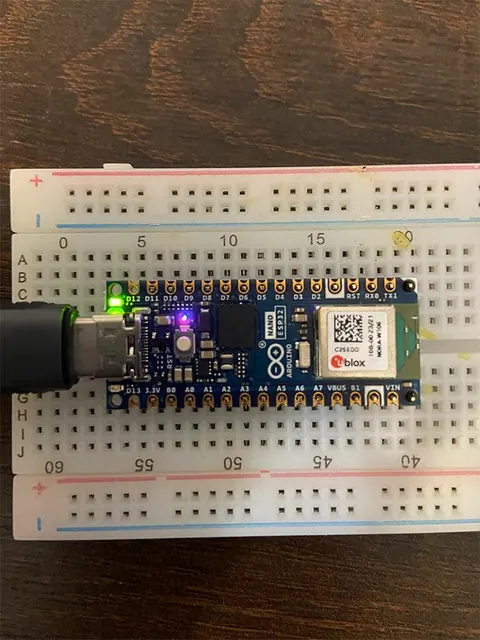
ESP32-C3 NodeMCU-style board, a RISC-V member of the ESP32 family supported by the Arduino core Image: Popolon, CC BY-SA 4.0, via Wikimedia Commons
ESP32 vs Arduino: summary table
Exact clock speeds, RAM and pin counts vary per chip and per board, and are not something this comparison tries to pin down; see the ESP32 specs guide linked below for the chip side. The table focuses on the differences that actually drive a buying decision.
| Aspect | ESP32 (with the Arduino-ESP32 core) | Classic Arduino board |
|---|---|---|
| Programming model | Arduino sketches, native ESP-IDF, or Arduino as an ESP-IDF component | Arduino sketches on the Arduino.cc core |
| Chip options | ESP32, ESP32-C3, C5, C6, H2, P4, S2, S3, S31 (C2 and C61 via the IDF-component route) | Board-dependent, typically AVR- or ARM-based |
| Networking | Wi-Fi station and access point, Ethernet and PPP behind one unified Network API; IPv4 and IPv6 | Depends on the board and add-ons; not part of the Arduino core itself |
| Smart-home protocol | Matter library over Wi-Fi, Thread or Ethernet | Not provided by the Arduino-ESP32 docs for other boards |
| Compile-time identification | ARDUINO_ARCH_ESP32 macro |
Other platform macros (for example ESP8266 on that chip) |
| Documentation and help | Online docs, FAQ, troubleshooting page, Discord, GitHub Discussions, public roadmap, monthly community meetings | Very broad web coverage; a quick search usually finds an answer, plus a dedicated Stack Exchange |
| Maturity notes | Migration guide exists for moving from core 2.x to 3.x | Long-established, stable API |
One nuance worth flagging: the Arduino-ESP32 docs explicitly describe API compatibility with ESP8266 and the Arduino.cc core. That is why so many sketches written for an Uno compile on an ESP32 with little or no change.
 \2
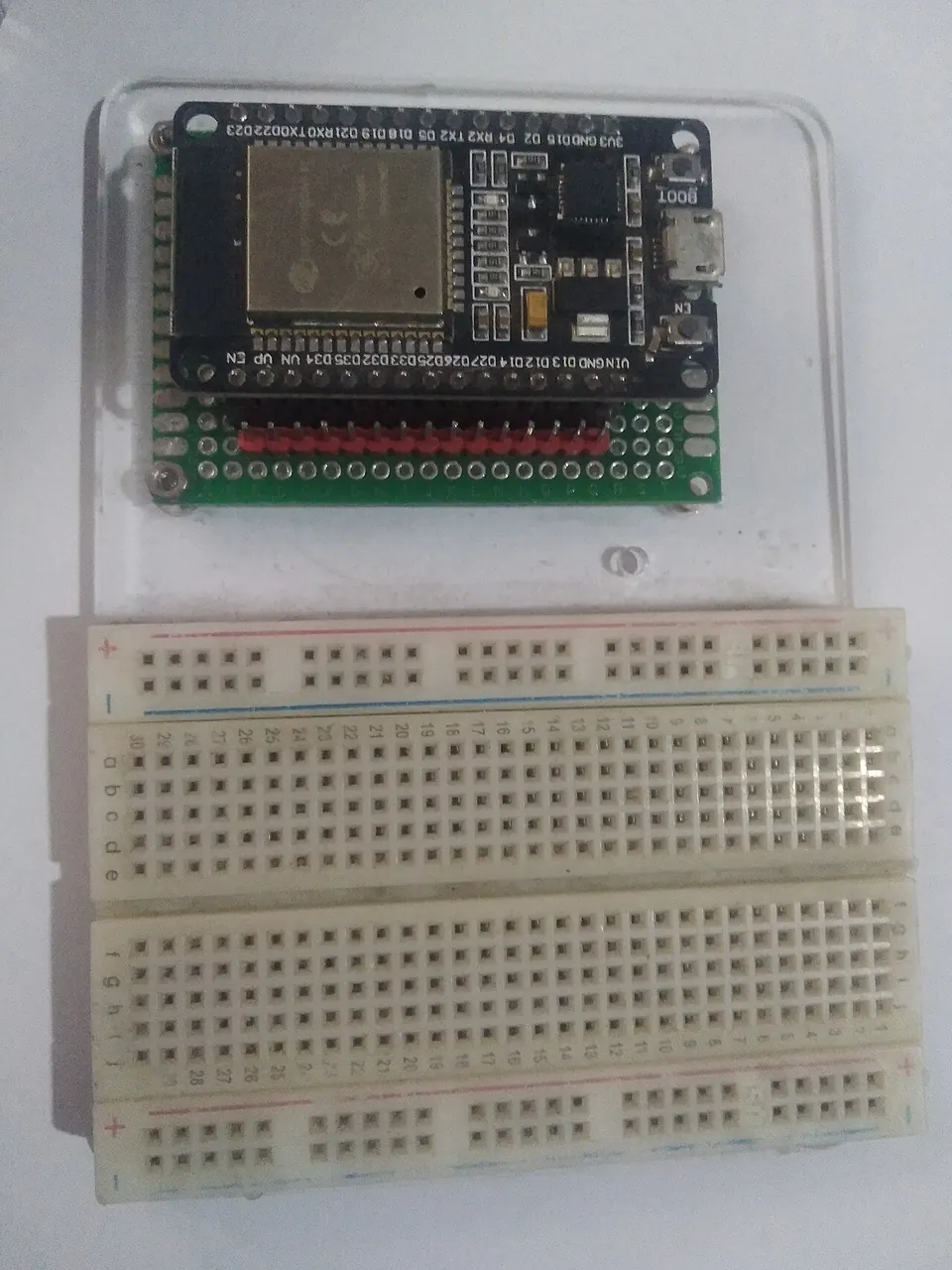
Typical ESP32 development board as used with the Arduino IDE Image: Edwiyanto, CC BY-SA 4.0, via Wikimedia Commons
Which differences actually matter?
Built-in connectivity. This is the headline reason people move from a classic Arduino to an ESP32. The Arduino-ESP32 core ships a Network Manager that treats Wi-Fi (station and access-point modes), Ethernet and PPP (modem or cellular links) as interchangeable interfaces. You get a single set of NetworkClient, NetworkServer and NetworkUdp classes that work over whichever link is active, event callbacks such as ARDUINO_EVENT_WIFI_STA_GOT_IP or ARDUINO_EVENT_ETH_CONNECTED, hostname setting, DNS lookups and MAC address queries. Multiple interfaces can run at the same time and you can pick which one is the default. None of this needs an extra shield or library hunt.
Matter and smart-home integration. If your goal is a device that shows up in Home Assistant, Apple Home, Amazon Alexa or Google Home, the ESP32 Arduino core includes a Matter library built on Espressif's ESP Matter SDK. It supports commissioning by QR code or manual pairing code, multiple endpoint types, and connectivity over Wi-Fi, Thread or Ethernet. Matter devices can talk locally without a cloud, which is a strong fit for DIY home automation.
A whole family, not one chip. "ESP32" covers nine stable-supported SoCs in the Arduino core, including RISC-V parts like the ESP32-C3 and newer designs such as the ESP32-P4. Choosing "ESP32" is really choosing a lineup, so you can scale a project up or down without leaving the toolchain.
Flash and memory handling. Heavier stacks expose a difference in workflow. The Matter examples require selecting the Huge APP (3 MB No OTA / 1 MB SPIFFS) partition scheme and enabling Erase All Flash Before Sketch Upload in the Arduino IDE, because the Matter stack needs a 3 MB application partition and stale Wi-Fi or commissioning data in NVS can break pairing. On chips with PSRAM enabled, the Matter data model is placed in PSRAM, so ESP.getFreeHeap() may stay flat while ESP.getFreePsram() drops. Partition schemes and PSRAM are concepts you simply do not deal with on a small classic Arduino.
Toolchain flexibility. On an ESP32 you are not locked into the Arduino way. Espressif documents running Arduino as an ESP-IDF component, which is also how you reach the ESP32-C2 and ESP32-C61. That gives a growth path from sketches to professional firmware without rewriting everything.
 \2
ESP-WROOM-32 module, the shielded ESP32 module found on many dev boards Image: Ubahnverleih, CC0, via Wikimedia Commons
Can I use my Arduino code and libraries on an ESP32?
Largely yes, and this is where "esp32 arduino" stops being a versus and becomes a combination. Experienced makers note that a lot of Arduino libraries have been ported to the ESP platform and expose functions that are practically identical on both. Switching between boards becomes more a matter of habit than relearning.
Where things diverge is chip-specific code: pin numbers, and libraries that only exist (or only behave well) on one architecture. The standard trick is a compile-time check. The Arduino-ESP32 core defines ARDUINO_ARCH_ESP32, and other platforms define their own macros, so you can keep one sketch and let the preprocessor choose:
#ifdef ARDUINO_ARCH_ESP32
#include "..\DHTlib\DHT.h"
#else
#include "..\DHTStable\DHT.h"
#endif
That example comes from a maker compiling the same sensor sketch for an ESP32 and an ESP8266, where two DHT library variants shared the same header name. Using a relative, quoted include path lets each build pull the right one without renaming files after every git pull. The same pattern works for #ifdef ESP8266 branches.
Two housekeeping points when you commit to the ESP32 side of Arduino:
- The core moved from 2.x to 3.x, and Espressif publishes a migration guide. Older tutorials may use APIs that changed, so check the guide if an example will not compile.
- The Arduino-ESP32 docs describe where their APIs match ESP8266 and the Arduino.cc core and where they do not. When a classic library misbehaves, that page is the first place to look.
Which should you choose for which project?
| Project type | Better pick | Why |
|---|---|---|
| Wi-Fi sensor, web dashboard, MQTT node | ESP32 | Wi-Fi station/AP, DNS, hostname and client/server classes are built into the core |
| Matter smart-home device for Home Assistant, Apple Home, Alexa or Google Home | ESP32 | Matter library over Wi-Fi, Thread or Ethernet, local control without cloud |
| Wired networking or cellular link | ESP32 | Ethernet and PPP interfaces share the same Network API as Wi-Fi |
| Low-power Thread or mesh device | ESP32 (Thread-capable variant) | Matter docs describe Thread as the low-power mesh option for battery devices |
| First blink/sensor project with maximum tutorial coverage | Classic Arduino | Arduino is so widely supported that a plain search usually finds a worked example |
| Project that must later grow into professional firmware | ESP32 | Native ESP-IDF, or Arduino as an ESP-IDF component |
| Something that needs a full Linux OS (camera processing, heavy Python) | Neither | Makers point to a Raspberry Pi for that, accepting it lacks ready analog inputs |
A practical rule: if the word "network" appears anywhere in your project description, start with an ESP32 and program it from the Arduino IDE. You keep the familiar sketch workflow and gain the Network and Matter libraries for free.
If your project is purely local, such as driving a motor from a potentiometer or reading a sensor to a serial monitor, a classic Arduino is perfectly adequate, and the sheer volume of existing tutorials for it is a real advantage for a beginner.
For people who already own an ESP32 and are weighing Arduino against ESP-IDF, the honest answer is that it is not an either/or. Start with sketches, and if you hit a limit, Espressif's documented component route lets you keep your Arduino code inside an IDF build.
What trips people up when moving from Arduino to ESP32?
Serial output looks fine in the IDE but garbled elsewhere. One maker reading floats from an ESP32 saw clean values in the Arduino Serial Monitor but corrupted strings in a Python script. The fix that worked for them was dropping the baud rate from 115200 to 9600. Keep this in mind if your ESP32 talks to a PC-side script rather than the IDE.
Forgetting the partition scheme. Large stacks such as Matter will not fit the default layout. Set the Huge APP (3 MB No OTA / 1 MB SPIFFS) scheme before uploading, and enable Erase All Flash so old credentials or fabric data do not interfere with commissioning.
Library name collisions. Two libraries with identical header names cannot both live in the normal library folder. Use quoted relative includes behind #ifdef ARDUINO_ARCH_ESP32 as shown above.
Mixing ESP8266 and ESP32 tutorials. A newcomer with an ESP-WROOM-32 board found many good examples written for the ESP8266 with different pins and different imported libraries. Pins are an easy fix; libraries sometimes need the ESP32 equivalent. The Arduino-ESP32 compatibility page lists where the APIs line up.
Old 2.x examples on a 3.x core. Check the official migration guide before assuming a sketch is broken.
Where to ask. The Arduino-ESP32 project runs a Discord server, GitHub Discussions, a public roadmap and monthly community meetings, so you are not on your own when something misbehaves.
Frequently asked questions
Can an ESP32 be programmed with the Arduino IDE?
Yes. Espressif maintains an official Arduino core for the ESP32 family, with online docs, install guides for Windows, Linux and macOS, and example sketches.
Which ESP32 chips does the Arduino core support?
Stable support covers ESP32, ESP32-C3, C5, C6, H2, P4, S2, S3 and S31. ESP32-C2 and ESP32-C61 work via Arduino as an ESP-IDF component or rebuilt static libraries.
Do Arduino libraries work on ESP32?
Many do; lots of Arduino libraries have been ported to the ESP platform with nearly identical functions. For chip-specific parts, guard code with #ifdef ARDUINO_ARCH_ESP32.
Does the ESP32 Arduino core support Matter?
Yes. The Matter library runs over Wi-Fi, Thread or Ethernet and integrates with Home Assistant, Apple Home, Amazon Alexa and Google Home. It needs the Huge APP partition scheme and an erased flash before upload.
Is Arduino or ESP-IDF better for an ESP32?
You don't have to choose outright: Espressif documents running Arduino as an ESP-IDF component, so sketches can live inside an IDF project.
ESP32 vs Arduino is less a rivalry than a layering: an ESP32 board programmed through Espressif's Arduino core gives you the familiar sketch workflow plus built-in Wi-Fi, Ethernet, PPP and Matter. Choose an ESP32 for anything connected or smart-home related, keep a classic Arduino for simple offline projects where tutorial volume matters most, and remember you can graduate to ESP-IDF later without abandoning your Arduino code.
Sources
github.comNetwork API (arduino-esp32 docs)github.comMatter (arduino-esp32 docs)stackoverflow.comArduino - Select header for DHT Sensor Based on Chip (ESP32 vs ESP8266)stackoverflow.comPython not printing same as Arduino Serial Monitorelectronics.stackexchange.comnewb to arduino, how to navigate the ESP8266 vs ESP32 examples and tutorials?github.comespressif/arduino-esp32 (GitHub README)This guide summarises the public sources listed above in our own words. Check the original documentation before relying on exact figures.