EnergyMe-Home: Build a 16-Channel ESP32 Energy Monitor
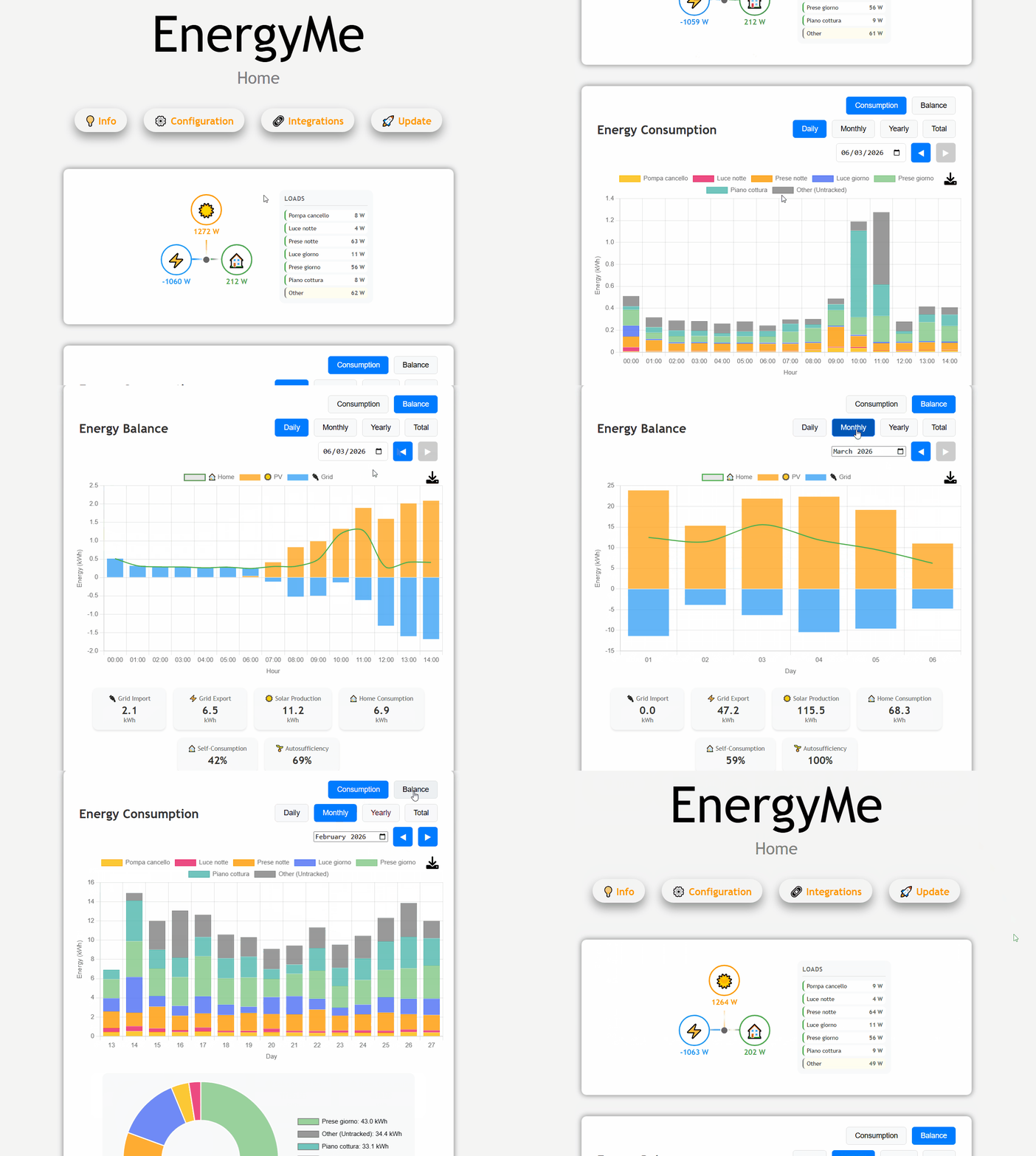
Live web dashboard showing real-time power data across multiple circuits
- ESP32-S3
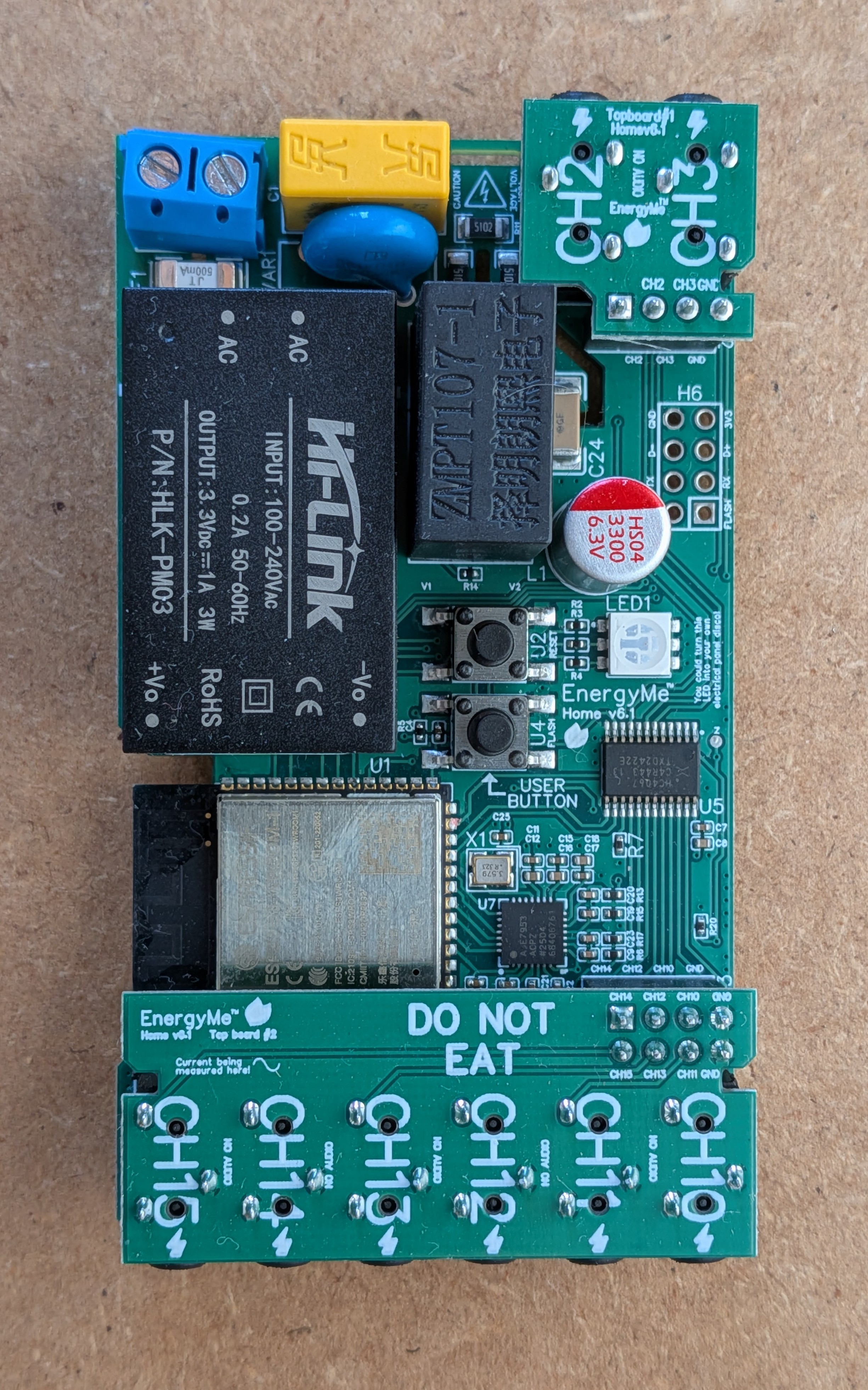
- ADE7953 energy measurement IC
- ZMPT107-1 voltage transformer
- Multiplexers
- 3.5 mm jack connectors
- 333 mV output current transformers (CTs)
- USB-to-UART adapter
What You Will Build
EnergyMe-Home is a whole-home energy monitoring system you can build yourself — PCB, firmware, and all. It tracks up to 16 electrical circuits at once: one main circuit sampled at high frequency for accurate whole-home totals, plus 15 branch circuits multiplexed for individual monitoring. All measurements come from the ADE7953, a dedicated single-phase energy measurement IC, driven by an ESP32-S3.
The result is a device that sits in your electrical panel, connects to your home network, and immediately starts publishing live power, voltage, and current data. You can pull that data through a local web dashboard, a Swagger-documented REST API, MQTT, Modbus TCP, InfluxDB (v1 or v2), or a dedicated Home Assistant custom integration. A waveform analyzer in the web UI lets you capture high-resolution voltage and current snapshots per channel for diagnostics.
The hardware is OSHWA-certified open source (IT000025) and the PCB design is published on EasyEDA OSHWLab, so you can order boards directly from any PCB manufacturer and build the whole thing yourself. Pre-assembled, calibrated units are also available if you want to skip the soldering.
 \2
\2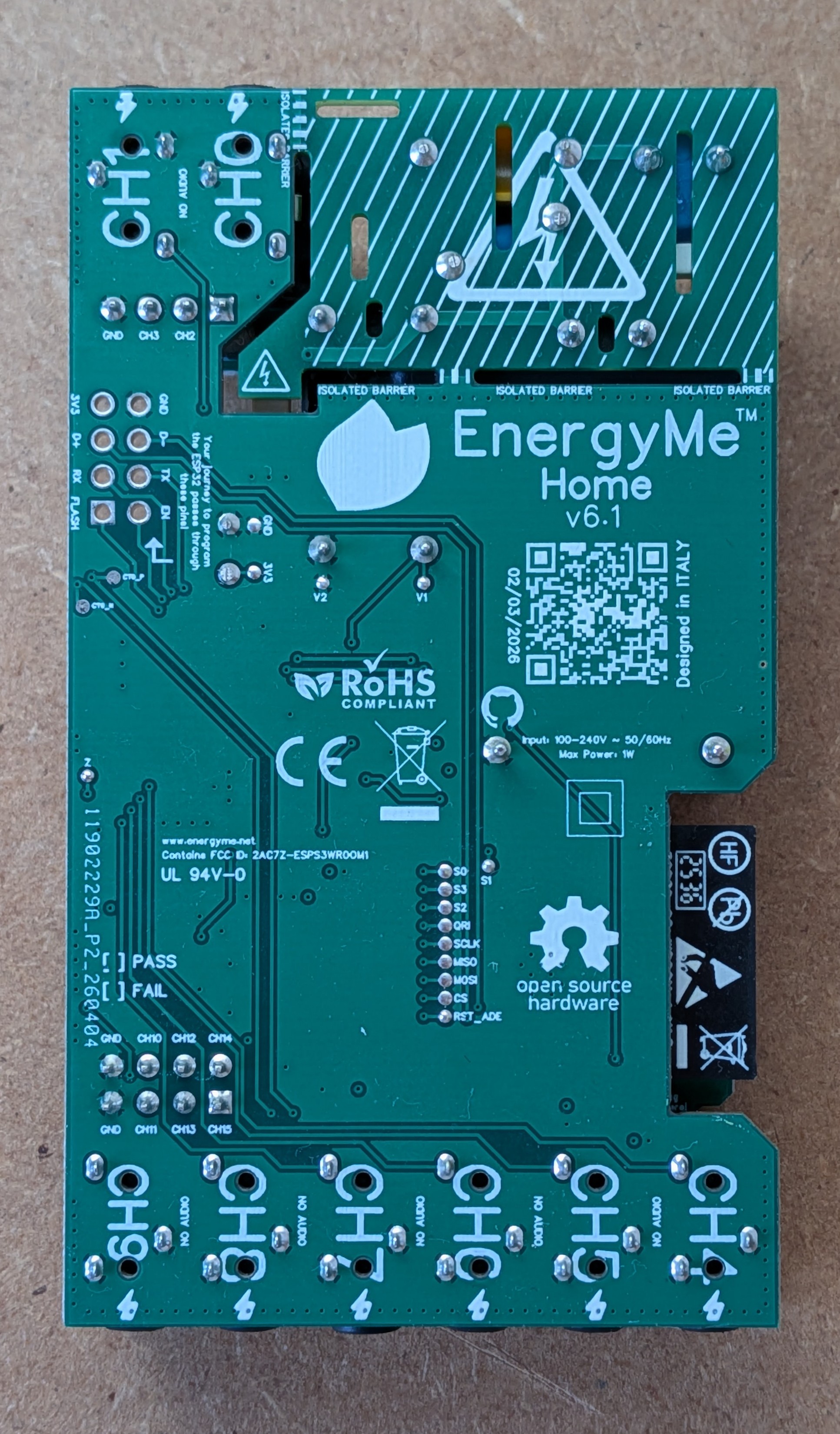 \2
\2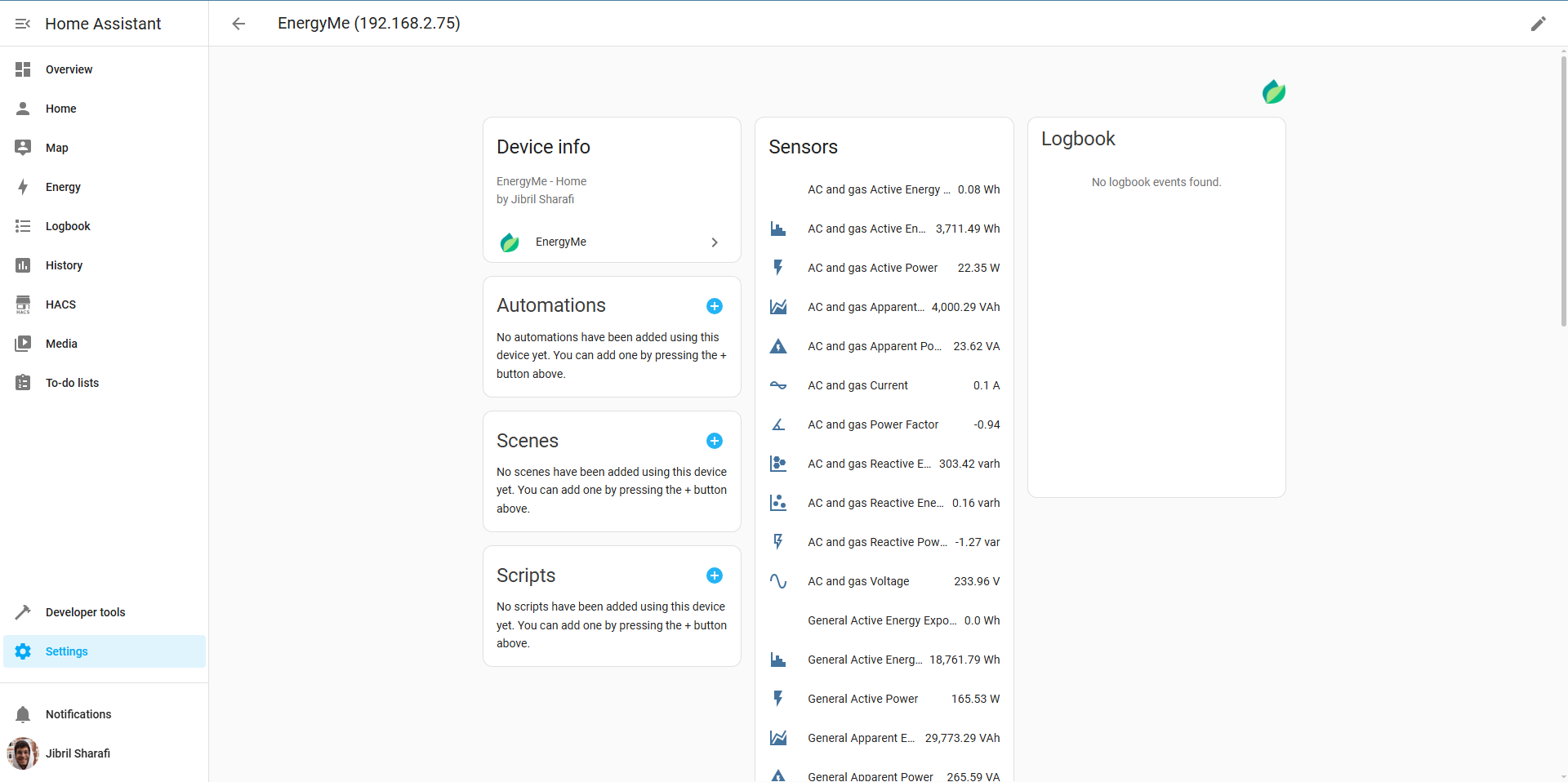 \2
\2What You Need
Hardware
The core hardware is defined by the project's PCB (currently v6.1). All schematic files, BOMs, and datasheets live in the hardware/ directory of the repository. Key components named in the README:
- ESP32-S3 (the microcontroller)
- ADE7953 energy measurement IC
- ZMPT107-1 voltage transformer — provides full galvanic isolation between AC mains and the low-voltage measurement side
- Multiplexers (for routing 15 branch circuits)
- 3.5 mm jack connectors for plug-and-play CT connection
- 333 mV output current transformers (±500 mV absolute), one per circuit you want to monitor
- USB-to-UART adapter for initial flashing
Three PCB boards are involved: a main board, top board 1, and top board 2. Their BOMs are in hardware/pcb/main_board/, hardware/pcb/top_board_1/, and hardware/pcb/top_board_2/.
Supported electrical systems include single-phase 230 V (Europe, Asia, Africa, Oceania), split-phase 120 V/240 V (North America), and three-phase systems with derived voltages.
Software
- PlatformIO — used to build and flash the firmware
- The repository source code from github.com/jibrilsharafi/EnergyMe-Home
- Optionally: an MQTT broker, InfluxDB instance, or Home Assistant for integrations
Safety warning: Installation involves working inside your main electrical panel. Always consult a qualified electrician if you are not experienced with electrical installations. Follow all local electrical codes.
Typical use cases
Monitor all circuits in your electrical panel simultaneously and get a real-time breakdown of where power is going, down to individual branch circuits.
Feed live power and energy data into Home Assistant via the dedicated custom integration and build automations around actual consumption.
Push timestamped measurements to InfluxDB and visualise long-term energy trends in Grafana to spot waste and optimise usage.
Use the Modbus TCP interface to connect EnergyMe-Home to building management or SCADA systems for commercial or prosumer monitoring setups.
How It Works
The firmware runs a task-based architecture on FreeRTOS, with each major function — energy sampling, web server, MQTT publishing, Modbus TCP, InfluxDB buffering — running as its own task.
The ADE7953 IC handles all the precision measurement work: voltage, current, active power, and energy accumulation per channel. The ZMPT107-1 voltage transformer keeps the AC mains completely isolated from the ESP32 and measurement circuitry. Multiplexers switch between the 15 branch circuit inputs so a single ADE7953 can service all of them in sequence, while the main circuit is sampled continuously at high frequency.
On the software side, the web interface is served directly from the ESP32-S3 and is accessible at http://energyme.local via mDNS. A captive portal handles first-time Wi-Fi configuration. Authentication is token-based with password protection. OTA firmware updates include MD5 verification and automatic rollback if a new build crashes. Energy data can also be logged to CSV on-device.
The REST API is fully documented with a Swagger YAML file (source/resources/swagger.yaml) included in the repository.
Build and Flash Steps
1. Get the PCB
Download the design files from hardware/pcb/ in the repository, or open the project directly on EasyEDA OSHWLab. Order from your preferred PCB manufacturer.
2. Populate the boards
Solder all components following the BOMs in hardware/pcb/main_board/, hardware/pcb/top_board_1/, and hardware/pcb/top_board_2/. Datasheets for key components are in hardware/components/. The PCB & Firmware Datasheet in the repository gives a condensed one-page summary.
3. Flash the firmware
Connect a USB-to-UART adapter to the UART pins on the board, then flash using PlatformIO. The repository's source README and manual cover the exact PlatformIO commands and any build flags you need to set. To disable optional anonymous telemetry before flashing, open platformio.ini and set ENABLE_OPEN_SOURCE_TELEMETRY=0.
4. Configure Wi-Fi
Power on the board. It will broadcast a captive portal access point. Connect to it from your phone or laptop and enter your home Wi-Fi credentials.
5. Access the dashboard
Once connected to your network, open a browser and go to:
http://energyme.local
Default credentials: username admin, password energyme. Change these immediately in the settings page.
6. Connect current transformers
Plug 333 mV output CTs into the 3.5 mm jack connectors — one per circuit. Clamp each CT around the live wire of the circuit you want to monitor. The main circuit CT goes to the dedicated main channel input; branch CTs connect to the remaining 15 inputs.
For detailed build instructions and troubleshooting, refer to the manual in the repository.
Integrations
Once the device is online and measuring, you have several ways to get data out:
- Web dashboard: Built-in, accessible at
http://energyme.local. Includes a waveform analyzer for per-channel voltage and current captures. - REST API: Fully Swagger-documented. See
source/resources/swagger.yamlin the repository for all endpoints. - MQTT: Configure a broker address and optional credentials in the web UI. The device publishes energy data on a schedule.
- InfluxDB: Supports both v1.x and v2.x, with SSL/TLS and local buffering for resilience.
- Modbus TCP: For integration with SCADA or industrial dashboards.
- Home Assistant: Install the homeassistant-energyme custom integration. Point it at the device IP address. All circuits and aggregate data appear as Home Assistant entities automatically.
Extending the Project and Known Limitations
Ideas to extend it
- Add a Grafana dashboard fed by InfluxDB for historical trend visualisation — the InfluxDB integration handles buffering so data survives short network outages.
- Use the MQTT output to trigger automations in Home Assistant or Node-RED, for example alerting when a circuit exceeds a power threshold.
- Explore the Modbus TCP interface if you want to connect EnergyMe-Home to a SCADA or building management system.
- Contribute to the project — the repository has contribution guidelines and an active GitHub Discussions community where people share builds, dashboards, and integration tips.
Limitations to keep in mind
- Three-phase support is listed as partial: voltages for L2 and L3 are derived rather than directly measured, so accuracy on three-phase systems is reduced compared to single-phase or split-phase.
- Building the hardware yourself requires PCB assembly skills and sourcing components from the BOM. If soldering SMD components is not in your toolkit, the pre-assembled unit from the project's shop is worth considering.
- Installation inside a live electrical panel carries real safety risk. The ZMPT107-1 provides galvanic isolation on the measurement side, but the panel itself must be de-energised or handled by a qualified electrician during CT installation.
- The branch circuit channels are multiplexed, so their update rate is lower than the continuously-sampled main channel. For fast-changing loads, the main channel gives the most accurate picture.
EnergyMe-Home is one of the most complete open-source energy monitoring projects available for the ESP32 platform — fully open hardware, a mature firmware with crash recovery and OTA updates, and integrations that cover almost every home automation stack. The build is genuinely advanced: it requires PCB assembly, working near mains wiring, and a reasonable grasp of PlatformIO, but the repository is well-documented and the community is active. Makers who put in the work get a professional-grade, 16-channel energy meter that rivals commercial units at a fraction of the cost.
Sources
github.comjibrilsharafi/EnergyMe-Home — repository & README energyme.netOfficial websiteFacts in this article come from the project's public README and GitHub metadata at the time of writing. Images belong to their respective owners and link back to the original source.