Project Aura AQ: ESP32-S3 Air Quality Monitor with Home Assistant
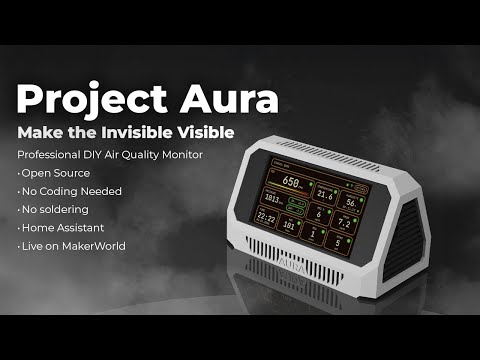
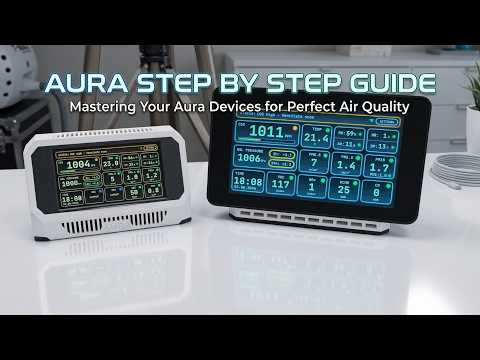
Project Aura AQ demo — touchscreen UI and live sensor readings in action
- Waveshare ESP32-S3-Touch-LCD-4.3 (16 MB flash)
- Waveshare ESP32-S3-Touch-LCD-7.0 (16 MB flash)
- Sensirion SEN66
- Project Aura AQ Sensor Hub PCB v1.1
- DFRobot SEN0466 CO sensor
- Sensirion SFA30 / SFA40 HCHO sensor
- DFRobot electrochemical gas sensors (NH3, SO2, NO2, H2S, O3, O2)
- Adafruit BMP580 / DPS310 pressure sensor
- Adafruit PCF8523 / DS3231 RTC
- DFRobot GP8403 DAC (0–10 V)
What You Will Build
Project Aura AQ is a finished, wall-mountable air quality station built around the ESP32-S3. It is designed to be a permanent fixture rather than a temporary prototype: 3D-printed enclosure, touchscreen LVGL UI, a local web dashboard, OTA firmware updates, and deep Home Assistant integration — all with no cloud dependency.
The device measures particulate matter at five size bands (PM0.5, PM1, PM2.5, PM4, and PM10), CO2, VOC index, NOx index, temperature, humidity, absolute humidity, and pressure. Add optional sensor modules and you also get formaldehyde (HCHO) and carbon monoxide (CO), plus one electrochemical slot for NH3, SO2, NO2, H2S, O3, or O2. An optional GP8403 DAC output lets the station drive a 0–10V ventilation controller automatically based on configurable air-quality thresholds.
This is the kind of monitor you would actually mount in a living room, 3D-printer enclosure, workshop, or server room — not something left on a desk to gather dust.
 \2
\2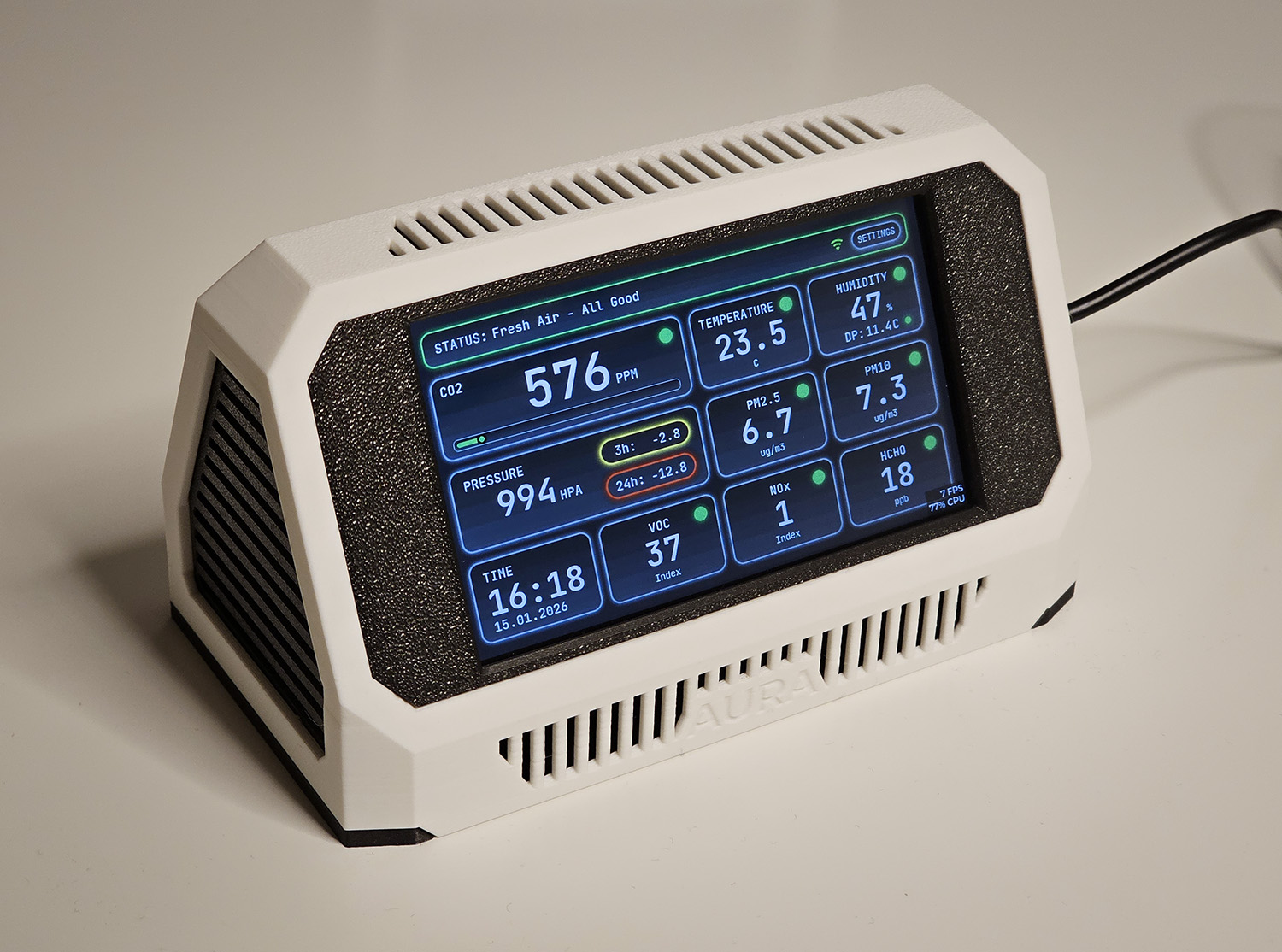 \2
\2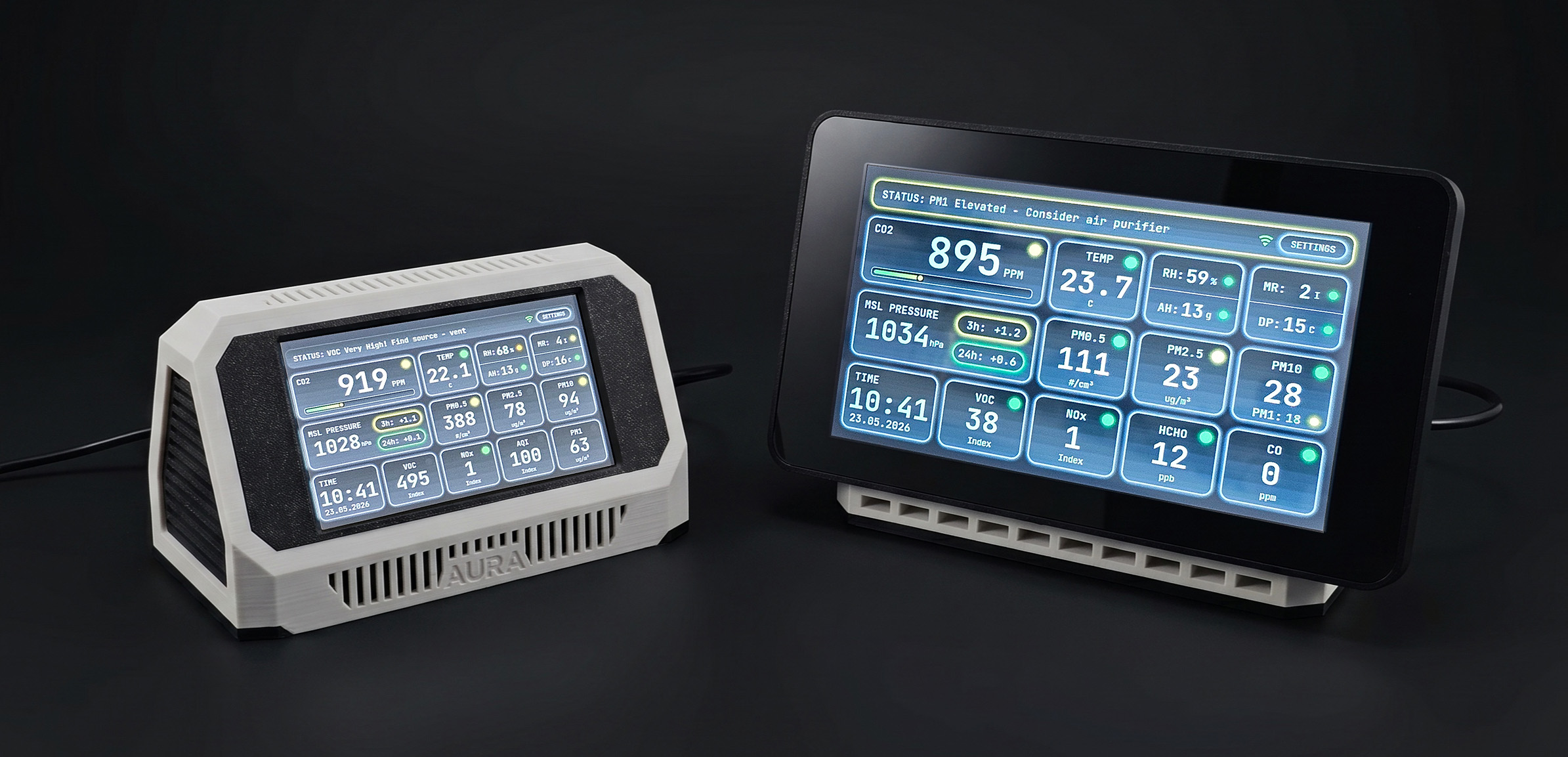 \2
\2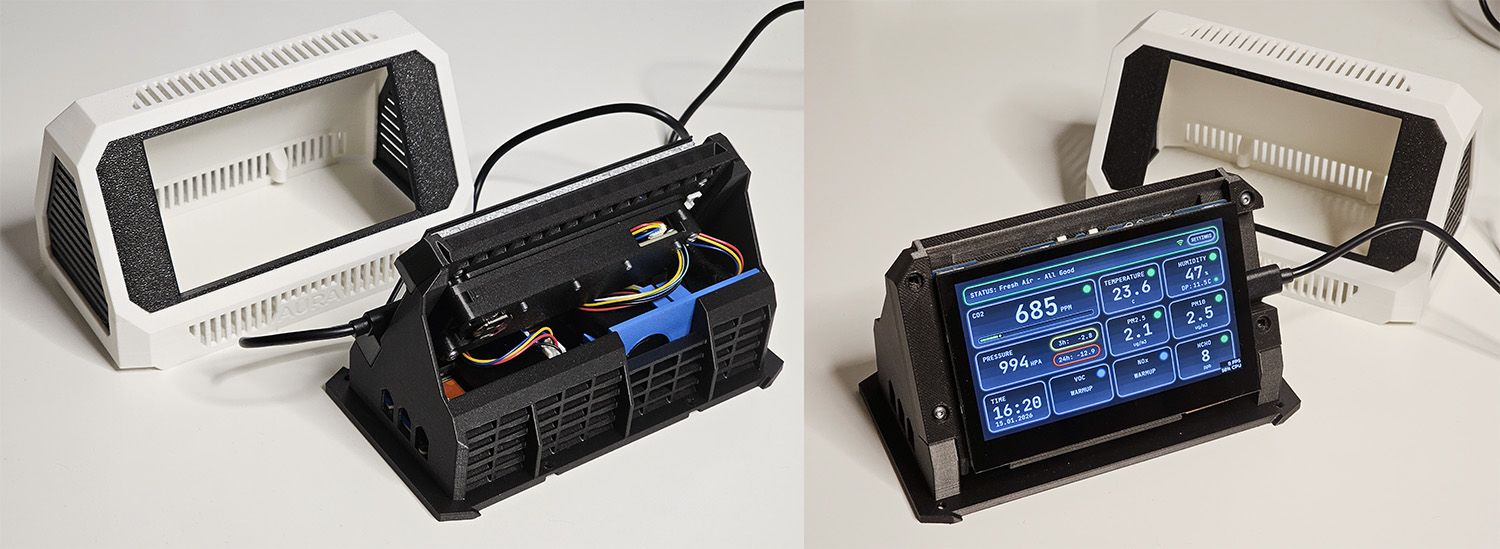 \2
\2What You Need
Minimum build
- Waveshare ESP32-S3-Touch-LCD-4.3 (800×480) or Waveshare ESP32-S3-Touch-LCD-7.0 — you must use the 16 MB flash variant; 8 MB boards will not boot Project Aura firmware
- Sensirion SEN66 — connected via the Aura Sensor Hub PCB or an Adafruit SEN6x breakout
- Stable 5 V / 2 A USB power supply
Recommended additions
- Project Aura AQ Sensor Hub PCB v1.1 — includes all required connectors, a built-in BMP388 pressure sensor, and an RTC module; no soldering needed on this path
- Pressure sensor: Adafruit BMP580 or DPS310 (firmware autodetects BMP580/581/585, BMP388/390, and DPS310)
- RTC: Adafruit PCF8523 or DS3231 (firmware autodetects both)
Optional sensor expansion
- Sensirion SFA30 or SFA40 for formaldehyde (HCHO)
- DFRobot SEN0466 for carbon monoxide (CO)
- One DFRobot electrochemical sensor (NH3, SO2, NO2, H2S, O3, or O2) — if using the O2 variant (SEN0465), set its I2C address to
0x75before connecting - DFRobot GP8403 DAC module for 0–10V ventilation control
Software
- A Chromium-based browser for the web installer (no local tools required for the standard flash path)
- ESP-IDF 6.1 if you want to build from source
- An MQTT broker (such as Mosquitto) and Home Assistant if you want smart-home integration
Enclosure files and wiring instructions are not stored in the GitHub repository. They are available to MakerWorld backers. Check the MakerWorld project page for details.
Typical use cases
Mount Aura in any room to track PM, CO2, VOC, NOx, temperature, and humidity on a live touchscreen and local dashboard with no cloud account required.
Use the optional GP8403 DAC output to drive a 0–10V ERV, HRV, or motorised damper automatically based on CO2, HCHO, CO, VOC, or NOx thresholds you configure.
All sensor entities publish over MQTT with automatic Home Assistant discovery, and a ready-to-use dashboard YAML is included in the repository.
Add HCHO sensing for resin and laser-cut material off-gassing, or a CO sensor for workshops with combustion appliances — the firmware handles both without reflashing.
How It Works
The firmware is written in C on top of ESP-IDF 6.1 and uses the LVGL graphics library to drive the touchscreen. At boot the device looks for a saved Wi-Fi configuration. If none exists it opens a Wi-Fi access point and serves a captive setup portal — connect from any phone or laptop, enter your network credentials, and the device joins your network. No app, no serial monitor needed.
Once connected, Aura runs a tight loop:
- It polls the SEN66 and any connected optional sensors over I2C and renders live telemetry on the LVGL touchscreen. During the SEN66's ~5-minute VOC and NOx warmup period the UI shows a WARMUP indicator.
- It serves a full web dashboard at
http://<hostname>.local/dashboardwith tabs for live sensor readings, historical charts, an event log, settings, and OTA firmware upload. - It publishes all entities over MQTT with automatic Home Assistant discovery, so entities appear in HA without manual configuration.
- If the GP8403 DAC is present, the
/dacpage exposes manual level control, a timer, and a demand mode that automatically ramps ventilation up or down based on CO2, HCHO, CO, VOC, and NOx thresholds you set.
A Safe Boot system monitors crashes and rolls back to the last-known-good configuration automatically. Hardware autodetection handles RTC and pressure sensor modules at boot, so you can add them without reflashing.
Flash and First Boot
Option A — Web installer (recommended)
- Connect the Waveshare board to your computer with a USB-C cable.
- Open aura-aq.com/installer/aura-aq in Chrome or Edge.
- Select your board size (4.3-inch or 7-inch) and the v1.2.0 firmware, then click Install.
- On first boot the device opens a Wi-Fi access point. Connect to it and enter your network credentials through the captive portal.
- Access the full dashboard at
http://<hostname>.local/dashboard.
Critical — 7-inch update warning: do not use OTA to update an existing 7-inch board. Use the web installer and follow every step of the v1.2.0 update guide in published order. Skipping steps can damage the board. The GitHub Releases page contains only a 4.3-inch OTA file; there is no 7-inch OTA file on GitHub.
Option B — Build from source
Install ESP-IDF 6.1, clone the repository, and follow the Build and Flash section of the README. The 4.3-inch and 7-inch builds use separate firmware targets.
After flashing
- Confirm sensor readings appear on the touchscreen and in the web dashboard.
- Enter your MQTT broker address, port, and credentials under Settings → MQTT to enable Home Assistant discovery.
- For diagnostics, navigate to
http://<your-aura-ip>/diagand use Download report to save a JSON snapshot before restarting or unplugging.
Extend the Build and Know the Limits
Add sensors without reflashing
All optional sensor modules are autodetected at boot. Plug in a pressure sensor, RTC, HCHO module, or CO module, restart, and Aura adds the matching entities to the touchscreen UI, web dashboard, and MQTT discovery automatically.
Ventilation automation
Add the GP8403 DAC module and enable demand mode from the /dac page. Set thresholds for CO2, HCHO, CO, VOC, and NOx and the station will drive an ERV, HRV, or motorised damper on its 0–10V output without any external automation rules.
Home Assistant dashboard
The repository includes a ready-to-use Home Assistant dashboard YAML. Import it and you have charts and entity cards for every Aura sensor immediately.
Customise the firmware
The full source is available under GPL-3.0. You can modify LVGL themes, add sensor drivers, change MQTT topic structure, or run the included test suite. Contributions follow the standard GitHub pull-request workflow.
Limitations to keep in mind
- Only 16 MB flash Waveshare boards are supported. 8 MB variants will not work.
- SEN66 VOC and NOx readings need roughly five minutes of warmup after power-on.
- The optional O2 sensor (SEN0465) is not a certified safety monitor and is not suitable for breathing-gas decisions such as Nitrox analysis.
- 3D-printable enclosure files and the detailed wiring guide are backer resources, not in the public repository.
- The 7-inch model has a more involved update procedure; OTA files for it are not published on GitHub.
Project Aura AQ is one of the most complete open-source air quality builds available for the ESP32 platform: a polished LVGL UI, robust local-first design, automatic Home Assistant discovery, expandable sensor support, and a browser-based installer that removes the toolchain barrier for most builders. The main entry points to manage are sourcing the mandatory 16 MB Waveshare board and, for the cleanest enclosure build, backing the MakerWorld project for the 3D files and wiring guide. Makers comfortable with ESP-IDF and I2C wiring will find a well-structured, actively maintained codebase that rewards customisation.
Sources
github.com21cncstudio/project_aura — repository & README makerworld.comOfficial websiteFacts in this article come from the project's public README and GitHub metadata at the time of writing. Images belong to their respective owners and link back to the original source.