whistle-esp32: Offline Speech-to-Text on an ESP32-S3 Build Guide
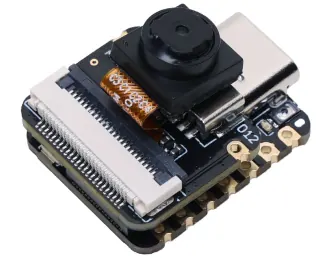
- ESP32-S3-DevKitC-1 N16R8 (16 MB flash, 8 MB octal PSRAM)
- INMP441 I2S microphone module
- Momentary push button
- Onboard WS2812 RGB LED
- Jumper wires and breadboard
What you will build
This project turns an ESP32-S3 into a push-to-talk voice controller that understands free-form speech, not a fixed list of wake phrases. You hold a button, say something like "flash the light blue", release, and the WS2812 LED already on the board flashes blue.
What makes it interesting is where the work happens. The speech recognition runs entirely on the microcontroller: no network, no cloud, no phone. The model is Whistle by Cactus Compute, released under Apache 2.0. Cactus ships no ESP32 build and no engine source, so everything in this repository is an independent C99 implementation with no dependencies, checked tensor by tensor against the official engine.
The firmware understands commands in seven languages at the same time (English, French, Spanish, German, Italian, Dutch and Polish), with automatic language detection. A command names a colour (red, green, blue, yellow, purple or white) and can add flash or blink, a blink rate and a duration. If you want to learn how a real transformer speech model fits into 16 MB of flash and 8 MB of PSRAM, this is a very hands-on way to do it.
What you need
The README is specific about the board, and it matters: the model alone is 14.5 MB.
| Part | Notes |
|---|---|
| ESP32-S3 board, N16R8 | 16 MB flash and 8 MB octal PSRAM. ESP32-S3-DevKitC-1 N16R8 or a clone. |
| INMP441 I2S microphone module | the common round breakout board |
| Momentary push button | any tactile switch |
| Jumper wires, breadboard | 8 wires |
| USB cable | to the board's native USB port |
The RGB LED is the WS2812 already on the board.
On the software side you need ESP-IDF v5.5 or newer, Python 3 and CMake. A Python virtual environment with numpy, rich, pyserial and huggingface_hub handles the host tools and the model download.
Wiring
| From | To | |
|---|---|---|
| INMP441 VDD | 3V3 | 3.3 V, not 5 V |
| INMP441 GND | GND | |
| INMP441 L/R | GND | picks the left channel, which the firmware reads |
| INMP441 SCK | GPIO4 | I2S bit clock |
| INMP441 WS | GPIO5 | I2S word select |
| INMP441 SD | GPIO6 | I2S data |
| Button | GPIO7 and GND | internal pull-up, no resistor |
| WS2812 LED | GPIO48 | on the board already |
Clone boards place header pins differently, so go by the GPIO numbers printed on your board. If your LED sits on another pin (DevKitC-1 v1.1 uses GPIO38), change ONBOARD_GPIO at the top of esp32/whistle_demo/main/main.c. The repository ships a wiring diagram in docs/wiring.svg with a PNG version for printing.
Check the microphone before anything else. Loose jumper wires are the most common fault. esp32/mic_test records while the button is held, and tools/mic_capture.py saves each clip as a WAV you can listen to. Speech should sit well above the noise floor (about -45 vs -68 dBFS) with jumps=0. Stretches of an exact bit pattern such as 0xAAAA mean a bad SCK, WS or power contact.
Typical use cases
A complete, verified C99 transformer speech pipeline on a microcontroller, with per-phase timings you can watch over serial.
Push-to-talk colour and blink commands with no network, cloud or phone involved.
Seven languages are on the board at the same time with automatic language detection.
The transcript-to-command parser in nd_ledcmd.c is where you can map free-form speech to new actions.
How it works
The pipeline on the board runs four phases: a log-mel spectrogram, a conv stem, an 8-layer encoder and a decoder. For a 2-second English command at 240 MHz with a depth-4 decoder, the README measures 0.1 s, 0.9 s, 3.2 s and 2.2 s respectively, 6.3 s in total. Longer speech takes longer because the encoder sees every 80 ms frame, and other languages use more tokens: a 3.2-second French sentence takes 12.6 s.
The matmuls run in int8 on the S3's PIE vector unit, 16 multiply-adds per instruction. Whistle's weights decode exactly to int8 codebook levels and activations get one scale per 128-wide group, so accuracy does not change (80% of colour commands right in int8 vs 78% in float, on 360 test clips). The first working build took 23.9 s for the same command, so the optimisation work is a big part of the story.
Why cut the model down? The full Whistle model (16.9 MB) is bigger than the board's entire flash. Whistle's decoder is laddered: every depth from 2 layers up was trained to work on its own. whistle_strip.py keeps only the layers a depth uses. Depth 4 fits once the model partition runs to the end of flash (esp32/whistle_demo/partitions.csv).
On the language side, the firmware biases decoding towards each language's colour and blink words. When the first transcript names no colour, it also decodes as the next two most likely languages, and accepts one of those only if it names a colour and the model finds it nearly as probable, within 0.2 nats per token. That is why the board beats the full-size model run through the official engine on command accuracy in most languages.
Build and flash
Make sure ESP-IDF is on your PATH, then work through the four steps from the README.
# 1. host tools
python3 -m venv .venv
.venv/bin/pip install numpy rich pyserial huggingface_hub

# 2. fetch Whistle (16.9 MB) and cut it down to 4 decoder layers (14.5 MB)
mkdir -p model/whistle && .venv/bin/python -c "
from huggingface_hub import hf_hub_download; import shutil
shutil.copy(hf_hub_download('Cactus-Compute/whistle','whistle.cact'), 'model/whistle/whistle.cact')"
.venv/bin/python tools/whistle_strip.py model/whistle/whistle.cact 4 model/whistle/whistle_d4.cact

# 3. firmware (ESP-IDF must be on PATH)
. $HOME/esp/esp-idf/export.sh
cd esp32/whistle_demo
idf.py set-target esp32s3 && idf.py build
idf.py -p /dev/cu.usbmodemXXXX flash          # bootloader, partition table, app
cd ../..

# 4. the model, into its own flash partition (~100 s)
esptool.py --chip esp32s3 -p /dev/cu.usbmodemXXXX -b 921600 \
    write_flash 0x210000 model/whistle/whistle_d4.cact
Find the port with ls /dev/cu.usb* (macOS) or ls /dev/ttyACM* (Linux). The model only needs flashing once. After a code change, repeat step 3.
To watch transcripts, detected language, LED action and per-phase timings, run the console:
.venv/bin/python tools/needle_tui.py --whistle --serial /dev/cu.usbmodemXXXX
The board works without it, too.
Using it. The LED glows dim blue for about a second while the model loads, then goes off. That means it is ready.
- Hold the button. The LED turns white while it records.
- Say a command.
- Release. The LED pulses dimly while it transcribes, then does what you said.
| Say | LED |
|---|---|
| "Make it red." | solid red |
| "Turn the light green for five seconds." | green for 5 s |
| "Flash the light blue." | flashing blue |
| "Blink purple every half a second." | purple, blinking twice a second |
Two red blinks mean it heard only noise. One amber blink means it heard words but no colour. Short phrases work better than a bare word: "make it red" was recognised far more often than "red" alone (86-93% vs 44% across six test voices).
Common problems. No serial output usually means you are on the UART bridge instead of the native USB port; remove CONFIG_ESP_CONSOLE_USB_SERIAL_JTAG=y from sdkconfig.defaults, delete sdkconfig and rebuild. A board stuck at waiting for download can be reset with esptool.py --after watchdog_reset read_mac. A boot loop with no message means the PSRAM line mode is wrong; 8 MB parts are octal (CONFIG_SPIRAM_MODE_OCT=y), which the defaults already set. If it runs about 1.5x too slow, check that CONFIG_ESP_DEFAULT_CPU_FREQ_MHZ_240=y is in place.
Testing without the board
The same engine builds on a computer, which is handy for debugging audio and parsing before you touch hardware:
cmake -S host -B build -DCMAKE_BUILD_TYPE=Release && cmake --build build -j8
./build/wh_run model/whistle/whistle_d4.cact clip.wav --led-keywords --gate 12
.venv/bin/python tools/needle_tui.py --whistle --local clip.wav
clip.wav must be 16 kHz mono 16-bit. Add -DCMAKE_C_FLAGS=-DND_PROFILE to the first line for per-phase timings.
The console's regression tests need no model, board or serial connection:
.venv/bin/python -m unittest discover -s tests -v
If you want to verify the engine against Cactus's prebuilt library, tools/whistle_ref.py is a NumPy reference, and tools/check_whistle.py compares tensors, logits and transcripts. The README reports 676 tensors matched against whistle.safetensors with 0 problems and C vs NumPy logits within 6e-5 with identical argmax. Note that cactus-needle sends anonymous usage counts by default; set NEEDLE_TELEMETRY=0, which the included tools already do.
Ideas to extend it, and limitations
The transcript-to-command step lives in engine/nd_ledcmd.c, which maps text to an LED action in seven languages. Because the engine transcribes whatever you say rather than matching fixed phrases, that parser is the natural place to add your own commands on top of the colour and blink vocabulary. The repository also keeps the Needle 2 demo in esp32/needle_demo, a 45M-parameter tool-calling language model on the same board, and the engine reads both the .cact v3 and v4 containers, so there is room to experiment beyond LEDs.
Know the limits before you plan a product around it. Recognition takes about 6 s for a short English command and more for longer or non-English speech, so this is not a real-time assistant. Command accuracy on the board at depth 4 is 78/76% for English (clean/noisy), 80/85% for Spanish and 72/67% for French; German, Italian and Polish work, and Dutch is weak at 42/50%, which the README attributes to Whistle's own language detection. On general speech, depth 4 scores 11.7% word error rate on 73 LibriSpeech utterances.
A few audio gotchas from the README are worth remembering if you modify the capture path: do not band-limit or boost the audio, since band-passing turned "turn the light red" into "turn the leg red"; clipping hurts more than low volume; a single click shrinks the speech because the engine scales each clip to a peak of 1; and avoid double on the board, because the S3's FPU is single precision and one double accumulator made a 2-second clip take 24 s.
whistle-esp32 is a serious piece of edge-AI engineering packaged as an approachable demo: real speech-to-text in seven languages on a $10 board, with wiring, flashing and troubleshooting spelled out. It is not fast and some languages are shaky, but if you have an N16R8 board and an INMP441, it is one of the most instructive ESP32-S3 projects you can build.
Sources
github.comandrisgauracs/whistle-esp32 — repository & READMEFacts in this article come from the project's public README and GitHub metadata at the time of writing. Images belong to their respective owners and link back to the original source.