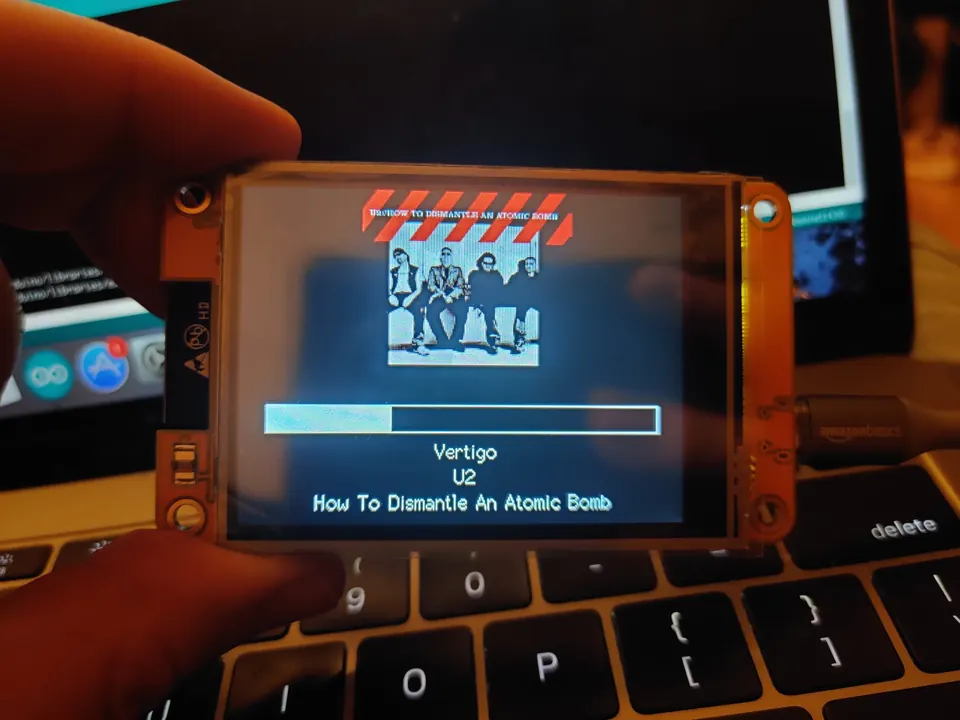
awesome-esp32: Hand-Picked ESP32 Projects Worth Building
- Waveshare ESP32-S3-Touch-AMOLED-1.8
- Waveshare ESP32-S3-Touch-AMOLED-2.06
- Waveshare ESP32-S3-Touch-AMOLED-1.75
- Waveshare ESP32-C6-Touch-AMOLED-2.16
- Waveshare ESP32-P4-Module-DEV-KIT
- Waveshare ESP32-P4-ETH
- M5StickS3
- M5Stack CoreS3
- M5Stack Core2
- M5Stack AtomS3R-CAM
- M5Stack Atom JoyStick
- M5Stack StopWatch
- M5Stamp Pico
- Ulanzi Smart Pixel Clock TC001
- Seeed Studio XIAO ESP32-C3
- Sunton ESP32-2432S028R
- TRMNL
- Generic ESP32 module
What You Will Explore and Why It Matters
awesome-esp32 is a hand-curated, device-tagged reference list of more than 40 open-source ESP32 projects worth building, studying, or forking. Unlike a generic search result, every entry has been chosen because it does something reproducible: flash firmware, wire up hardware, and end up with a working gadget.
The ESP32 family spans many packaged devices — Waveshare AMOLED boards, M5Stack units, LilyGO modules, the Ulanzi pixel clock, and bare ESP32 modules you assemble yourself. The list makes that diversity navigable. Every project entry ends with the specific device it targets, formatted consistently across all entries. Open devices.md and search that board name to see every project your hardware can run.
The list also ships two practical guides of its own: an ESP32 development practices guide that distills board-agnostic lessons from across all listed projects — covering stack choice, memory discipline, watchdogs, OTA, and connectivity, each cited to the project it came from — and a Waveshare AMOLED 1.8 guide with field-measured notes on the pin map, display panel, touch controller, IMU, audio codec, power, and battery for that specific board.
How the List Is Organized
The list splits into two top-level buckets:
- Applications — finished things people built and run, subdivided into Companions, Displays & ambient, Play, Robots, Home & control, Radio & comms, Audio & music, and Utilities & appliances.
- Tools, utilities & libraries — the building blocks used to create those applications.
Every entry follows the same format: a short description, a link to the repository, and a device tag in backticks that matches the spelling used in devices.md. Projects that run on dozens of boards or on a bare ESP32 with user-chosen parts carry no device tag; devices.md explains what each of those takes.
If you own a specific board and want to know what it can run, devices.md is your index — search the board name and every matching project appears. If you are new to the ESP32 family and are not sure which board to buy, the same file lays out all referenced devices so you can compare them before purchasing.
Third-party write-up threads linked in the Guides section cover topics such as toolchain setup and LED blink from scratch, running local vision on camera boards, and splitting small language models across several ESP32-S3 nodes with I2S microphone capture over BLE. These are external links and are not repo documents.
Typical use cases
Every entry ends with the device it runs on in a consistent format. Search devices.md by board name to get a filtered list of everything compatible with hardware you already own.
Multiple entries cover voice interfaces, AI chatbot firmware, and screen companions — from the MCP-based xiaozhi-esp32 ecosystem to single-board poem generators and Codex status displays.
Meshtastic and Waycast show two approaches to LoRa-based communication: an encrypted mesh for off-grid messaging and a car-to-car hazard-sharing system with offline maps and GPS, both requiring no cellular dependency.
The list is collaborative and actively maintained. CONTRIBUTING.md explains the format, and an ideas file lists unbuilt project concepts, making it easy to find a gap and fill it with a pull request.
Stand-Out Projects Worth Building First
Here is a cross-section of entries that shows the breadth of what is possible.
AI companions on a screen
- xiaozhi-esp32 runs an MCP-based AI chatbot firmware on dozens of boards and powers an ecosystem of talking desk companions.
- InkSight puts 24 display modes — weather, poetry, habit tracking — onto an ESP32-C3 and a 4.2-inch e-paper panel, and supports browser-based flashing with no local toolchain required.
- pixelcat is a Tamagotchi-style pixel cat on the Waveshare ESP32-S3-Touch-AMOLED-1.8 that learns your schedule, reacts to touch and sound, and is designed so it can never irrecoverably die.
Displays and ambient
- awtrix3 turns the Ulanzi Smart Pixel Clock TC001 into a scriptable smart display backed by a large community of apps.
- OpenEPaperLink repurposes electronic shelf labels into a wireless e-paper display network, with an ESP32 acting as the access point.
- AI Monitor shows Claude, ChatGPT, Gemini, Copilot, Cursor, and Antigravity usage limits as rings or bars on a Sunton display, fed over USB serial from a macOS companion app that also flashes the firmware.
Play and games
- esp32-gameos is a handheld gaming OS for the Waveshare ESP32-S3-Touch-AMOLED-1.8 with a launcher and six fully procedural games at 60 fps — no engine, no asset files.
- infinite-golf uses the board's IMU to measure how hard you physically swing the device, turning it into a motion-controlled mini-golf course.
Radio and off-grid comms
- Meshtastic delivers off-grid, encrypted LoRa mesh messaging and is the reference ESP32 radio project.
- Waycast puts a car-to-car LoRa mesh hazard-sharing system on a Waveshare ESP32-P4 board with a 7-inch touch panel, a USB LoRa dongle, and a USB GPS — no cellular dependency required.
Home control
- Tasmota gives off-the-shelf smart plugs and lights local MQTT control across thousands of devices.
- WLED is the addressable-LED firmware standard with effects, segments, and a controller ecosystem built around it.
How to Get a Project Running
Because awesome-esp32 is a curated directory rather than a single codebase, each entry links to its own repository. The process for any project you choose follows the same general steps.
- Pick a project that matches your hardware. Use
devices.mdto filter by board name. - Open its repository and read the README. Most projects document wiring, dependencies, and flash commands there.
- Install the toolchain. Most entries use the Arduino IDE, ESP-IDF, or PlatformIO. A handful — such as InkSight — can be flashed directly from a browser with no local toolchain at all.
- Clone and configure. Wi-Fi credentials, API keys, and similar settings are usually set in a config header or a secrets file before building.
- Flash and verify. Connect your board over USB, run the flash command from the project README, and open the serial monitor to confirm a clean startup.
Before diving into any individual project, the list's own development-practices guide is worth reading. It compiles real lessons on stack sizing, watchdog timers, OTA update patterns, and connectivity handling — each drawn from a specific listed project and cited back to it. Reading the guide and the source project side by side is one of the more efficient ways to understand why a design decision was made, not just what it is.
Ideas to Extend It and How to Contribute
The repository actively welcomes new entries. If you have built something worth sharing, CONTRIBUTING.md explains the entry format and pull-request process. The project also maintains ideas/ideas.md — a file of project suggestions waiting for someone to build them — which is a useful starting point if you want to create something original rather than reproduce an existing build.
Beyond contributing entries, the list works well as a research and combination tool:
- Combine projects. Nothing stops you from layering the WLED LED firmware together with a home-control backend, or adding the awtrix3 display layer on top of a local data source you control.
- Port across boards. Several entries — puck apps and tinydraw among them — already run on both ESP32 and RP2350 boards, demonstrating that firmware logic can cross hardware boundaries with modest effort.
- Study the internals. The development-practices guide cites each lesson back to the project it came from. Reading those source projects in parallel with the guide is one of the more structured paths to building real ESP32 fluency.
One limitation to keep in mind: this is a directory, not a monorepo. Each linked project maintains its own documentation, dependency versions, and update cadence independently. When a linked project changes its API or drops a dependency, the list entry will not automatically reflect that. Always check the source repository's latest README before starting a build, and treat the list entry as a starting pointer rather than a complete specification.
awesome-esp32 is a well-structured, device-tagged directory that saves the time you would otherwise spend hunting for ESP32 projects that actually run on the hardware you own. The included development-practices guide and board-specific field notes add genuine value on top of the links, turning the list into a learning resource as much as a reference. Its main constraint is the nature of any curated list: quality depends on curation staying current, and each linked project must be evaluated on its own terms before you commit to building it.
Sources
github.coms0lness/awesome-esp32 — repository & READMEFacts in this article come from the project's public README and GitHub metadata at the time of writing. Images belong to their respective owners and link back to the original source.