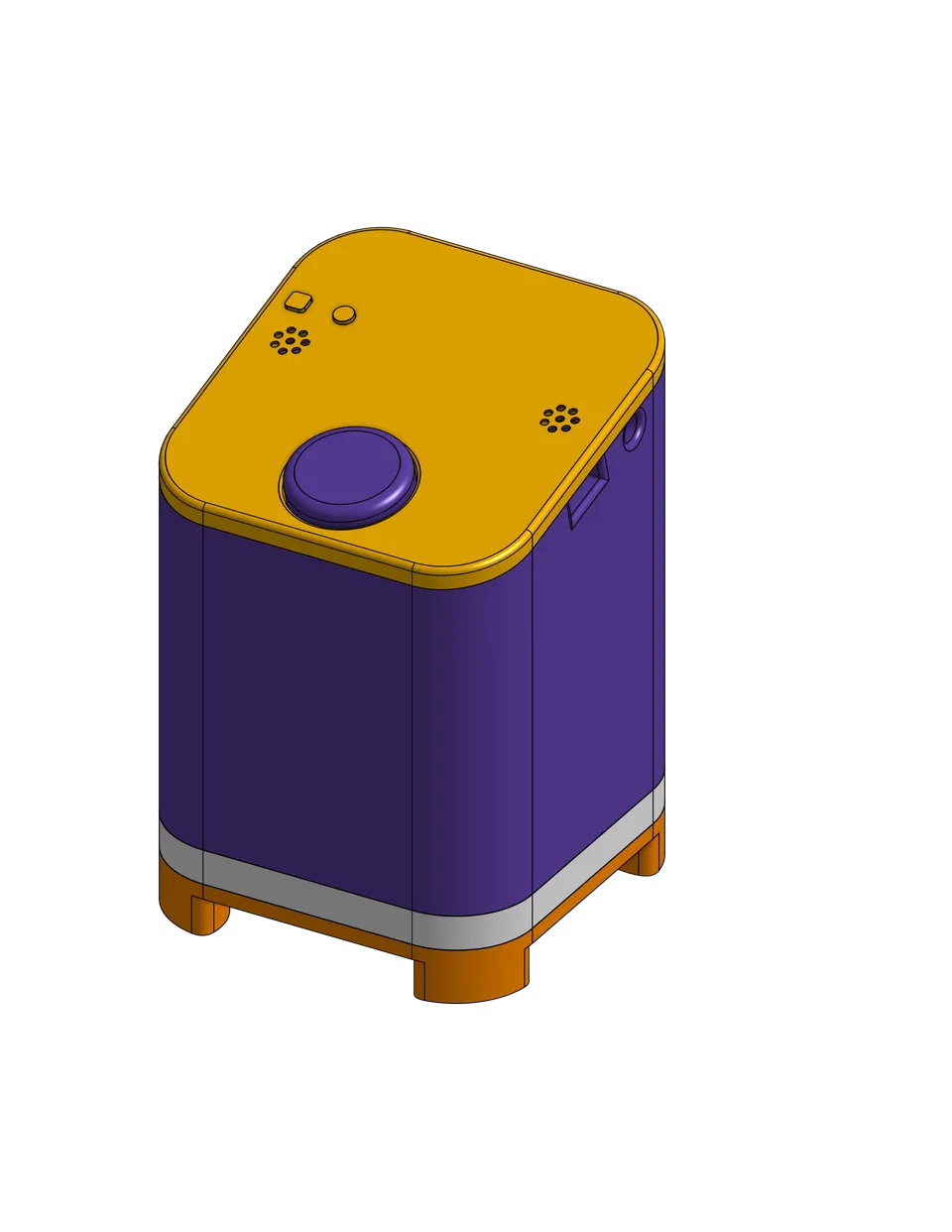
ESP-Assistant: ESP32-S3 Voice Assistant for Home Assistant
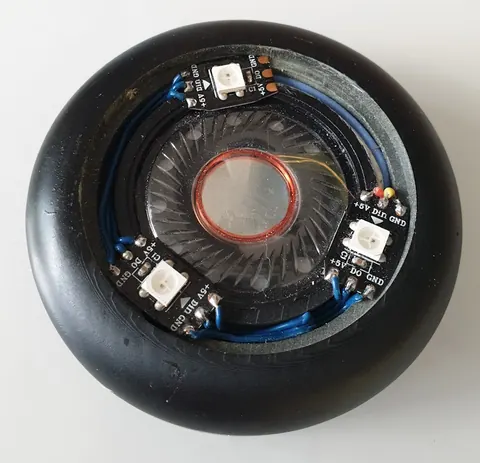
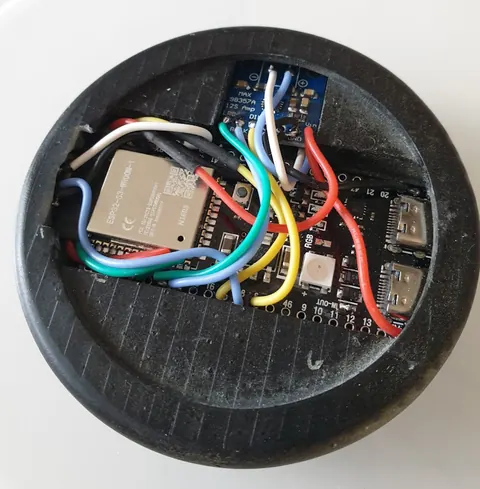
VoicePuck assembled and viewed from the top, showing the clean puck form factor
- ESP32-S3 N16R8
- INMP441 microphone
- MAX98357A audio amplifier
- WS2812B LEDs (x3)
- 40mm 32-ohm headset speaker
What You Will Build
You will build a compact, puck-shaped voice assistant — called the VoicePuck by the project author — powered by an ESP32-S3. Once flashed and on your network, it appears in Home Assistant as a full device with entities for diagnostics, request and response sensors, and timer information. You can speak a wake word, issue a voice command, and have Home Assistant act on it, all without any cloud dependency for the on-device wake word detection.
The project has gone through four iterations. Version 4, the current one, uses the esp-idf framework and adds support for continuous conversation. Earlier versions are simpler to compile on low-end machines but may occasionally stall. Starting with Version 4 is the recommended path for a stable, capable result.
 \2
\2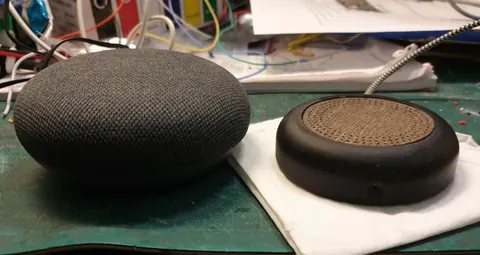 \2
\2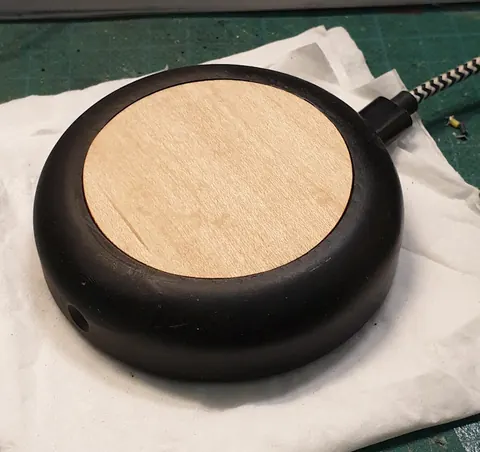 \2
\2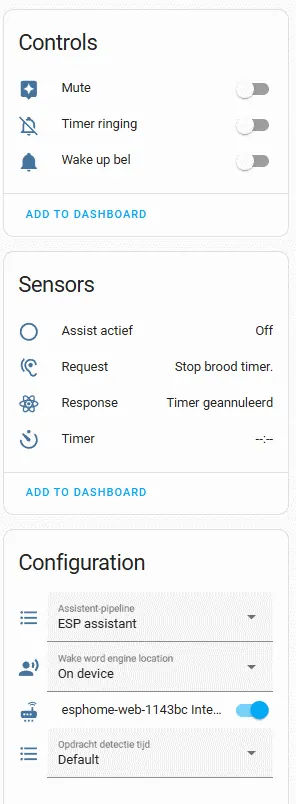 \2
\2What You Need
Hardware
- ESP32-S3 N16R8 (the main microcontroller)
- INMP441 I2S MEMS microphone
- MAX98357A I2S audio amplifier
- Three WS2812B addressable LEDs
- 40mm 32-ohm headset driver speaker
A schematic is included in the project's media folder and is based on a well-known ESP32-S3 voice assistant circuit. The author notes that specific pins were changed from the reference schematic to achieve reliable operation, so follow the included schematic rather than a generic one.
The project also includes 3D print files for the puck body and cover. The author used a resin printer. Cover options shown include a perforated dark cover and a thin wood veneer, both of which let the WS2812B status light shine through.
Software
- A running Home Assistant instance
- ESPHome add-on installed in Home Assistant
- WiFi credentials stored in your ESPHome
secrets.yaml
Typical use cases
Place a VoicePuck in each room to give every space its own always-on voice interface for lights, switches, and scenes in Home Assistant.
The built-in multi-timer support and audio alert make the VoicePuck a practical hands-free kitchen tool for setting and tracking multiple cooking timers.
Because wake word detection runs on the device itself, sensitive voice data never leaves your home network for the first processing stage.
The request and response entities exposed to Home Assistant make it easy to build dashboards or automations that log or react to voice commands.
How It Works
The firmware is written as an ESPHome YAML configuration. ESPHome compiles it into a binary and flashes it to the ESP32-S3. Once running, the device listens continuously for a wake word using on-device machine learning — no audio is sent to the cloud for this step. When the wake word is detected, the voice pipeline in Home Assistant takes over to process the spoken command.
Version 4 adds continuous conversation mode, meaning after a response you can speak a follow-up command without repeating the wake word. The three WS2812B LEDs give visual feedback about the assistant state. Entities exposed to Home Assistant include diagnostic data, the last request heard, the last response given, and active timer details — useful for debugging and for building automations around assistant activity.
Build and Flash Steps
1. Prepare your ESPHome folder
Navigate to your Home Assistant config/esphome directory and create a folder named sounds. Place any timer-finish sound file(s) in that folder. The README notes this is the one compile-time dependency in the project — without it you will not hear an audio cue when a timer ends.
2. Clone or copy the YAML file
Copy the project's YAML file into your config/esphome folder.
3. Configure the wake word
Open the YAML file and find the substitutions block. Set the micro_wake_word_model variable to whichever wake word you want to use:
micro_wake_word_model: okay_nabu
The three available options are okay_nabu, hey_jarvis, and alexa.
4. Set your WiFi credentials
Make sure your secrets.yaml contains your network name and password. The YAML references them like this:
ssid: !secret wifi_ssid
password: !secret wifi_password
5. Compile and flash via ESPHome
Open the ESPHome dashboard in Home Assistant, pick the new configuration, and start the build. The author warns that Version 4 is heavy to compile. If the build fails on a low-end machine, clean the build directory and try again — already-compiled object files are cached, so each attempt makes more progress until the full binary is ready.
6. Check the solder pad for 5V
Before powering up, check the ESP32-S3 board for the 5V output pad. The author ran into a silent failure where the speaker and LEDs did not work because this pad was not bridged. Add a small solder blob to the pads to enable the 5V pin as an output. This is a common gotcha with this board variant.
Ideas to Extend It and Known Limitations
Ways to extend
- Swap the cover for a custom 3D-printed design — the files are included, so you can remix the shape in any slicer or CAD tool.
- Use Home Assistant automations triggered by the request/response sensor entities, for example logging every command or sending a notification when a timer fires.
- Experiment with different wake words by changing the single substitution variable and reflashing.
- Build multiple VoicePucks for different rooms; each appears as a separate device in Home Assistant.
Limitations to keep in mind
- The project requires an existing Home Assistant instance with ESPHome. It is not a standalone assistant.
- Version 4 compiles more slowly and may require multiple attempts on machines with limited RAM or CPU. The author recommends cleaning build files before the first compile.
- There is one compile-time dependency for the timer sound. If that file is missing the build will fail. Future releases may remove this requirement.
- No license is specified in the repository, so check with the author before using the code in a commercial product.
ESP-Assistant is a well-documented, maker-friendly path to a private, local voice assistant that slots cleanly into an existing Home Assistant setup. The included schematic, 3D print files, and honest notes about compile-time quirks make it approachable for anyone comfortable with ESPHome and basic soldering. The 5V solder-pad gotcha and the heavy v4 build are the main friction points, but the payoff is a polished, puck-shaped device with solid Home Assistant integration.
Sources
github.comAshaiRey/ESP-Assistant — repository & READMEFacts in this article come from the project's public README and GitHub metadata at the time of writing. Images belong to their respective owners and link back to the original source.