ESPHome Voice Satellite on Waveshare ESP32-S3-AUDIO-Board
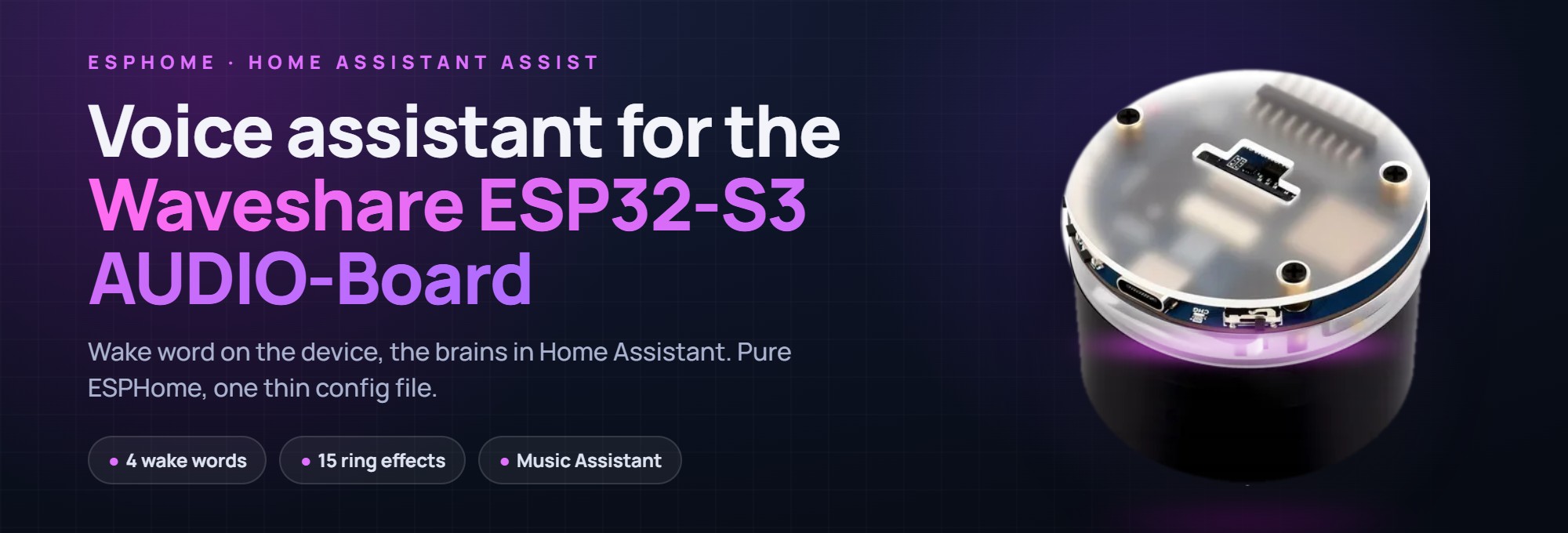
The Waveshare ESP32-S3-AUDIO-Board running the ESPHome voice satellite, showing the compact devkit with its LED ring and microphone array.
- Waveshare ESP32-S3-AUDIO-Board
- ES8311 audio codec (DAC)
- ES7210 ADC
- Dual-microphone array
- 7-LED RGB ring
What You Will Build
The Waveshare ESP32-S3-AUDIO-Board is a compact AI smart-speaker devkit built around an ESP32-S3, a dual-microphone array, an ES8311 audio codec, three hardware buttons, and a 7-LED RGB ring. This project turns it into a fully featured Home Assistant voice satellite using only stock ESPHome components — no custom C firmware, no patched libraries.
Once flashed, the board listens continuously for a wake word. Say "Alexa" (or one of three other built-ins), and the ring lights up while Home Assistant's Assist pipeline handles speech-to-text, intent matching, and text-to-speech. Music from Music Assistant ducks while the assistant speaks, then fades back in. Timers count down with a visible ring effect and ring aloud when they expire. A boot chime plays when the device connects to Home Assistant, and a night mode dims the ring and silences sounds on a schedule.
Every day-to-day setting — wake word, microphone gain, ring brightness, animations, night mode — is a Home Assistant entity you can adjust without reflashing.
 \2
\2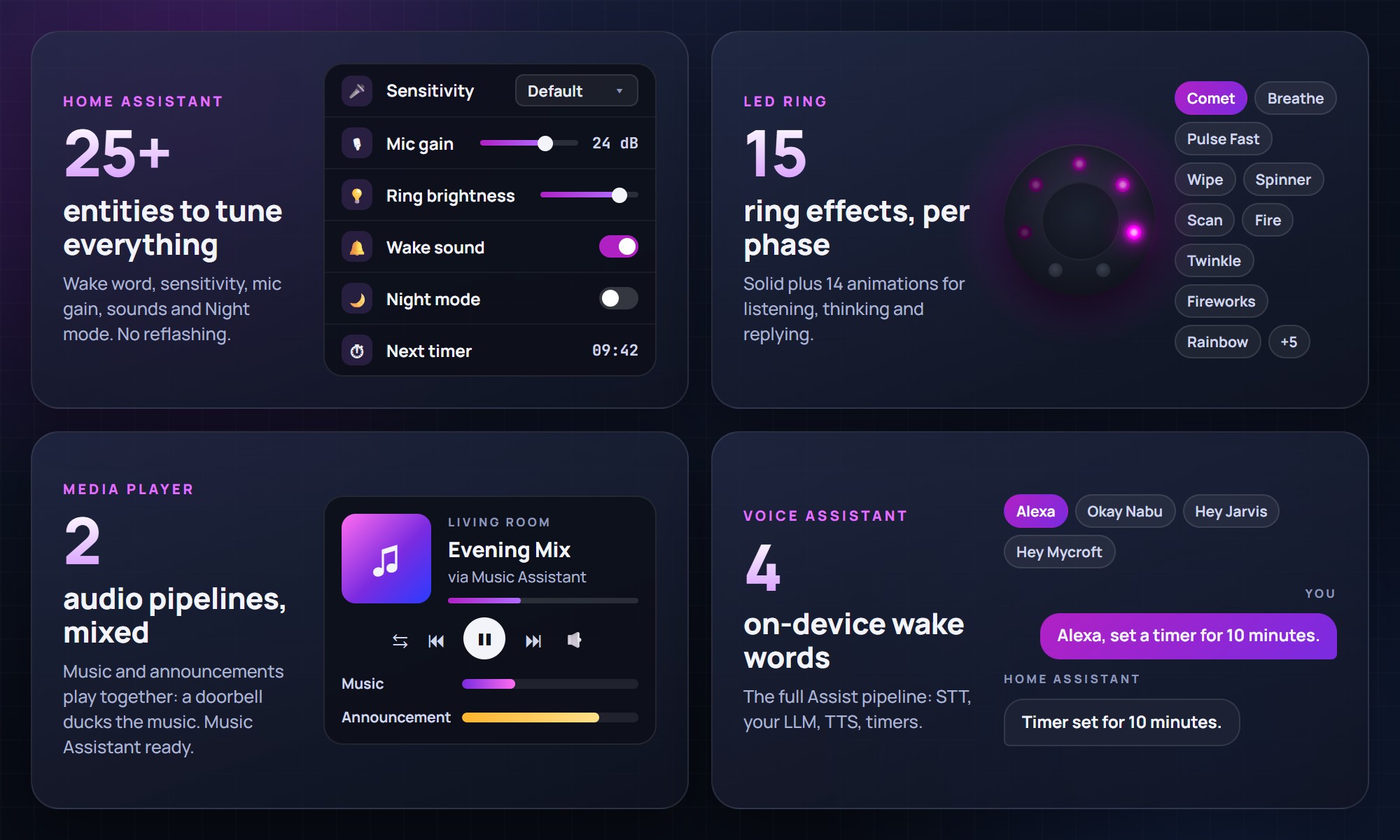 \2
\2What You Need
Hardware
- Waveshare ESP32-S3-AUDIO-Board (the board the project targets; the ES8311 DAC, ES7210 ADC, dual mics, three buttons, and 7-LED RGB ring are all on board)
- USB cable for the first flash
Software and services
- ESPHome 2026.8.0 or later — the project requires this minimum version
- A running Home Assistant instance with an Assist pipeline already configured (the device sends audio to HA for STT, LLM, and TTS; processing happens on the server)
- The project files from the GitHub repository
The core firmware is pulled from GitHub at compile time, so you only ever keep two local files: your secrets.yaml and one thin waveshare-va.yaml.
Typical use cases
Wake the board by voice and ask Home Assistant to control lights, locks, thermostats, or any other device in your Assist pipeline — no phone, no app.
The mixer speaker blends a music stream with announcement audio, so a doorbell chime or TTS reply ducks the music rather than cutting it off abruptly.
Set kitchen or workshop timers by voice. The LED ring shows a countdown effect and rings aloud when the timer expires; say the wake word or press Play/Pause to silence it.
Deploy several boards, each with a different wake word, to cover multiple rooms independently. Each device appears as its own entity set in Home Assistant.
How It Works — The Shared I2S Bus
The Waveshare board wires both its ES8311 DAC and ES7210 ADC to the same BCLK and LRCLK pins. ESPHome cannot run one I2S port full-duplex — if a microphone and a speaker both try to initialise the same port, the second one fails with "Parent bus is busy."
The project solves this with two I2S ports mapped over those shared pins:
- The microphone bus is the I2S master. It drives BCLK, LRCLK, and MCLK continuously because it must be awake at all times for wake-word detection.
- The speaker bus is an I2S slave that reads the microphone's clock, so it never needs to own a port.
Both the ES8311 and ES7210 are configured as slaves to the mic's clock. The microphone is pinned to 16-bit, because as master it sets the frame slot width — a 32-bit frame against the 16-bit DAC would produce noise.
The result is simultaneous capture and playback with no custom component and no patches to ESPHome.
Build and Flash Steps
- Clone or download the repository.
- Copy
secrets.example.yamltosecrets.yamland fill in your Wi-Fi credentials. - Copy
waveshare-va.yamlnext to it. Open it and edit thesubstitutions:block — at minimum set a uniquename, yourposix_timezone, and your preferredvolume_min/volume_max. The rest of the core is pulled from GitHub at compile time. - Flash the first time over USB:
esphome run waveshare-va.yaml
Alternatively, copy both files into your ESPHome dashboard's /config/esphome/ folder and click Install.
- In Home Assistant, the new device appears automatically via the ESPHome integration. Open Configure and assign an Assist pipeline.
- Say "Alexa". The ring should light up. If it does not, consult the Troubleshooting wiki page.
To update later, clear the package cache so the latest core is fetched:
esphome clean waveshare-va.yaml
esphome run waveshare-va.yaml
Tuning From Home Assistant
No reflashing is required for everyday adjustments. The firmware exposes these as Home Assistant entities:
- Wake word — switch between Alexa, Okay Nabu, Hey Jarvis, and Hey Mycroft. If you run multiple satellites that can hear the same voice, give each a different word. Home Assistant ignores a wake word it already heard on any device within the last two seconds, so two satellites sharing one word will cancel each other.
- Wake word sensitivity — four presets plus a Custom slider (0.50–0.99). Lower values trigger more easily and produce more false activations. The default cutoff differs by model (0.90 for Alexa, 0.97 for Okay Nabu), so revisit this after switching words.
- LED ring — brightness and the animation for each assistant phase (Listening, Thinking, Replying) are separate controls. Fifteen animation options include pulses, breathe, wipe, spinner, comet, twinkle, fireworks, fire, and rainbows.
- Night mode — a single switch dims the ring to its own lower brightness and silences the wake beep and boot chime. Replies and timer alarms still play at normal volume. The README includes a ready-made sunrise/sunset automation to drive it automatically.
- Microphone gain and microphone mute are also entities.
Ideas to Extend It — and Limitations
Ways to extend the project
- Custom wake word: any of the four model slots can be replaced with a microWakeWord v2 model. Point
model:at a JSON URL in your config and optionally overrideprobability_cutoff:. - Custom boot chime: the
boot_sound_filesubstitution accepts any MP3, FLAC, or WAV URL — swap in your own sound without touching the core. - Automation-driven night mode: the night mode switch is a plain HA entity, so any automation can flip it — handy for tying it to a Do Not Disturb input or a presence sensor.
- Multi-room deployment: flash additional boards with different wake words to give each room an independent satellite. Each board appears as its own ESPHome device in Home Assistant.
Limitations to keep in mind
- The project targets the Waveshare ESP32-S3-AUDIO-Board specifically. Porting to a different board requires editing the pin substitutions in
base/core.yamland understanding the shared-I2S constraint. - ESPHome 2026.8.0 or later is required; older installations need upgrading first.
- Speech processing (STT, LLM, TTS) runs on the Home Assistant server, not on the device. A working Assist pipeline with a speech-to-text provider is required before the assistant will respond.
This project delivers a polished, genuinely usable Home Assistant voice satellite on affordable hardware, with a clean package-based design that keeps your own config file to a minimum. The shared-I2S solution is the technically interesting heart of it — handled entirely in stock ESPHome, which means no maintenance burden from custom components. If you already run Home Assistant with an Assist pipeline, the barrier to a working voice room is one config file and a single flash command.
Sources
github.comMichalZaniewicz/esphome-waveshare-esp32-s3-audio-va — repository & README github.comOfficial websiteFacts in this article come from the project's public README and GitHub metadata at the time of writing. Images belong to their respective owners and link back to the original source.