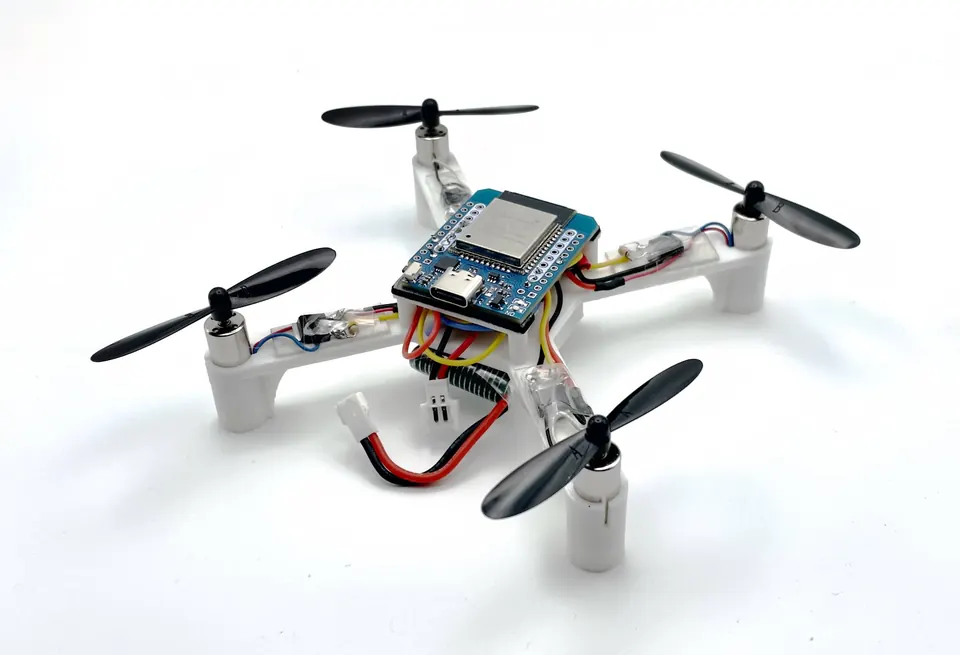
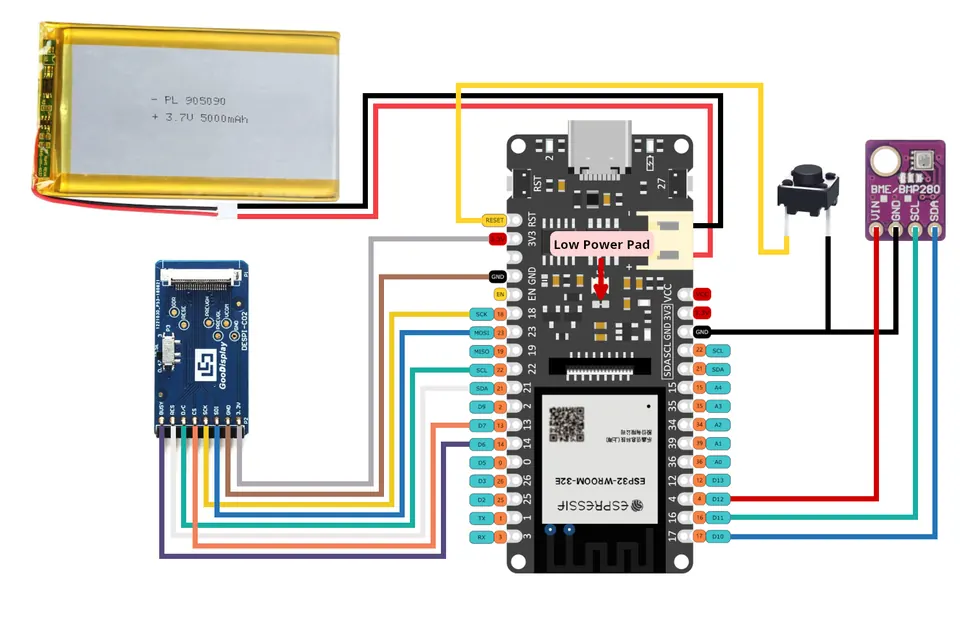
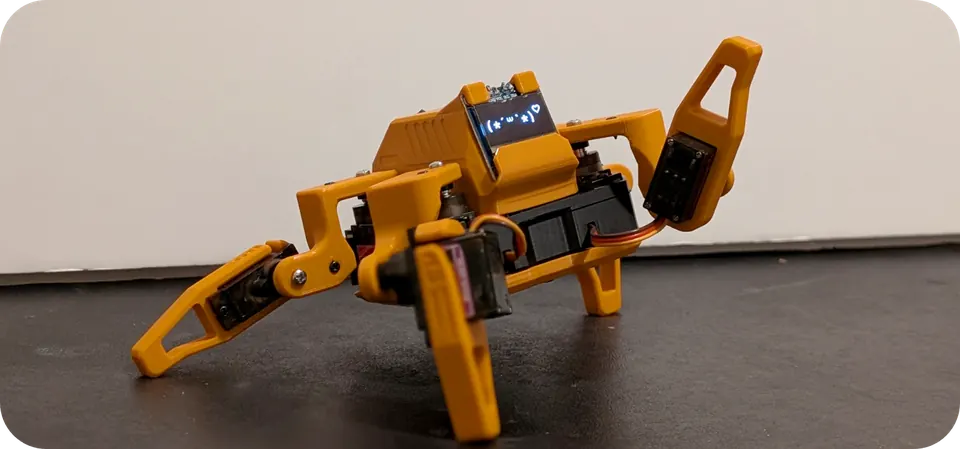
ESP-FC: Build Your Own ESP32 Flight Controller
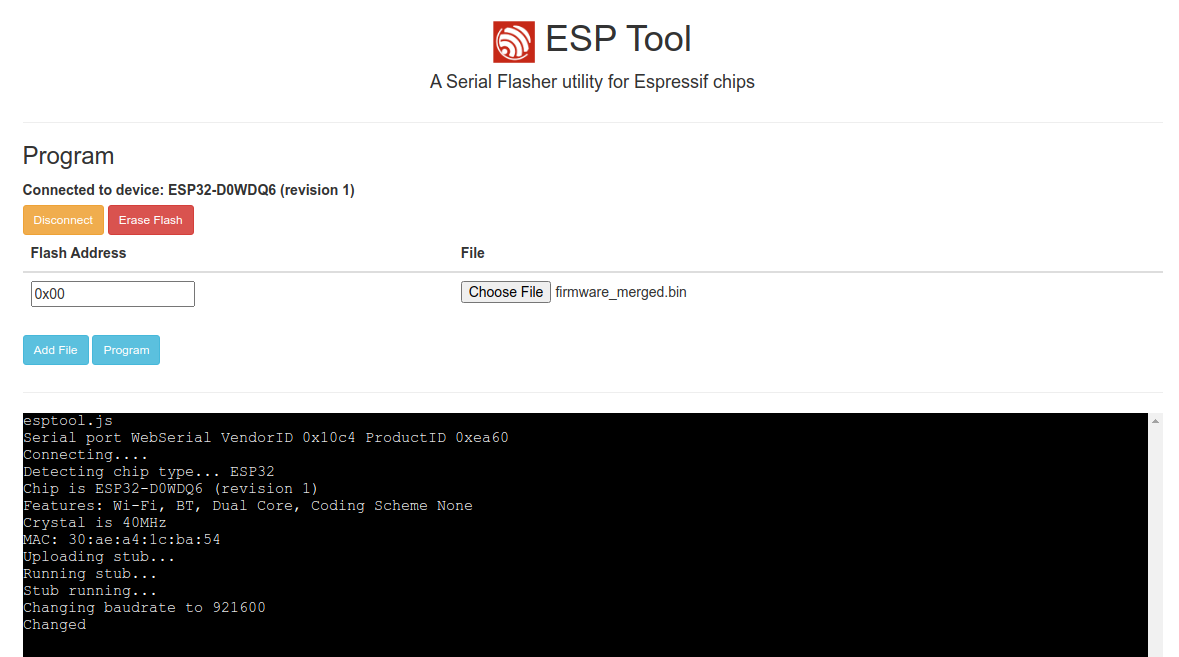
Using the esptool-js web flasher to connect and program the ESP-FC firmware onto an ESP32 board — no local toolchain required.
- ESP32
- ESP32-S3
- MPU9250 (GY-91 or similar)
- MPU6050 (GY-88, GY-521 or similar)
- ICM20602
- ICM42688
- BMI160
- BMP180 / BMP280 / SPL06 barometer
- HMC5883 / QMC5883 / AK8963 magnetometer
- OpenLog / OpenLager blackbox recorder
- GPS module (M8, M9, F9, M10)
- PDB with 5V BEC
- Buzzer
What You Will Build and Why It Is Useful
ESP-FC is open-source flight controller firmware that runs on an ESP32 or ESP32-S3 and turns inexpensive, widely available hardware into a working quadcopter flight controller. Every layer of the stack — gyro reading, filtering, PID computation, and ESC signalling — is in readable C code that you can study, modify, and extend.
What makes this project stand out for hobbyists is its Betaflight compatibility. The firmware mimics the Betaflight 4.2 interface, so you configure it with the same Betaflight Configurator (v10.10) used by thousands of FPV pilots worldwide. You do not need to learn a bespoke tool. You also get access to the online Betaflight Blackbox Viewer for analysing recorded flight data — a powerful tuning aid.
On the performance side, ESP-FC supports gyro and PID loop rates up to 4 kHz when using an SPI gyro on an ESP32. ESC protocols go all the way from basic PWM up to bidirectional DShot600. A full suite of gyro filters — low-pass, dynamic notch, dTerm, and RPM filters — keeps vibration noise from corrupting your PID loops. Add built-in ESP-NOW wireless, CRSF/ELRS long-range receiver support, and optional GPS, and you have a capable platform for anything from a budget freestyle quad to an experimental autonomous frame.
 \2
\2What You Need
Hardware (as listed in the README)
- ESP32 or ESP32-S3 development board — both are recommended; the ESP32 is the most mature target.
- Gyro module — MPU9250 over SPI (GY-91 or similar) or MPU6050 over I2C (GY-88, GY-521 or similar). Additional supported gyros include MPU6000, MPU6500, ICM20602, ICM42688, and BMI160.
- PDB (power distribution board) with 5V BEC — powers the ESP32 and peripherals from the main battery.
- ESCs — any ESCs compatible with your chosen protocol, from PWM through DShot600.
- RC receiver — PPM, SBUS, IBUS, or CRSF/ELRS. Alternatively, a second ESP32 can act as a wireless receiver over the built-in ESP-NOW link.
- Buzzer (optional but recommended for audio failsafe alerts).
- Optional sensors: BMP180/BMP280/SPL06 barometer, HMC5883/QMC5883/AK8963 magnetometer, M8/M9/F9/M10 GPS module, OpenLog or OpenLager blackbox recorder.
Software
- Betaflight Configurator v10.10
- CH340 USB-serial driver if your board uses a CH340 chip
- A modern web browser (for the web-based flasher)
- Visual Studio Code with the PlatformIO extension (only needed if you want to build the firmware from source)
Typical use cases
Build a custom quadcopter with full DShot600, bidirectional ESC telemetry, and RPM filtering — all configured through the Betaflight Configurator you already know.
Study real PID control, gyro filtering, and ESC communication in readable open-source C code running on a $5 microcontroller.
Replace a conventional RC receiver with a second ESP32 running the built-in ESP-NOW protocol for a fully integrated ESP32-to-ESP32 wireless control link.
Use GPS support and blackbox logging as a foundation for experimenting with waypoint flight and autonomous behaviours as the firmware matures.
How It Works
The ESP32 reads raw rotation data from the gyro at up to 4 kHz over SPI (or lower rates over I2C). Receiver signals arrive over UART as SBUS, IBUS, CRSF/ELRS, or PPM pulses, or wirelessly via the built-in ESP-NOW radio — useful when you want to avoid running a separate receiver.
The raw gyro data passes through a configurable filter chain: a low-pass filter removes broadband noise, dynamic notch filters track and suppress resonant frequencies in real time, and an RPM filter (using bidirectional DShot telemetry) notches out motor harmonics at their actual running frequencies. Filtered data feeds the PID controller, which computes corrective motor outputs many times per second.
Those outputs go to the ESCs as digital DShot frames (150, 300, or 600 kbps) or as analogue PWM/Oneshot/Multishot signals, depending on what your ESCs support. DShot also returns RPM telemetry back to the controller, enabling the RPM filter.
Three flight modes are available: ACRO (full rate mode, no stabilisation), ANGLE (self-levelling), and AIRMODE (motors stay spinning above idle even at zero throttle for better control authority). Failsafe mode activates if the receiver signal is lost.
Blackbox logging writes flight data to an attached OpenLog, OpenLager, or onboard flash. You can replay and analyse those logs in the online Betaflight Blackbox Viewer to pinpoint oscillations and refine PID values without guesswork.
Flashing the Firmware
No local compiler or Python environment is needed to flash a pre-built release — the entire process happens in a browser.
- Go to the Releases page and download the firmware archive for your board (ESP32 or ESP32-S3). Unpack it.
- Open https://espressif.github.io/esptool-js/ in your browser.
- Click Connect and select your board's serial port in the dialog that appears.
- Add the firmware
.binfile and set the Flash Address to0x00. - Click Program and wait for the upload to finish.
- Power-cycle the board once flashing reports success.
If you want to build the firmware from source instead, the repository uses PlatformIO. Open the project in Visual Studio Code with the PlatformIO extension installed, select your target environment, and use the PlatformIO build and upload commands. Refer to the repository's setup guide for environment names and any build flags.
Initial Setup and Configuration
After flashing, the firmware is running but the pinout is not yet matched to your wiring. Work through these steps before attaching propellers.
1. Configure the pinout via CLI
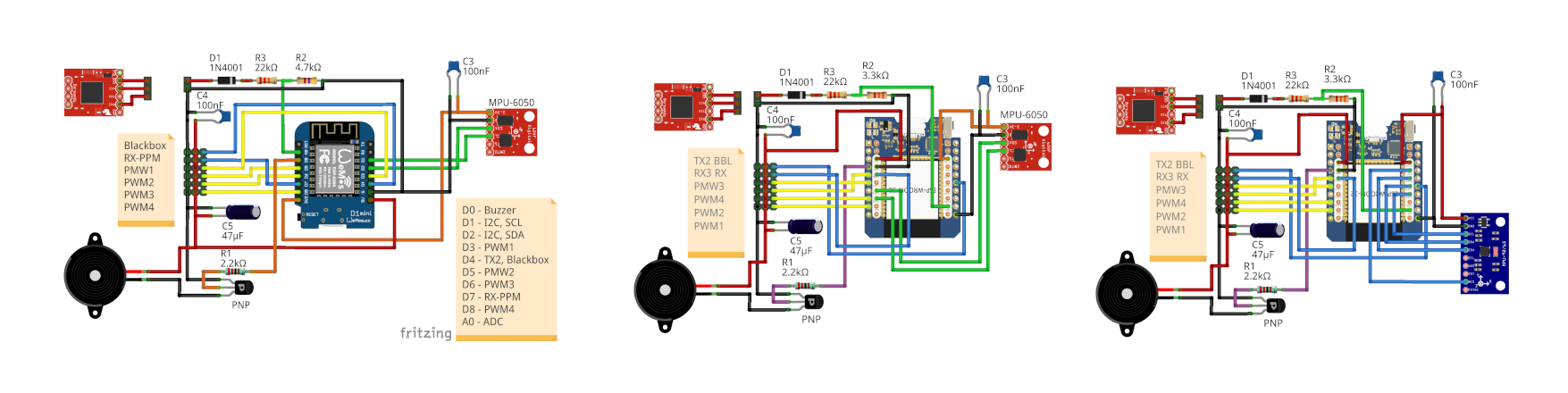
Connect to the board over its serial port using any serial terminal at the default baud rate. The CLI lets you assign pin functions — motor outputs, UART roles for the receiver, and so on. The CLI reference in the repository documents every available command. Refer to the wiring documentation to match the example diagrams to your specific hardware.
2. Connect Betaflight Configurator
Open Betaflight Configurator v10.10 and connect to the board. From here you can set your receiver type and channel mapping, choose flight modes and their switch assignments, adjust PID gains and rates, enable filters, and configure the blackbox. The configurator will show every option Betaflight supports; options not implemented in ESP-FC will revert to their previous value after you save — they will not stick.
3. Test motors without propellers
Use the Motors tab in the configurator to spin each motor individually and confirm correct direction and ESC response before you ever attach a prop. This step is not optional — an incorrectly wired motor can flip a quad immediately on takeoff.
4. Follow the full setup guide
The repository's setup guide walks through additional steps including receiver calibration, arming configuration, and failsafe settings. Read it before your first flight.
Ways to Extend It and Current Limitations
Ideas to take the build further
- Upgrade the gyro — swap to an ICM42688 SPI gyro for potentially lower noise and higher sample rates than an MPU6050.
- Add GPS — M8, M9, F9, and M10 (dual-band) GPS modules are listed as supported and configurable through the CLI. GPS navigation features are on the project's roadmap.
- Go wireless — build an ESP-NOW receiver using a second ESP32 to replace a traditional RC receiver. The wireless documentation covers the setup.
- Use CRSF/ELRS — pair with an ExpressLRS transmitter and receiver for low-latency long-range control without any extra configuration complexity.
- Analyse blackbox logs — connect an OpenLog to the spare UART and record every flight. Use the online Betaflight Blackbox Viewer to visualise gyro traces, PID responses, and motor outputs, then iterate on your filter and PID settings methodically.
- Use WiFi configuration — the firmware supports WiFi-based configuration, documented in the wireless guide.
Current limitations to be aware of
- Only the Quad X frame geometry is supported. Other frame types (tricopter, hex, fixed-wing) are not implemented.
- Altitude hold and GPS navigation are listed as todo items and are not yet available in released firmware.
- ESP32-C3, ESP32-S2, RP2040, and RP2350 targets are experimental. The C3 and RP2040 lack a floating-point unit, which limits performance; the RP2350 only partially works.
- ESP-FC is not Betaflight. While the configurator interface is familiar, behaviour, performance characteristics, and supported features differ. Betaflight tuning guides are useful as a starting point, but expect to verify each setting against the ESP-FC documentation.
ESP-FC is a serious, actively maintained flight controller firmware that makes building a capable DIY quadcopter genuinely accessible to any maker comfortable with ESP32 hardware and basic FPV wiring. The Betaflight Configurator compatibility removes the learning curve of a new tool, and features like DShot600, dynamic notch filters, and ELRS support put it well above toy-grade DIY builds. The main trade-offs are the Quad X frame limitation and a handful of unfinished features like altitude hold, so go in with clear expectations and follow the setup guide carefully before your first flight.
Sources
github.comrtlopez/esp-fc — repository & READMEFacts in this article come from the project's public README and GitHub metadata at the time of writing. Images belong to their respective owners and link back to the original source.