ESP32 AI Voice Assistant: What It Is and How to Build One
What is an ESP32 AI voice assistant?
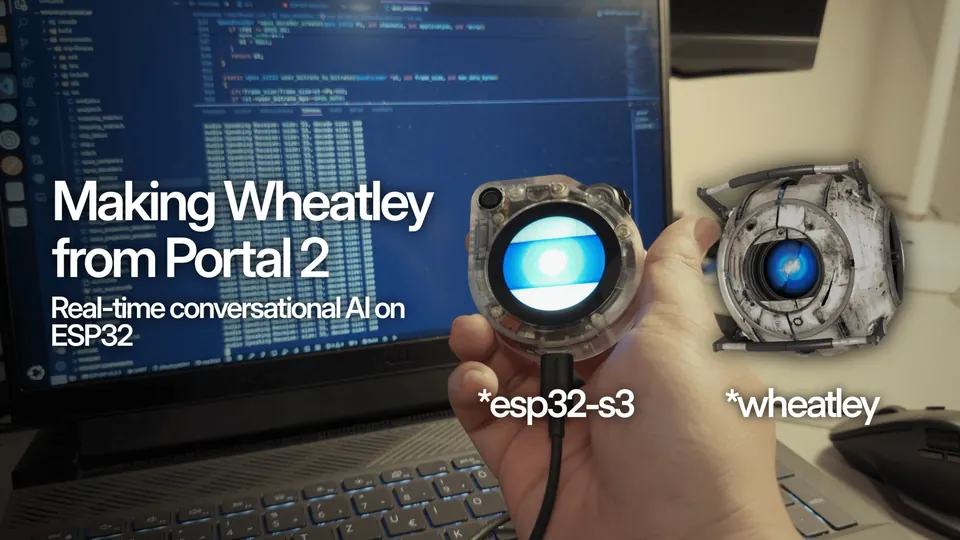
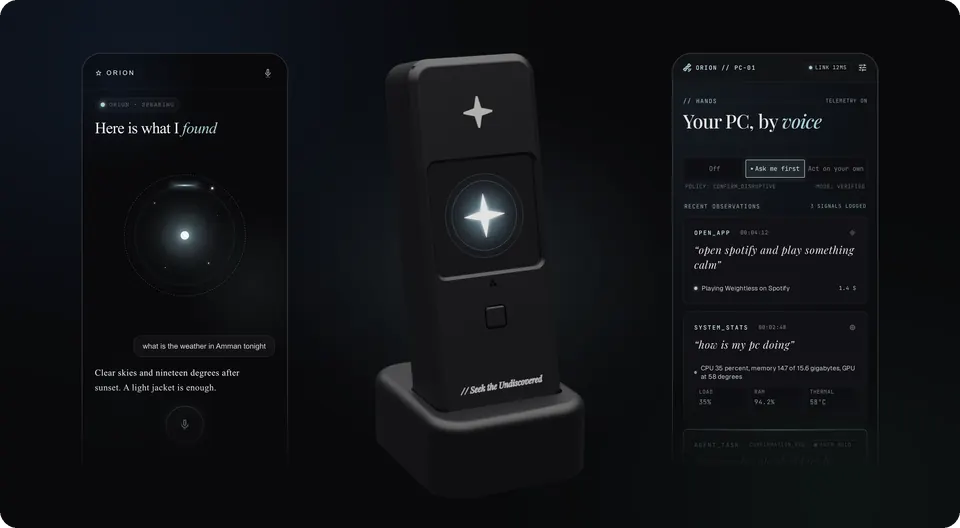
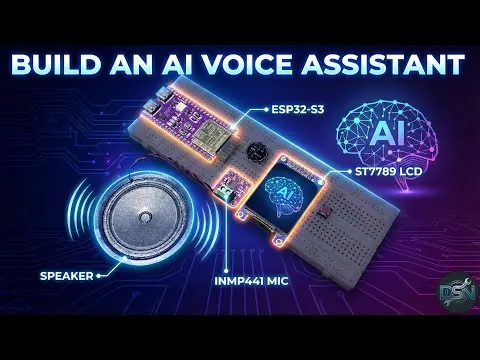
It is a small device that listens through a microphone, turns your speech into text, gets an answer from a language model, and speaks that answer back — with the ESP32 handling capture, wake-word detection, networking and playback.
The important architectural detail is that the "brain" usually is not on the chip. In the esp32-thinks project (built on Meta's open-source muse-gadget-sdk and running on an ESP32-S3), speech, transcription and chat are three independent endpoints, each pointed at any OpenAI-compatible server. You can use one provider for all three or a different one per task.
| Stage | Where it runs | What the sources show |
|---|---|---|
| Wake word and capture | On device | esp-sr WakeNet10 listens for "Hi, ESP"; pressing the knob also starts a turn |
| Speech-to-text | Remote endpoint | One of three independent OpenAI-compatible endpoints |
| Chat / reasoning | Remote endpoint or local agent | Presets named openai, quicksilver, openmuse, custom |
| Text-to-speech | Remote endpoint | Each reply sentence is synthesized as it arrives and appended to audio already playing |
| Playback and control | On device | I2S audio output; a knob press during speech cancels in-flight requests |
One caveat up front: the sources describe ESP32-S3 builds. They do not state whether a classic ESP32 board is supported for this kind of assistant, so treat the S3 as the documented path rather than an assumption you can swap out freely.
 \2
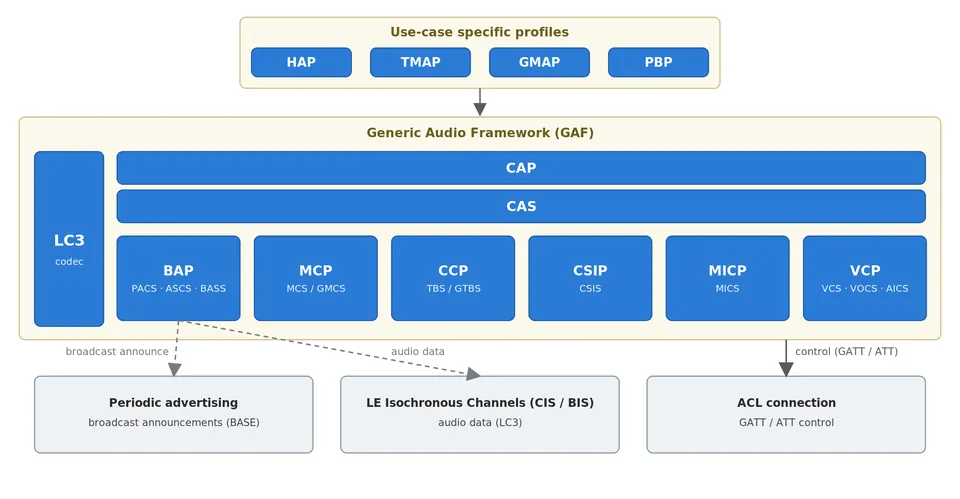
The Bluetooth LE Audio stack: use-case profiles sit on top of the Generic Audio Framework, with profile control over GATT/ATT and audio over LE isochronous channels.
What hardware and firmware do you need?
Start with a board that already has the parts a voice assistant needs: a microphone, a speaker, and enough flash and RAM for the firmware. The esp32-thinks reference targets the SenseCAP Watcher, an ESP32-S3 board with a mic, a speaker and a round display. The project expects ESP-IDF v6.0.x for esp32s3.
| Piece | Why it matters | Source-backed detail |
|---|---|---|
| ESP32-S3 board | Runs capture, wake word, TLS and playback | The documented board is the SenseCAP Watcher |
| ESP-IDF | Build system and drivers | Version v6.0.x is what the project pins |
| ESP-ADF | Audio plumbing you would otherwise write | CODEC HAL, music players and recorders, audio processing, Bluetooth speakers, internet radios, hands-free devices, speech recognition |
| ESP-BSP | Board bring-up | Pinout definitions plus helper functions that initialise peripherals, and drivers for on-board chips such as sensors, displays and audio codecs |
| Wi-Fi config | Connectivity | Wi-Fi goes in the config; the device self-provisions on boot with no app, BLE pairing or vendor account |
If you also want cloud-side plumbing, Espressif positions ESP RainMaker as a way to build AIoT devices from firmware through to voice-assistant integration, phone apps and a cloud backend. The sources present it as an option, not a requirement for a working assistant.
 \2
An ESP32 development board, the class of hardware used to run on-device wake word and audio playback for a voice assistant. Image: Edwiyanto, CC BY-SA 4.0, via Wikimedia Commons
How do you get started step by step?
The reference workflow is: prepare the toolchain, clone a pinned SDK and the project, back up the factory NVS partition, apply the project patch with a provider preset, then build and flash.
git clone https://github.com/facebookincubator/muse-gadget-sdk.git
git -C muse-gadget-sdk checkout 812c46f
git clone https://github.com/raullenchai/esp32-thinks.git
cd esp32-thinks
./scripts/backup-nvs.sh ../muse-gadget-sdk /dev/ttyACM1
./apply.sh ../muse-gadget-sdk --preset quicksilver
./build-and-flash.sh ../muse-gadget-sdk /dev/ttyACM1
The NVS backup is a one-time step and doubles as your restore path if something goes sideways; the script dumps the factory partition. Swap the port for whichever device node your board appears as. The apply step copies pinned CA certificates, applies the brain patch and generates the provider config from the preset you chose.
Once Wi-Fi is in the config and the build is flashed, unplug, re-plug and talk: press the knob or say the wake word. There is also a serial console path that runs the same inference and decoding pipeline on typed turns, which is a quick way to test chat and TTS without microphone capture. Budget several minutes for flashing — the build script paces the write deliberately.
 \2
An Espressif ESP-WROOM-32 Wi-Fi and Bluetooth module of the kind that provides the wireless link on ESP32 boards. Image: Brian Krent, CC BY-SA 4.0, via Wikimedia Commons
How does it keep replies fast and handle interruptions?
Latency is mostly about not waiting for the whole answer. The chat stream is parsed at sentence boundaries (ASCII and CJK), and each sentence is synthesized the moment it lands and appended to the audio already playing — so the first word arrives while the model is still generating.
The connection to the model is treated as long-lived. TLS is prepared before you ask, probed every 180 seconds while idle, and resumed with session tickets after an idle close. A failed probe triggers background preparation; a disconnect that happens between probes may still require reconnection at turn time, which is worth knowing when you see an occasional slow first word.
Interruption handling is explicit:
- Barge-in — press the knob while the assistant is speaking and the reply stops mid-sentence, in-flight requests are cancelled, and your next words start a fresh turn.
- Silence guard — a quiet recording (an interrupted turn, a pocket press) is discarded instead of being sent off and turned into a hallucinated answer.
- Stall recovery — outstanding I2S or LCD work gets a 20-second deadline, followed by a task dump and reboot; a wedged I2C expander reboots after a minute of solid failure. Normal sleep and slow cloud responses are not counted as stalls.
Language handling is automatic: the assistant answers in the user's language, defaulting to English when unclear. English, Chinese and Korean are the tested languages, STT detects language on its own, and replies aim for one or two sentences — roughly 40 words or 60 Chinese characters.
Where does Bluetooth LE Audio fit in?
Bluetooth LE Audio, introduced in the Bluetooth Core Specification 5.2, is the standard for high-quality, low-power audio over Bluetooth LE. It adds LE Isochronous Channels (ISO) for time-synchronised, low-latency streams, the LC3 codec, and the Generic Audio Framework (GAF) — a layered set of profiles and services for stream setup, volume, media and call control.
Two transport types matter:
| Type | Abbreviation | Description |
|---|---|---|
| Connected Isochronous Stream | CIS | Bidirectional link between two devices; needs a prior ACL connection; multiple CIS can form a group for synchronised playback |
| Broadcast Isochronous Stream | BIS | Unidirectional stream from a broadcaster to any number of synchronised receivers, no prior connection |
The Basic Audio Profile (BAP) is the foundation for LE Audio streaming and depends on three GATT services: PACS for published capabilities, ASCS for audio stream endpoints, and BASS for broadcast scanning state. ESP-IDF gives direct access to CIS and BIS through the ESP-BLE-ISO API, and the profile stack manages the ISO layer automatically once you use BAP and above.
Be realistic about scope: this is an audio transport specification, not an assistant stack. The sources do not describe using LE Audio to carry assistant audio, and the reference project moves audio over Wi-Fi with I2S playback. Read LE Audio as background for a wireless audio link you might design later, not as a shortcut to a working assistant.
What are the common pitfalls?
| Pitfall | Why it bites | What to do instead |
|---|---|---|
| Skipping the NVS backup | You lose your restore path before you have flashed anything | Run the backup script once, before applying the patch |
| Rushing the flash | The write is paced on purpose; it takes several minutes | Let the build-and-flash script finish without interrupting it |
| Treating silence as input | Quiet recordings become hallucinated answers | Rely on the silence guard; do not disable it |
| Assuming the link is always warm | A disconnect between the 180-second probes may still need turn-time reconnection | Expect an occasional slow first word and keep the probe path intact |
| One-provider lock-in | You inherit one vendor's models, pricing and uptime | Point STT, chat and TTS at separate OpenAI-compatible endpoints |
| Ignoring language defaults | Unclear speech falls back to English | Keep the language-aware TTS selection if you need Chinese or Korean replies |
| Wiring audio by hand without a BSP | Pinout and codec init are easy to get wrong | Use a board support package for pinout and peripheral initialisation |
| Underestimating audio work | Codec, player, recorder and processing code is substantial | Lean on ESP-ADF instead of writing it from scratch |
A subtler trap is expecting the chip to do everything locally. In the documented build, only wake word and audio I/O live on the device; transcription, chat and speech synthesis are remote. Plan for network quality, TLS behaviour and provider configuration as part of the product, not as an afterthought.
Which build path should you choose?
Three paths appear in the sources, and they answer different needs rather than competing on benchmarks (no source here provides performance comparisons).
- Bring-your-own-brain gadget — esp32-thinks gives you a complete assistant loop: wake word, streaming voice replies, barge-in, silence guard, stall recovery and headless Wi-Fi provisioning, with three swappable endpoints. Best if provider independence is the point.
- Cloud-integrated AIoT device — ESP RainMaker is aimed at getting from firmware to voice-assistant integration, phone apps and a cloud backend, and it is a reasonable fit when the assistant is one feature of a larger connected product.
- Roll your own audio stack — ESP-ADF supplies codec HAL, players and recorders, audio processing, internet radio, hands-free and speech recognition building blocks. Best if you want to assemble the pipeline yourself and control each stage.
Whichever you pick, start with a board that already has a microphone, a speaker and a supported BSP. Debugging audio hardware and cloud configuration at the same time is the fastest way to lose an evening.
Frequently asked questions
Can an ESP32 voice assistant run fully offline?
The sources do not show a fully offline assistant. In the documented build, wake-word detection runs on-chip with esp-sr WakeNet10, but transcription, chat and speech synthesis go to remote endpoints. ESP-ADF does list speech recognition among its audio capabilities, but no offline end-to-end example is described here.
Do I need a cloud account to use one?
Not necessarily. The project accepts any OpenAI-compatible server for each of the three endpoints, with presets including openai, quicksilver, openmuse and custom. The openmuse agent runs in the repository and keeps context such as location, memory and tools on your own machine. Headless provisioning needs no vendor account.
Which board should I buy?
The documented build targets the SenseCAP Watcher, an ESP32-S3 board with a microphone, a speaker and a round display, and expects ESP-IDF v6.0.x for esp32s3. The sources do not evaluate other boards for this use, so treat alternatives as untested rather than equivalent.
How fast does it respond?
There are no benchmark numbers in the sources. The design goal is that the first word arrives while the model is still generating, because each sentence is synthesized as soon as it lands and appended to audio already playing. A disconnect between idle probes can still cause a turn-time reconnection.
Can it be interrupted mid-answer?
Yes. Pressing the knob while the assistant speaks stops the reply mid-sentence, cancels in-flight requests, and starts a fresh turn from your next words. Quiet or accidental recordings are discarded by the silence guard rather than being sent to the model.
An ESP32 AI voice assistant is best understood as a well-instrumented audio front end for remote models: the chip owns wake word, capture, playback and connection hygiene, while STT, chat and TTS stay swappable. The esp32-thinks build is a practical template because it documents the unglamorous parts — NVS backup, paced flashing, TLS probing, silence handling and stall recovery — that decide whether the gadget feels reliable. Start there, use a board support package for your hardware, and keep your providers independent.
Sources
github.comBluetooth LE Audio Standard (esp-idf docs)github.comEspressif's Frameworks (esp-idf docs)github.comraullenchai/esp32-thinks (GitHub README)This guide summarises the public sources listed above in our own words. Check the original documentation before relying on exact figures.