Build an ESP32 Alexa Smart Speaker with I2S Audio
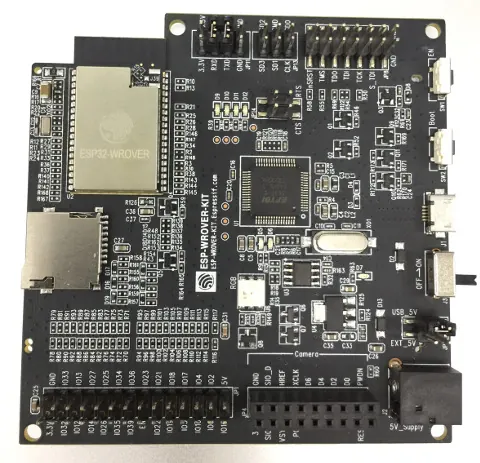
- ESP32 dev board
- MAX98357A I2S amplifier/DAC breakout (Adafruit)
- ICS-43434 I2S digital microphone
- SPH0645LM4H I2S digital microphone (alternative)
- 2× Neopixel LEDs
- Potentiometer (recommended for volume control)
What You Will Build
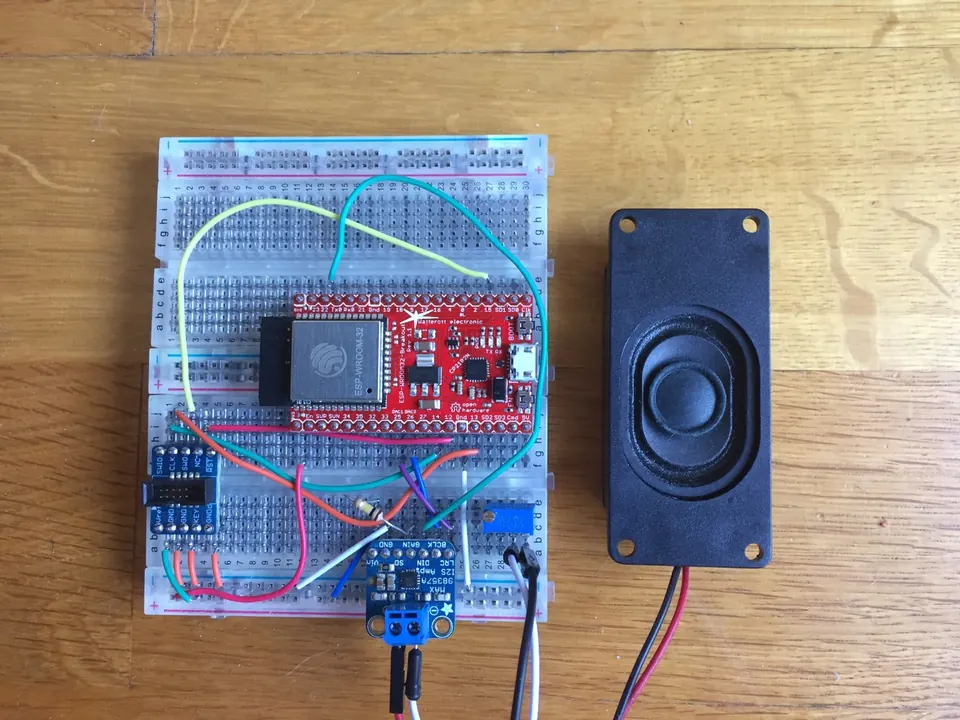
This project turns a standard ESP32 development board into a push-to-talk Alexa client. Wire up an I2S digital microphone to capture your voice, an I2S audio codec or amplifier to play back Alexa's response through a speaker, and two Neopixel LEDs to act as a status indicator. Once powered on, the device announces it is ready with a maniacal laugh. Press the GPIO0 button on your dev board and speak a command — Alexa replies through the speaker.
This is a meaningful project for anyone who wants to understand how voice assistants actually work at the hardware level. Instead of a sealed commercial device, you build every layer yourself: the microphone circuit, the I2S audio pipeline, the authentication flow, and the ESP-IDF firmware. It is also a practical starting point for embedding Alexa into a custom product, since you control the enclosure, the button placement, and the audio hardware.
Note that the project is explicitly described as a work in progress. Voice recognition is complete and working. The wakeword engine (always-on hotword detection), the audio player for music streaming, and alerts are listed as still to be done. Go in with that expectation and you will get a lot of value from it.
What You Need
Hardware
- An ESP32 development board with a GPIO0 button (standard on most dev kits)
- An I2S audio codec or amplifier module. The README recommends the MAX98357A breakout from Adafruit because it needs no master clock (MCLK) signal — a constraint imposed by the ESP32, which does not output MCLK — and includes a built-in amplifier capable of driving a small speaker directly. If you already own an asynchronous I2S DAC such as the ES9023, you will also need a quartz oscillator in the 20–50 MHz range.
- An I2S digital microphone. The ICS-43434 is noted as higher quality than the SPH0645LM4H, though both are confirmed to work. Both are available as small breakout boards from Tindie and Adafruit.
- Two Neopixel LEDs, chained together.
- A small speaker (to connect to the amplifier output of the MAX98357A).
- A potentiometer for volume control (recommended).
- Jumper wires and a breadboard.
Alternatively, a purpose-built board called the ESP32 ADB Edge (available on Tindie from Microwavemont) is confirmed to work with this project out of the box.
Software
- The ESP-IDF SDK (Espressif IoT Development Framework), toolchain version 5.2.0
- The
xtensa-esp32-elfcross-compiler, added to your PATH - An Alexa authentication token obtained from
https://alexa.boeckling.net/ - Git (to clone the repo and its submodules)
Typical use cases
Use this as the audio and authentication foundation for any ESP32 project that needs Alexa voice control, from smart lamps to motorised blinds.
The project is an end-to-end example of configuring dual I2S buses on the ESP32 — one for microphone input and one for DAC output — in bare-metal C with ESP-IDF.
Pair the firmware with the purpose-built ESP32 ADB Edge board or your own PCB design to build a compact, permanent smart speaker without off-the-shelf enclosures.
Study how a microcontroller authenticates with and streams audio to Amazon's Alexa Voice Service, providing a concrete reference for building AVS clients in embedded C.
How It Works
The ESP32 captures voice audio from the I2S microphone and streams it to Amazon's Alexa Voice Service (AVS) over Wi-Fi. AVS processes the speech, generates a response, and returns audio data that the ESP32 pipes out through the I2S codec to your speaker.
I2S (Inter-IC Sound) is a standard serial bus for moving digital audio between chips — similar in spirit to I2C but designed for audio sample rates. The ESP32 runs two separate I2S buses: one for the microphone input and one for the DAC/amplifier output.
Authentication with AVS requires a token tied to your device's MAC address. You generate this token once on the alexa.boeckling.net website, then store it in the firmware via the menuconfig configuration menu. The firmware prints the ESP32's MAC address to the serial console on startup so you can copy it easily.
Wiring
Wire the I2S audio output (codec/amplifier) to these ESP32 pins:
ESP pin   - I2S signal
----------------------
GPIO25/DAC1   - LRCK
GPIO26/DAC2   - BCLK
GPIO22        - DATA
If using the MAX98357A, connect its GND to ground and Vin to +5 V (or +3.3 V if +5 V is unavailable). The SD and GAIN pins can be left unconnected unless you want to adjust the gain.
Wire the I2S microphone to these pins:
ESP pin   - I2S signal
----------------------
GPIO18   - LRCK
GPIO17   - BCLK
GPIO05   - DATA
Chain the two Neopixel LEDs together and connect the data line to GPIO_NUM_4.
A potentiometer placed between the amplifier output and the speaker is recommended for volume control.
Build and Flash
1. Install the ESP-IDF SDK and toolchain
Clone ESP-IDF and initialise its submodules:
git clone https://github.com/espressif/esp-idf.git
cd esp-idf
git submodule update --init
Set the IDF_PATH environment variable to point at this directory:
export IDF_PATH=/path/to/esp-idf
Download the xtensa-esp32-elf toolchain version 5.2.0 from the ESP-IDF setup guide and add it to your PATH:
export PATH=/path/to/xtensa-esp32-elf/bin:$PATH
2. Clone the project
git clone https://github.com/MrBuddyCasino/ESP32_Alexa.git
cd ESP32_Alexa/
git submodule init && git submodule update
3. Get your Alexa authentication token
Plug in your ESP32 and open a serial monitor (115200 baud). Power cycle the board and note the MAC address printed to the console. Go to https://alexa.boeckling.net/, create a new authentication token for that MAC address, and copy it.
4. Configure the firmware
make menuconfig
In the serial port settings, select the correct port for your board. Open the Alexa config menu and paste in your authentication token. Leave all other settings at their defaults.
5. Build and flash
make flash
The project will compile and flash to your board. On the next boot you should hear the maniacal laugh confirmation sound, which means the device is ready. Press the GPIO0 button, speak a command, and Alexa should respond through the speaker.
Limitations and Ideas to Extend It
Current limitations
The wakeword engine is not yet implemented, so you must press a physical button every time you want to speak to Alexa. Continuous always-on listening — the way commercial Echo devices work — is listed as a future goal. Music streaming via the audio player and timer/alert support are also unfinished. This project is best understood as a working proof of concept for the core voice-capture-and-response loop, not a feature-complete smart speaker.
The project was last updated in 2018, so the authentication endpoint at alexa.boeckling.net may no longer be active. If that service is unavailable, you will need to register your own AVS device through Amazon's developer portal and adapt the authentication flow, which requires familiarity with OAuth 2.0 and HTTP client code in C.
Ideas to extend it
- Add a wakeword engine. Libraries such as ESP-SR (Espressif's speech recognition framework) can run lightweight wakeword detection on-device so you do not need a button press.
- Improve the enclosure. Design a 3D-printed case that positions the microphone away from the speaker to reduce acoustic feedback, and mount the Neopixels visibly as a ring indicator.
- Add volume control logic. Wire the potentiometer to an ADC pin and read it in firmware to control software gain dynamically rather than relying on a passive resistor divider.
- Use the purpose-built hardware. The ESP32 ADB Edge board from Tindie integrates the necessary circuitry in a compact form factor and is confirmed working with this firmware, making it a clean option if you want to skip the breadboard.
- Port to the ESP-IDF component model. Refactoring the Alexa HTTP client into an ESP-IDF managed component would make it easier to integrate into other projects.
ESP32_Alexa delivers a working push-to-talk Alexa client on bare ESP32 hardware, complete with I2S microphone input and I2S amplifier output — an impressive foundation given the hardware constraints. The wiring is clearly documented, the pin assignments are explicit, and the MAX98357A recommendation removes the tricky MCLK problem from the start. The project has not been updated since 2018 and several features remain unfinished, so treat it as a strong starting point for your own development rather than a drop-in product.
Sources
github.comMrBuddyCasino/ESP32_Alexa — repository & READMEFacts in this article come from the project's public README and GitHub metadata at the time of writing. Images belong to their respective owners and link back to the original source.