ESP32-CAM MicroPython 2022: Live Streaming Webcam Server
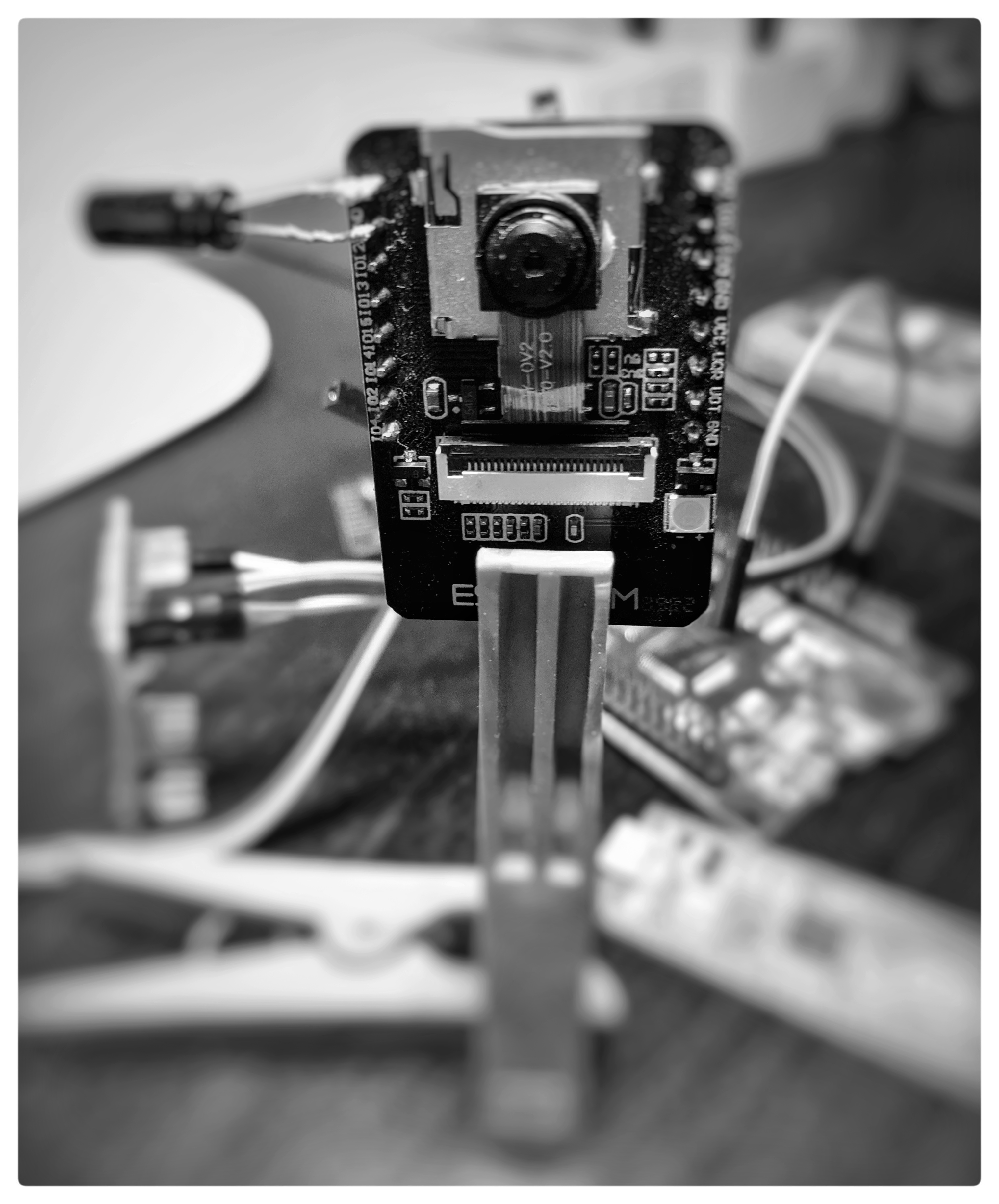
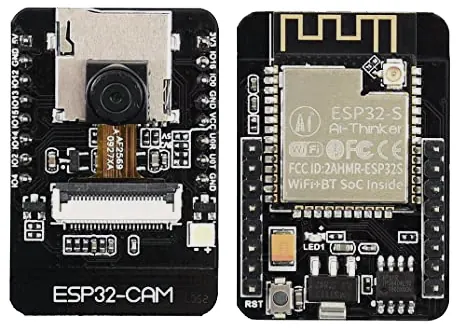
ESP32-CAM board with OV2640 camera module, ready for MicroPython firmware flashing
- ESP32-Camera board
- OV2640 camera module
- FTDI USB UART adapter
What You Will Build
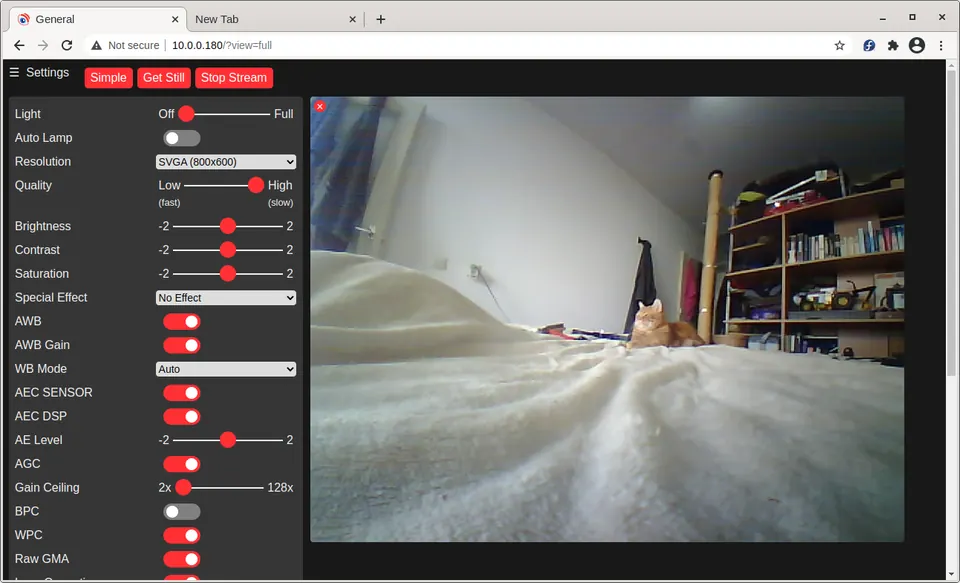
You will turn a bare ESP32-CAM board into a self-hosted webcam server reachable from any browser on your local network. Once running, the server lets you view a live stream, grab still photos, rotate the image, and even record timelapse video — all without any cloud service or proprietary app.
The magic is a custom MicroPython firmware compiled against Espressif IDF 4.4, which adds a camera module that the standard MicroPython builds lack. Five short Python scripts (help, html, site, webcam, wifi) then implement the HTTP server and camera control. Because everything runs in MicroPython, you can read and edit the server logic directly — no C toolchain required after the initial flash.
What You Need
Hardware
- ESP32-Camera board (with OV2640 camera and PSRAM)
- FTDI USB UART adapter (3.3 V logic level)
- Jumper wire to bridge GPIO-00 to GND during flashing
- USB cable
Software
- Thonny IDE — used both to flash firmware and to upload script files
- The pre-built
firmware.binfrom the repository - Five script files from the repository:
help.py,html.py,site.py,webcam.py,wifi.py - (Optional, for timelapse)
curlorwget,ffmpeg, andconvert(ImageMagick) on a Linux PC
Download the firmware binary and all five script files from the GitHub repository before you start.
Typical use cases
Mount the ESP32-CAM at an entry point and access the live stream from any browser on your home network without any cloud subscription.
Use the built-in /foto endpoint with a simple bash loop and ffmpeg to produce timelapse videos of plants, weather, or construction sites.
Attach the board to a rover or pan-tilt mount and use the camera microservices as a lightweight vision feed you can extend with Python.
The exposed camera module makes it easy to experiment with image capture, frame analysis, and custom HTTP endpoints — all in plain Python.
How It Works
The custom firmware exposes a camera module in the MicroPython runtime. After boot, webcam.py initialises the camera, connects to WiFi using credentials from wifi.py, and starts a plain HTTP server on port 80.
The server follows a simple microservices pattern — each URL path maps to a camera action:
| URL path | Action |
|---|---|
/login/<password> |
Authenticate and lock server to your IP |
/snap |
Capture and display a still photo |
/webcam |
Start MJPEG live stream in browser |
/rot/<degrees> |
Rotate the image |
/foto |
Return a JPEG for scripted download |
/live |
Stream video to a file via curl |
/logout |
Release IP lock and generate new password |
Authentication is IP-based with a random password printed to the REPL. A single client is allowed at a time; other IPs are blocked until logout. You can disable auth entirely by setting auth.on = False in webcam.py.
Flash the Firmware and Upload Scripts
Step 1 — Wire for flashing
Bridge GPIO-00 to GND with a jumper wire. Connect the FTDI adapter to the ESP32-CAM board, crossing TX↔RX. Plug the FTDI adapter into your PC.
Step 2 — Flash with Thonny
- Open Thonny and go to Tools → Options → Interpreter.
- Choose MicroPython (ESP32) and set Port to Try to detect port automatically.
- Click Install or update firmware, select your port (e.g.
/dev/ttyUSB0), browse tofirmware.bin, and click Install. - When done, remove the GPIO-00 jumper and press the RST button.
You should see a MicroPython REPL in the Thonny shell:
MicroPython v1.18-610-gcf7d962cf-kaki5 on 2022-06-10; ESP32 CAMERA module (KAKI5) with ESP32
>>>
Step 3 — Test the camera
>>> import camera
>>> camera.init()
True
>>> img = camera.capture()
>>> len(img)
58810
Step 4 — Edit WiFi credentials
Open wifi.py in Thonny and replace YOUR-SSID and YOUR-PWD with your network details.
Step 5 — Upload all five scripts
For each of help.py, html.py, site.py, webcam.py, and wifi.py: open the file in Thonny, then go to File → Save as… and choose MicroPython device as the destination. Verify with:
>>> uos.listdir()
['boot.py', 'help.py', 'html.py', 'site.py', 'webcam.py', 'wifi.py']
Step 6 — Start the server
>>> execfile('webcam.py')
Camera ready?:  True
Connected to your-network
network config: ('10.0.0.46', ...)
PWD: M1XDYKh3
Try - http://10.0.0.46/login/M1XDYKh3
Open the login URL in a browser, then navigate to the root IP for the help page.
Timelapse and Video Recording
Because the server exposes plain HTTP endpoints, standard Linux tools work perfectly for automation.
Timelapse — capture a frame every 30 seconds:
#!/bin/bash
cnt=0
while :
do
  let "cnt=cnt+1"
  N=$( printf '%04d' $cnt )
  curl http://10.0.0.46/foto --output foto$N.jpeg
  sleep 30
done
Compile frames into a video with ffmpeg:
cat foto*.jpeg | ffmpeg -f image2pipe -r 1 -vcodec mjpeg -i - -vcodec libx264 tmlap.mp4
Record a live stream directly to a file:
curl http://10.0.0.46/live --output live.avi
# Press Ctrl+C to stop
Play back with any video player, such as celluloid.
Ideas to Extend and Known Limits
Ideas
- Mount the board at your front gate or in a garden enclosure for a permanent WiFi camera.
- Wrap the timelapse bash script as a
cronjob to automate overnight captures. - Add motion detection logic in Python by comparing successive
camera.capture()buffers and triggering an alert. - Integrate with a small robot chassis — the camera microservices make it straightforward to add a
/moveendpoint alongside the existing camera endpoints.
Limitations
- Flashing requires an external FTDI USB UART adapter; the ESP32-CAM board has no onboard USB-to-serial chip.
- webrepl, BLE, and built-in help were removed from the firmware to save flash space, so those standard MicroPython features are unavailable.
- The server locks to a single client IP at a time, so simultaneous viewers are not supported.
- The project has no latest release tag; use the files directly from the repository main branch.
This project is a clean, practical starting point for anyone who wants camera-enabled MicroPython on an ESP32-CAM without wrestling with a C build environment. The five-script server is readable and hackable, making it a solid base for security cameras, timelapse rigs, or robot vision feeds. The main barrier is the FTDI adapter requirement and single-client limitation, but neither is a dealbreaker for a personal or maker project.
Sources
github.comshariltumin/esp32-cam-micropython-2022 — repository & READMEFacts in this article come from the project's public README and GitHub metadata at the time of writing. Images belong to their respective owners and link back to the original source.