ESP32 DAC Example: Output Analog Voltage Step by Step
What is the ESP32 DAC and what can it do?
The ESP32 integrates two 8-bit DAC (digital-to-analog converter) channels directly on-chip. Channel 1 is permanently tied to GPIO25 and Channel 2 to GPIO26. Each channel converts a digital value in the range 0–255 into a proportional analog voltage between 0 V and Vref, where Vref is drawn from the VDD3P3_RTC pin and ideally equals the board's supply voltage (VDD).
The output voltage at any moment follows this formula:
out_voltage = Vref * digi_val / 255
So with a 3.3 V supply, writing 128 yields roughly 1.66 V, writing 255 gives close to 3.3 V, and writing 0 pulls the pin to 0 V.
The DAC peripheral supports three distinct output modes:
| Mode | Use case | Key API |
|---|---|---|
| One-shot (direct) | Fixed voltage, ISR-safe | dac_oneshot_output_voltage |
| Continuous (DMA) | Audio streaming, signal playback | dac_continuous_write / dac_continuous_write_cyclically |
| Cosine wave | Hardware-generated sine/cosine | dac_cosine_handle_t |
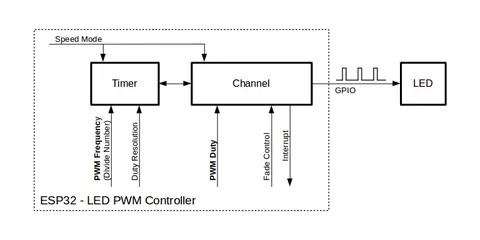
For applications that need analog output but more flexibility, the ESP-IDF documentation also points to Sigma-Delta Modulation and LED Control (LEDC) as alternatives — both produce high-frequency PWM output that can be low-pass filtered to create a lower-frequency analog signal.
What do you need before you start?
Hardware
- An ESP32 development board. The standard ESP32 and ESP32-S2 include the DAC peripheral; check your specific variant, as not all ESP32-family chips include it.
- A digital multimeter for static voltage checks, or an oscilloscope for waveform and audio verification.
- Jumper wires and a breadboard.
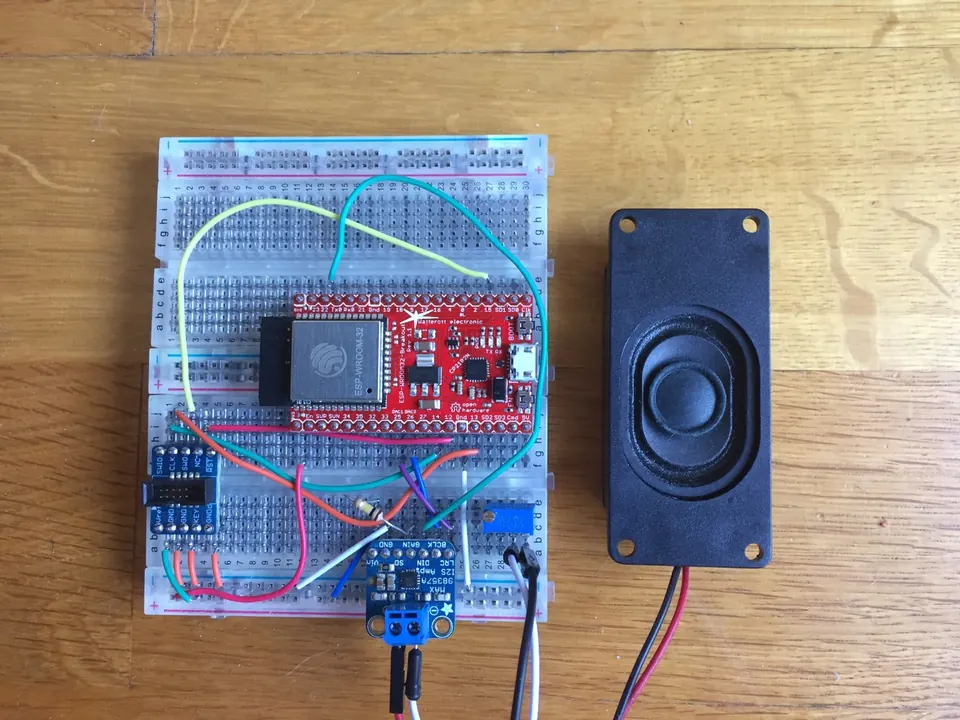
- Optional: a small speaker with an amplifier board if you plan to test audio output.
Software
- ESP-IDF installed and configured on your development machine. The new DAC driver API (with
dac_oneshot_handle_t,dac_continuous_handle_t, anddac_cosine_handle_t) is available in current ESP-IDF releases. - The official example projects are your best starting point:
peripherals/dac/dac_continuous/dac_audio— demonstrates synchronous and asynchronous DMA audio output.peripherals/dac/dac_continuous/signal_generator— demonstrates cyclical waveform output.
- Familiarity with building and flashing ESP-IDF projects. If you are new to this workflow, work through a basic blink or GPIO example first.
How do you output a fixed voltage (one-shot mode)?
One-shot mode is the simplest path: write a value, the voltage appears on the pin and holds there until you write again. It can even be called from an interrupt service routine (ISR).
Step 1 — Allocate a channel handle
Declare a dac_oneshot_handle_t variable, then call dac_oneshot_new_channel with a configuration struct that specifies which channel you want. Channel 1 maps to GPIO25 and Channel 2 maps to GPIO26. This registers the hardware resource for one-shot use.
Step 2 — Set the output voltage
Call dac_oneshot_output_voltage with your handle and an 8-bit value (0–255). The analog voltage is held on the pin indefinitely until the next conversion. The resulting voltage follows out_voltage = Vref * digi_val / 255. With a 3.3 V supply, passing 128 produces approximately 1.66 V.
Step 3 — Update as needed
Because dac_oneshot_output_voltage is ISR-safe, you can call it from a timer callback or interrupt handler to produce step-by-step voltage changes without dedicated DMA resources.
Step 4 — Clean up when done
When your application no longer needs the DAC channel, delete the handle to free the hardware resource. Refer to the ESP-IDF API reference for the corresponding delete function for oneshot handles.
A single channel can only be registered in one mode at a time. Do not try to create both a one-shot handle and a cosine handle on the same GPIO simultaneously.
How do you stream a continuous analog signal (DMA mode)?
Continuous mode hands off sample delivery to the DMA engine, freeing the CPU for other work. On the ESP32, the DAC digital controller connects internally to the I2S0 peripheral to provide the DMA path; the driver manages this connection transparently.
Three write strategies are available:
Synchronous writing — suited for long signals such as audio files. The call to dac_continuous_write blocks until all data has been loaded into the DMA buffer, and the voltage is kept at the last conversion value while no more data is inputted. It is usually used to transport a long signal like audio.
Cyclical writing — suited for short repeating waveforms such as a sine wave. After calling dac_continuous_write_cyclically, the driver loops the buffer without CPU involvement and no more operation is needed after the data is loaded into the DMA buffer. The number of samples that can be looped is bounded by the number of descriptors and the DMA buffer size set in dac_continuous_config_t.
Asynchronous writing — suited for latency-sensitive applications. Register an on_convert_done callback via dac_continuous_register_event_callback. The callback receives a dac_event_data_t containing the DMA buffer address and length, allowing you to fill it directly. Start the process with dac_continuous_start_async_writing and load data with dac_continuous_write_asynchronously, either inside the callback or from a separate task.
General steps for synchronous streaming
- Allocate the handle with
dac_continuous_new_channels - Enable DMA conversion with
dac_continuous_enable - Write your sample buffer using
dac_continuous_write - Disable and delete when done using the corresponding disable and delete APIs
Sample data is an array of uint8_t for the 8-bit DAC. The buf_size field in dac_continuous_config_t and the DMA fields in dac_event_data_t are measured in bytes, while the length arguments to the write APIs count samples.
ESP32-specific note: Because the DAC reuses the I2S0 DMA, each 8-bit sample must occupy the high byte of a 16-bit I2S slot. The driver applies this left-shift automatically, so you pass plain
uint8_tarrays.
How do you generate a cosine wave with the hardware generator?
The ESP32 DAC includes a built-in cosine wave generator that produces an analog sinusoidal output without any CPU involvement after configuration. To use it, allocate a dac_cosine_handle_t rather than the oneshot or continuous handle types, configure the desired frequency and amplitude, then enable the channel.
Because registering two different modes on the same DAC channel is not allowed, you cannot run the cosine generator on GPIO25 at the same time as one-shot or continuous output on the same pin. If you need to switch modes, delete the existing handle first.
For audio-oriented projects that play back MP3, WAV, or other formats, the ESP8266Audio library (which also supports ESP32) offers a higher-level approach: it targets an I2S DAC output or a software-simulated delta-sigma DAC with dynamic 32x–128x oversampling, and supports formats including MOD, WAV, MP3, FLAC, MIDI, and AAC.
How do you verify the DAC output is working correctly?
For one-shot / static voltage
- Connect the positive multimeter probe to GPIO25 and the negative probe to GND.
- Call
dac_oneshot_output_voltagewith value0— the meter should read near 0 V. - Call with value
128— expect approximatelyVref * 128 / 255. With a 3.3 V supply that is about 1.66 V. - Call with value
255— expect close to Vref, typically just under 3.3 V. - If the measured values match the formula within a few millivolts, the DAC is working. Larger deviations suggest the actual Vref differs from the nominal supply voltage — measure Vref on the VDD3P3_RTC pin directly and use that in your calculations.
For continuous / cosine output
A multimeter will only show a time-averaged DC value, which is not useful for waveform verification. Use an oscilloscope instead:
- Probe GPIO25 or GPIO26 and check that the waveform shape, frequency, and amplitude match your configured parameters.
- For the
dac_audioexample, connect a small speaker through an amplifier to the output pin and confirm you hear the expected audio.
Quick sanity check table
| digi_val | Expected output (3.3 V supply) |
|---|---|
| 0 | ~0.00 V |
| 64 | ~0.83 V |
| 128 | ~1.66 V |
| 192 | ~2.49 V |
| 255 | ~3.30 V |
What are the most common mistakes?
1. Using the wrong GPIO pin Only GPIO25 and GPIO26 are connected to the DAC on the standard ESP32. Calling the DAC driver with any other pin number will either fail at runtime or produce no output. Double-check your board's pinout before wiring.
2. Registering two modes on the same channel
Attempting to allocate both a dac_oneshot_handle_t and a dac_cosine_handle_t on GPIO25 simultaneously is not permitted. Delete the first handle before opening the second mode.
3. Skipping dac_continuous_enable before writing
In continuous mode the driver state machine must be advanced to the Enabled state before any write call will convert data. Calling dac_continuous_write while still in the Registered state will not produce output.
4. Expecting more than 8-bit resolution The built-in DAC resolves only 256 steps (0–255). If you expect fine-grained steps like a 12-bit DAC provides, the on-chip peripheral will disappoint. For higher resolution, an external DAC chip connected over I2C or SPI is the correct solution.
5. Not accounting for the true Vref
The output formula uses Vref from the VDD3P3_RTC pin, not a fixed 3.3 V. On real boards this voltage can deviate slightly from the nominal supply. Measure VDD3P3_RTC with a multimeter and substitute the measured value into out_voltage = Vref * digi_val / 255 for accurate results.
6. Driving a low-impedance load directly The DAC output is relatively high-impedance. Connecting it directly to a low-resistance load pulls the output voltage below the calculated level. Insert a buffer amplifier (such as a unity-gain op-amp stage) between the DAC pin and your load for reliable voltage delivery.
Frequently asked questions
Which GPIO pins are the DAC outputs on ESP32?
GPIO25 is DAC Channel 1 and GPIO26 is DAC Channel 2. On ESP32-S2 the pins differ (GPIO17 and GPIO18).
Can I run both DAC channels at the same time?
Yes. Each channel has its own handle and is managed independently. The only restriction is that you cannot register two different modes (for example, one-shot and cosine) on the same single channel simultaneously.
Can I play audio through the ESP32 DAC?
Yes. The ESP-IDF includes a dac_audio example under peripherals/dac/dac_continuous/. The ESP8266Audio library also supports driving an I2S DAC or a software-simulated delta-sigma DAC on ESP32, and can decode MP3, WAV, FLAC, and other formats.
What is the voltage formula for the ESP32 DAC?
out_voltage = Vref * digi_val / 255, where Vref is the voltage on the VDD3P3_RTC pin and digi_val is your 8-bit value (0–255).
What if I need higher than 8-bit DAC resolution?
The built-in DAC is 8-bit only. For higher resolution, use an external DAC chip connected over I2C or SPI instead of the on-chip peripheral.
The ESP32's on-chip 8-bit DAC on GPIO25 and GPIO26 is easy to wire up and the ESP-IDF driver covers one-shot voltage output, DMA-driven streaming, and hardware cosine generation cleanly. For most hobbyist and light industrial use cases — simple analog control signals, basic audio output, or repeating waveforms — the built-in peripheral is more than sufficient. Where you need finer voltage steps or a low-impedance drive, plan for an external DAC chip and a buffer stage from the outset.
Sources
github.comDigital To Analog Converter (DAC) (esp-idf docs)github.comearlephilhower/ESP8266Audio (GitHub README)This guide summarises the public sources listed above in our own words. Check the original documentation before relying on exact figures.