ESP32 MicroPython Deep Sleep Example: Step-by-Step Guide

What Does Deep Sleep Actually Turn Off on an ESP32?
Deep sleep is the mode you reach for when the board only has to do something occasionally. Before writing any code, it helps to know exactly how much of the chip shuts down, because that decides what your program can and cannot remember.
In deep sleep the CPUs, most of the RAM, and all digital peripherals clocked from APB_CLK are powered off. The only parts that stay powered are the RTC controller, the ULP coprocessor, RTC FAST memory and RTC SLOW memory (where the chip supports them). Wi-Fi and Bluetooth are powered down as well, and their connections are not maintained.
That is a very different bargain from light sleep, where the digital peripherals, most of RAM and the CPUs are clock-gated and their supply voltage is reduced, so their internal state is preserved when the chip exits sleep.
| Aspect | Light-sleep | Deep-sleep |
|---|---|---|
| CPUs | Clock-gated, voltage reduced, state preserved | Powered off |
| Most RAM | Clock-gated, state preserved | Powered off |
| Digital peripherals | Clock-gated, resume on exit | APB_CLK-clocked peripherals powered off |
| Wi-Fi / Bluetooth | Powered down | Powered down |
| Wi-Fi / BT connection | Not maintained | Not maintained |
The practical takeaway: after a deep sleep cycle your MicroPython program effectively starts fresh, apart from anything you deliberately parked in RTC memory. Configuration of power-down options and wake-up sources is optional and can be set at any moment before entering sleep, and several wake-up sources can be combined so the chip wakes when any one of them is triggered.
One honest note about the sources behind this guide: they are Espressif's ESP-IDF documentation for sleep modes and deep-sleep wake stubs. The behaviour described is the hardware and firmware behaviour that MicroPython sits on top of, but the exact MicroPython function names for entering deep sleep are not covered by these sources, so check the MicroPython documentation for your specific build.
 \2
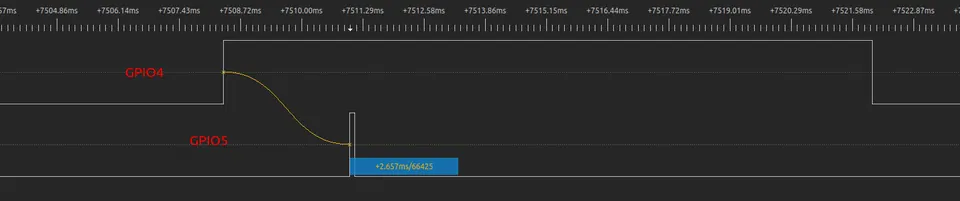
Diagram showing the time from wake-up to wake stub execution, which happens before the bootloader and ESP-IDF code run.
What Do You Need Before Starting?
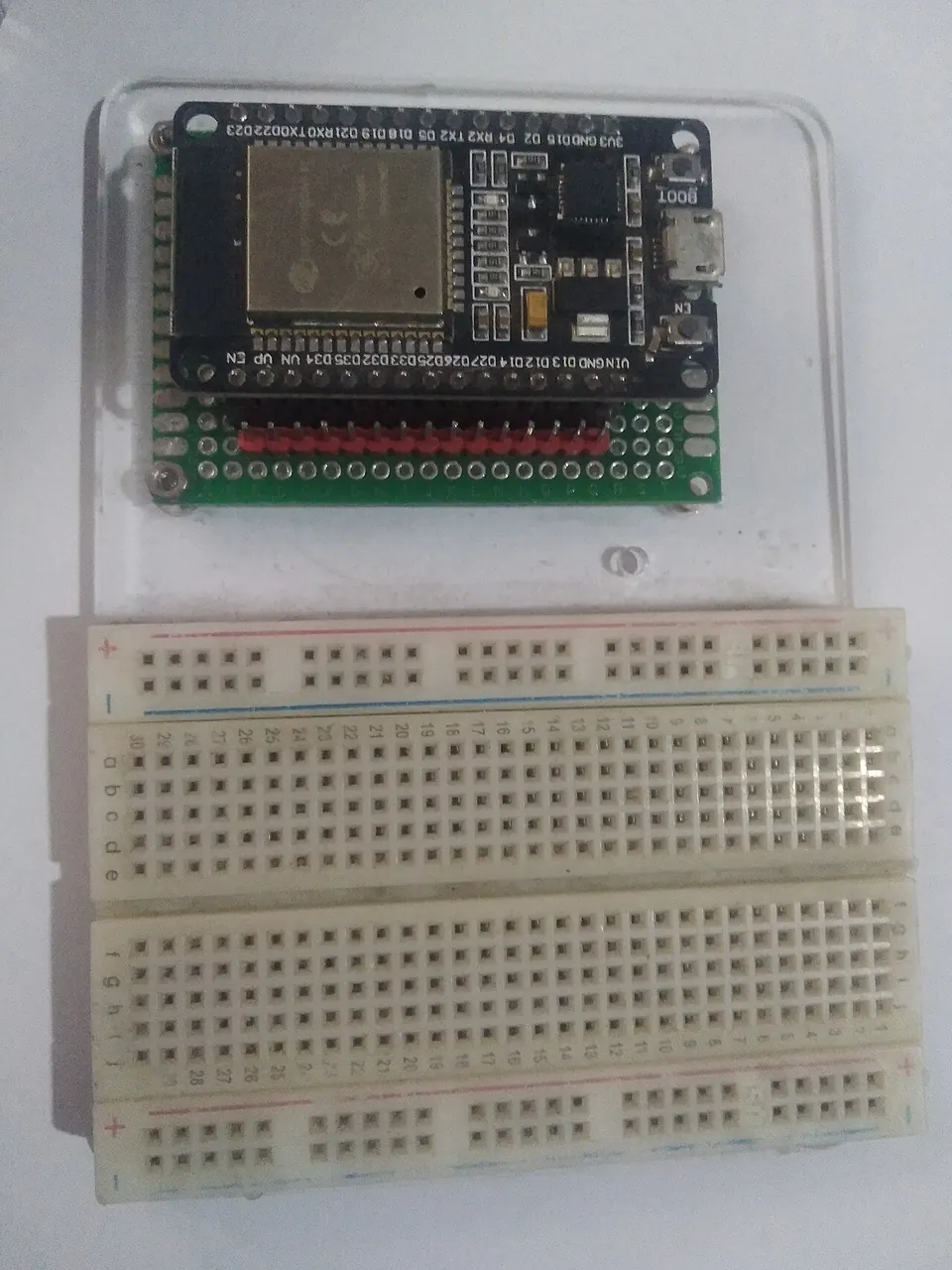
- An ESP32-based board running a MicroPython build. The two boards pictured below are typical ESP32 dev board and module formats.
- A clear idea of what should wake the chip. The sources describe several wake-up sources that can be combined, so the chip wakes when any of them fires.
- A decision about which values must survive the sleep. Only RTC memory retains content, so anything that matters has to be placed there.
- A way to see the wake-up cause after each cycle, because that is how you confirm which source woke the chip.
- Optional: a need for work to happen the instant the chip wakes. That is what the deep-sleep wake stub is for.
You do not need a wake stub to use deep sleep. Espressif's documentation is explicit that implementing the wake stub function is not mandatory and only becomes necessary if you want certain behaviour to run immediately on wake-up.
 \2
An ESP32 development board of the type used for a MicroPython deep sleep cycle. Image: Edwiyanto, CC BY-SA 4.0, via Wikimedia Commons
Step-by-Step: Running an ESP32 MicroPython Deep Sleep Cycle
- Decide between light sleep and deep sleep. If you need maximum savings and can tolerate losing RAM state, deep sleep is the right mode. If you need RAM and peripheral state to survive, light sleep is the one that preserves internal state.
- Pick your wake-up source or sources. The sources can be combined, which means a single configuration can wake the chip on whichever condition fires first. Do this thinking before you touch the sleep call, because the configuration must be in place beforehand.
- Configure the power-down options and wake-up sources. Espressif notes these are optional and can be configured at any moment before entering the sleep mode, so this is a setup step, not a wake-up step.
- Shut down the radios. In deep sleep and light sleep the wireless peripherals are powered down, and Wi-Fi and Bluetooth connections are not maintained even if you never call the stop functions. On the ESP-IDF side the required calls are
esp_wifi_stopfor Wi-Fi, plusesp_bt_controller_disable/esp_bt_controller_deinit,esp_bluedroid_disable/esp_bluedroid_deinitandnimble_port_stop/nimble_port_deinitfor Bluetooth. If you genuinely need a Wi-Fi connection maintained, the documented route is Wi-Fi Modem-sleep plus automatic light sleep, not deep sleep. - Store anything that must persist in RTC memory. Details and attributes are in the next section.
- Optionally add a wake stub. This is code that runs immediately on wake, before normal initialization, the bootloader or any ESP-IDF code. A custom stub should call the default wake function first, and it must live in RTC fast memory.
- Enter sleep using the sleep start call. Once the wake-up condition is met, the application is woken.
- On wake, check the wake-up cause. Espressif documents an API for retrieving the wake-up cause and a separate step for handling wake-up sources after wake-up, so treat the cause check as part of every loop rather than an afterthought.
Steps 4, 6 and 7 as written here describe the ESP-IDF side. In MicroPython some of this is handled for you and some is not; the sources provided do not specify which, so verify against your port's documentation.
 \2
Espressif ESP-WROOM-32 Wi-Fi and Bluetooth module, the radio hardware that is powered down during deep sleep. Image: Brian Krent, CC BY-SA 4.0, via Wikimedia Commons
How Do You Keep Data Alive Across Deep Sleep?
This is the part that trips people up. Most RAM is powered off in deep sleep, so an ordinary variable is gone when the chip restarts. Data in RTC memory, by contrast, is initialised whenever the SoC restarts, except when waking from deep sleep, in which case the values retained before sleeping are kept.
On the ESP-IDF side you mark writable data with RTC_DATA_ATTR and read-only data with RTC_RODATA_ATTR. RTC_FAST_ATTR and RTC_SLOW_ATTR force data into RTC fast memory or RTC slow memory respectively. Which of the two your marked data lands in can be steered with the menuconfig option CONFIG_{IDF_TARGET_CFG_PREFIX}_RTCDATA_IN_FAST_MEM; without it, data goes to RTC slow memory, which keeps the slow memory area free for ULP programs. On the ESP32 classic, that option depends on CONFIG_FREERTOS_UNICORE because RTC fast memory can be accessed only by PRO_CPU.
The documentation's own example shows the pattern, with a counter that survives sleep and a format string kept in RTC read-only memory:
RTC_DATA_ATTR int wake_count;

void RTC_IRAM_ATTR esp_wake_deep_sleep(void) {
    esp_default_wake_deep_sleep();
    static RTC_RODATA_ATTR const char fmt_str[] = "Wake count %d\n";
    esp_rom_printf(fmt_str, wake_count++);
}
If you are writing MicroPython rather than C, the concept still applies: whatever has to survive has to end up in memory that survives, not in the general heap.
How Do You Verify the Wake-Up Worked?
Three checks cover most of it.
Read the wake-up cause. After the chip wakes, Espressif provides a way to get the wake-up cause, plus a documented step for handling wake-up sources after wake-up. Logging the cause tells you whether the source you configured is actually the one firing.
Confirm your retained data. If you keep a counter in RTC memory, it should continue from its previous value rather than resetting. A counter that restarts at zero means the value was not in RTC memory at all.
If you use a wake stub, check that it ran. After waking from deep sleep the chip performs partial initialisation, then validates RTC fast memory with a CRC; only if that validation passes does the wake stub execute. A stub that never runs is worth investigating against that sequence. The diagram below shows the timing the documentation uses to describe the gap between wake-up and stub execution.
Be careful about expectations on speed: the documentation states plainly that wake-up time from deep sleep is much longer than from light sleep or modem sleep, because ROM and RAM are both powered down and the CPU needs more time for SPI booting. That is exactly the problem the wake stub exists to work around. Note that the sources do not quote current-consumption figures for deep sleep, so do not assume a number.
Common ESP32 Deep Sleep Mistakes to Avoid
- Expecting Wi-Fi or Bluetooth to stay connected. They do not. The wireless peripherals are powered down in deep sleep and light sleep, and connections are not maintained even if the stop functions are never called.
- Expecting ordinary variables to survive. Most RAM is powered off in deep sleep. Only RTC memory keeps its contents, and only across a deep sleep wake, not across a full restart.
- Forgetting to call the default wake function first. A custom wake stub, per the documentation, should start by calling
esp_default_wake_deep_sleep(). - Putting stub code or data somewhere it cannot live. When the stub runs, most peripherals are in the reset state and SPI flash has not been mapped, so the stub can only call functions implemented in ROM or loaded into RTC fast memory. Data it uses must sit in RTC fast or RTC slow memory. Use the
RTC_IRAM_ATTRattribute on the function, or put it in a source file whose name begins withrtc_wake_stub. - Letting the stub grow too large. The stub size is restricted by the size of RTC fast memory.
- Treating deep sleep like light sleep. State preservation is a light sleep property. In deep sleep most of the chip is simply off.
- Trying to configure the wake source after sleeping. Configure power-down options and wake-up sources before entering the sleep mode.
- Overlooking quiet power-down options. Sub sleep modes exist, and the sleep system automatically selects the mode that satisfies the features you need while consuming the least power; features like using RTC IO as input pins or RTC memory at high temperature, or monitor-mode ADC/temperature sensor use, push the chip out of the lowest sub mode.
Frequently asked questions
Does deep sleep keep Wi-Fi connected on an ESP32?
No. Wireless peripherals are powered down in deep sleep and light sleep, and connections are not maintained even if the Wi-Fi and Bluetooth disable calls are never made. To keep a Wi-Fi connection, the documented option is Wi-Fi Modem-sleep with automatic light sleep.
Is RAM preserved during deep sleep?
No. The CPUs, most of the RAM and all APB_CLK digital peripherals are powered off. RTC memory is the exception, and its data is retained across a deep sleep wake.
Why does an ESP32 take so long to wake from deep sleep?
ROM and RAM are both powered down in deep sleep and the CPU needs more time for SPI booting, so wake-up is much longer than from light sleep or modem sleep. The deep-sleep wake stub exists to run code before that full boot.
Do I have to write a wake stub to use deep sleep?
No. Implementing the wake stub function is not mandatory and is only needed if you want certain behaviour to run immediately when the SoC wakes.
Can several wake-up sources be used at once?
Yes. The wake-up sources can be combined so the chip wakes when any of the sources is triggered, and they are configured before entering the sleep mode.
Deep sleep on the ESP32 is less about one call and more about accepting what the chip gives up: CPUs, most RAM, APB_CLK digital peripherals and the radios all go down, leaving RTC memory as your only state. Get that mental model right, configure your wake source before sleeping, and check the wake-up cause on every cycle, and the rest follows. The sources behind this guide document the ESP-IDF side, so confirm the matching MicroPython calls for your build.
Sources
github.comSleep Modes (esp-idf docs)github.comDeep-sleep Wake Stubs (esp-idf docs)This guide summarises the public sources listed above in our own words. Check the original documentation before relying on exact figures.