ESP32 OTA in PlatformIO: What It Is and How to Start
What is ESP32 OTA in PlatformIO?
OTA means over-the-air: you push new firmware to a board across the network instead of plugging in a USB cable. PlatformIO is the build-and-upload environment around that — the person in the ElegantOTA thread was running PlatformIO v3.3.3 inside VS Code v1.87.2 — and in PlatformIO the OTA behaviour comes from what you put in platformio.ini: the libraries in lib_deps, the flags in build_flags, and build options such as board_build.embed_txtfiles.
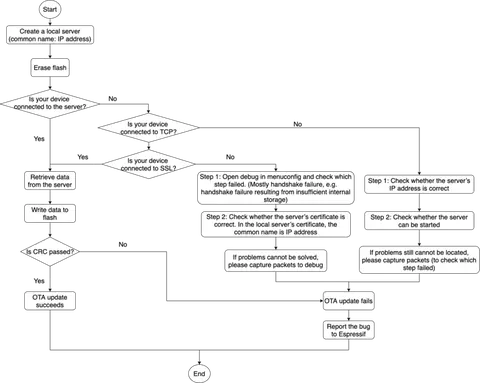
The sources behind this page cover three concrete pieces of that picture rather than one tidy end-to-end tutorial: the ElegantOTA web-server OTA library and its deprecated AsyncElegantOTA predecessor, the Pinscope service that delivers firmware updates to a device, and the PlatformIO option for embedding files into the firmware .bin that gets shipped. Read this as a map of what is documented and where the sharp edges are, not as a promise that every OTA path is covered.
 \2
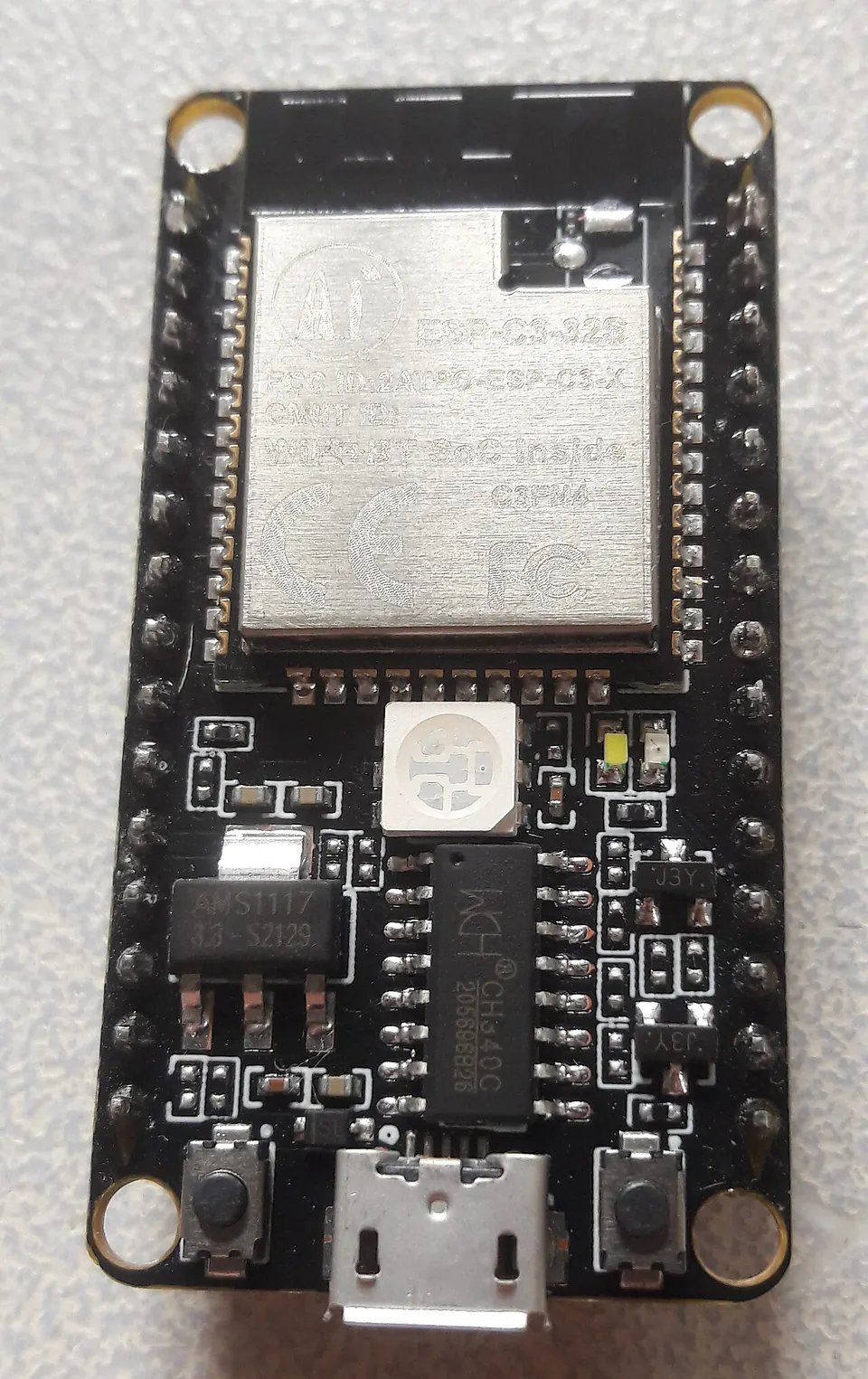
An ESP32 development board, the class of hardware that receives firmware over the air. Image: Edwiyanto, CC BY-SA 4.0, via Wikimedia Commons
Which OTA options do the sources actually cover?
| Route | What it does | Where it is configured |
|---|---|---|
| ElegantOTA / AsyncElegantOTA | Web-server based OTA library. AsyncElegantOTA 2.2.8 prints a deprecation warning telling you to move to ElegantOTA, which now ships an Async Mode | lib_deps and build_flags in platformio.ini |
| Pinscope | Gives the device web server its own HTTPS address, sends logs, metrics and crash reports, and receives firmware updates over one outbound connection that needs 9.4 KB of RAM in total | lib_deps = pinscope/pinscope@^0.2.15 |
| Embedded files | board_build.embed_txtfiles packs files into the firmware .bin image, which the source describes as being for OTA update purposes |
platformio.ini plus extern symbols in C/C++ |
These are different shapes of OTA. ElegantOTA is a library that runs a web server on the chip. Pinscope is a hosted service the device connects out to. Embedding files is about what travels inside the image you deliver, whichever delivery route you pick.
 \2
The Espressif ESP-WROOM-32 module that sits at the centre of many ESP32 boards used for OTA testing. Image: Brian Krent, CC BY-SA 4.0, via Wikimedia Commons
How do I get started with ElegantOTA in platformio.ini?
Start by looking at the line you already have. The thread's project used this inside lib_deps:
lib_deps =
    ayushsharma82/AsyncElegantOTA @ ^2.2.8
That version compiles with a warning: the AsyncElegantOTA library is deprecated and you are told to move to the newer ElegantOTA library, which comes with an Async Mode. The ElegantOTA documentation offers a PlatformIO shortcut — paste this line at the bottom of platformio.ini and PlatformIO will compile ElegantOTA in Async Mode:
build_flags=-DELEGANTOTA_USE_ASYNC_WEBSERVER=1
In the thread, the author added the flag but reported that the deprecation problem was not solved, and said they were not sure the async mode was really being compiled in. Searching the library registry only offered the version they already had (2.2.8). The accepted answer is to stop relying on the registry version and pull the library straight from its repository:
lib_deps = https://github.com/ayushsharma82/ElegantOTA.git
That gets you the latest version. Note what the source does and does not settle: it confirms the flag is the documented way to enable Async Mode, and it confirms the git URL is the accepted fix for the stale registry entry. It does not include a verified build log proving the flag alone removes the warning.
How do I add Pinscope OTA updates to a PlatformIO project?
Pinscope is the other documented route. In platformio.ini, with either the Arduino or the ESP-IDF framework:
lib_deps = pinscope/pinscope@^0.2.15
You need a Pinscope account to get a project key. Under ESP-IDF you enter it through idf.py menuconfig under Pinscope; in code you start it with a config struct, as in the Arduino example:
pinscope_config_t config = {};
config.project_key = "psk_...";      // Connect a device, in the dashboard
config.firmware_version = "1.0.0";   // shown in the dashboard
pinscope_start(&config);
For ESP-IDF the call is pinscope_start(NULL), made any time after esp_netif_init() and esp_event_loop_create_default(). It does not need Wi-Fi to be up yet and reconnects on its own.
Two practical details for the update itself. Firmware updates need a partition scheme with two app slots — the default scheme has them. And you upload the compiled binary: <sketch>.ino.bin, produced from Sketch → Export Compiled Binary. If you want a new firmware that cannot reach Pinscope to roll back on its own, add this to the sketch:
extern "C" bool verifyRollbackLater() { return true; }
How do I embed files in the firmware for OTA?
If your OTA image needs to carry HTML or other assets, PlatformIO can embed them into the .bin. In platformio.ini:
[env:...]

board_build.embed_txtfiles =
    data/file1.ext
    src/file2.ext
Then declare symbols in your C/C++ code to reach the data. The asm(...) part comes from ESP-IDF's documentation and resolves to the address of the data:
extern const uint8_t file_data_file1_start[] asm("_binary_data_file1_ext_start");
extern const uint8_t file_src_file2_start[] asm("_binary_src_file2_ext_start");
The variable names can be anything; ESP-IDF's convention is simply that they resemble the file paths. Each buffer is null-terminated because embed_txtfiles was used rather than embed_files — a distinction worth remembering before you hand the pointer to a handler that expects a length.
What are the common pitfalls?
- The deprecation warning is not the same problem as the version. AsyncElegantOTA 2.2.8 warns that it is deprecated. Adding the async build flag addresses the async mode, but in the thread the warning remained and the registry still only offered 2.2.8. The accepted fix was the GitHub
lib_depsURL. - The registry can lag behind the repository. The reporter searched the libraries and found nothing newer than what was installed. If a version you know exists is missing, pull from source control instead of the registry.
- Do not assume a flag took effect. The thread's author explicitly said they were unsure whether
-DELEGANTOTA_USE_ASYNC_WEBSERVER=1really compiled ElegantOTA in async mode. Verify rather than assume. - Partition scheme. Pinscope firmware updates need two app slots. The default scheme has them; a custom scheme may not.
- Crash reports have a version floor. With Arduino, Pinscope crash reports need Arduino-ESP32 3.x; everything else also works on 2.x. Under PlatformIO, crash reports work with both frameworks, with Arduino on 3.x.
- Rollback is opt-in. Without the
verifyRollbackLater()hook, a new firmware that cannot reach Pinscope will not roll back on its own. - Null termination depends on the embed option.
embed_txtfilesgives you null-terminated buffers; the source notes this is specifically becauseembed_txtfileswas used rather thanembed_files. - A project key is required. Pinscope needs an account and a project key before the device will connect.
What the sources do not cover
Be aware of the gaps before you plan a build. The sources do not include a complete Arduino OTA sketch for PlatformIO, do not show a full platformio.ini for a native Arduino OTA upload over the network, and do not document partition table contents beyond the note that updates need two app slots. There is no benchmark data, no transfer-speed figures and no version matrix for the ESP32 Arduino core beyond the 2.x and 3.x split mentioned for Pinscope crash reports. Where you need those details, check the library and framework documentation directly rather than assuming this page covers them.
Frequently asked questions
Why does PlatformIO warn that AsyncElegantOTA is deprecated?
The library itself prints the warning: AsyncElegantOTA is deprecated and you should move to the newer ElegantOTA library, which now comes with an Async Mode. The installed version in the reported case was 2.2.8.
How do I get the newest ElegantOTA when the registry only shows an old version?
Point lib_deps at the repository instead of the registry: lib_deps = https://github.com/ayushsharma82/ElegantOTA.git. That was the accepted answer for a project stuck on 2.2.8.
Does Pinscope OTA work with both Arduino and ESP-IDF in PlatformIO?
Yes. The lib_deps = pinscope/pinscope@^0.2.15 line works with either framework. Crash reports are the exception: with Arduino they need Arduino-ESP32 3.x, while under PlatformIO crash reports work with both frameworks.
What partition scheme do ESP32 OTA updates need?
Pinscope's firmware updates need a partition scheme with two app slots. The default scheme already has them.
Can I embed HTML or binary files into the OTA image with PlatformIO?
Yes. Use board_build.embed_txtfiles in platformio.ini and declare extern const uint8_t ... asm("_binary_..._start") symbols in your code. Buffers are null-terminated because embed_txtfiles is used rather than embed_files.
ESP32 OTA in PlatformIO is mostly a dependency-and-configuration problem, not a coding problem: the right `lib_deps` line, the right build flag, and a partition scheme with two app slots get you most of the way. The documented traps are a deprecated AsyncElegantOTA that the registry keeps serving and a rollback behaviour you have to opt into. Start with the library that matches how you want updates delivered, then verify the build actually picked up your flags.
Sources
stackoverflow.comCannot upgrade to syncElegantOTA v3 in platformIOstackoverflow.comESP32 Retrieve embedded binary files from the firmware .bin filegithub.compinscope-dev/pinscope-esp (GitHub README)This guide summarises the public sources listed above in our own words. Check the original documentation before relying on exact figures.