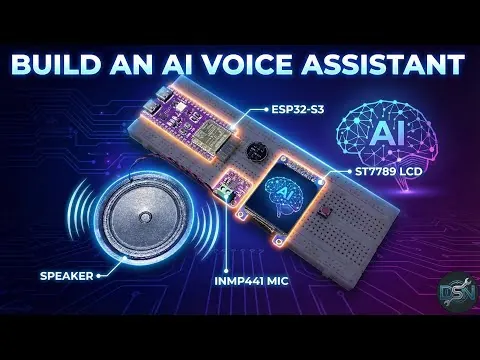
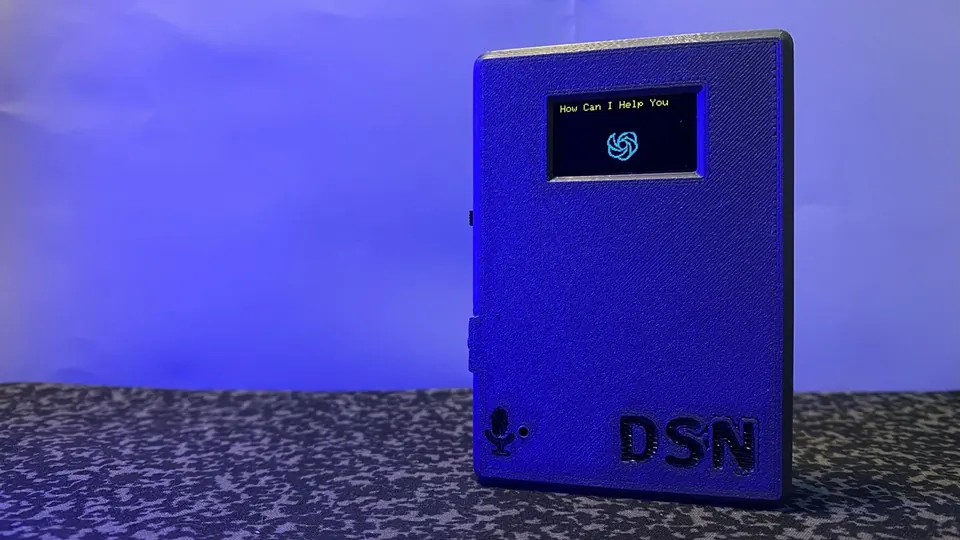
ESP32 Voice Assistant with Gemini, Whisper and Piper TTS
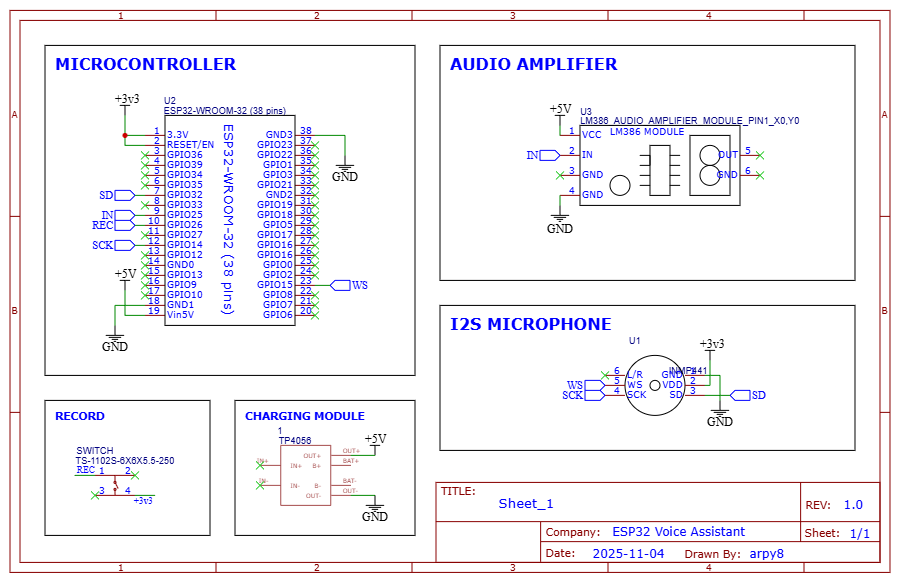
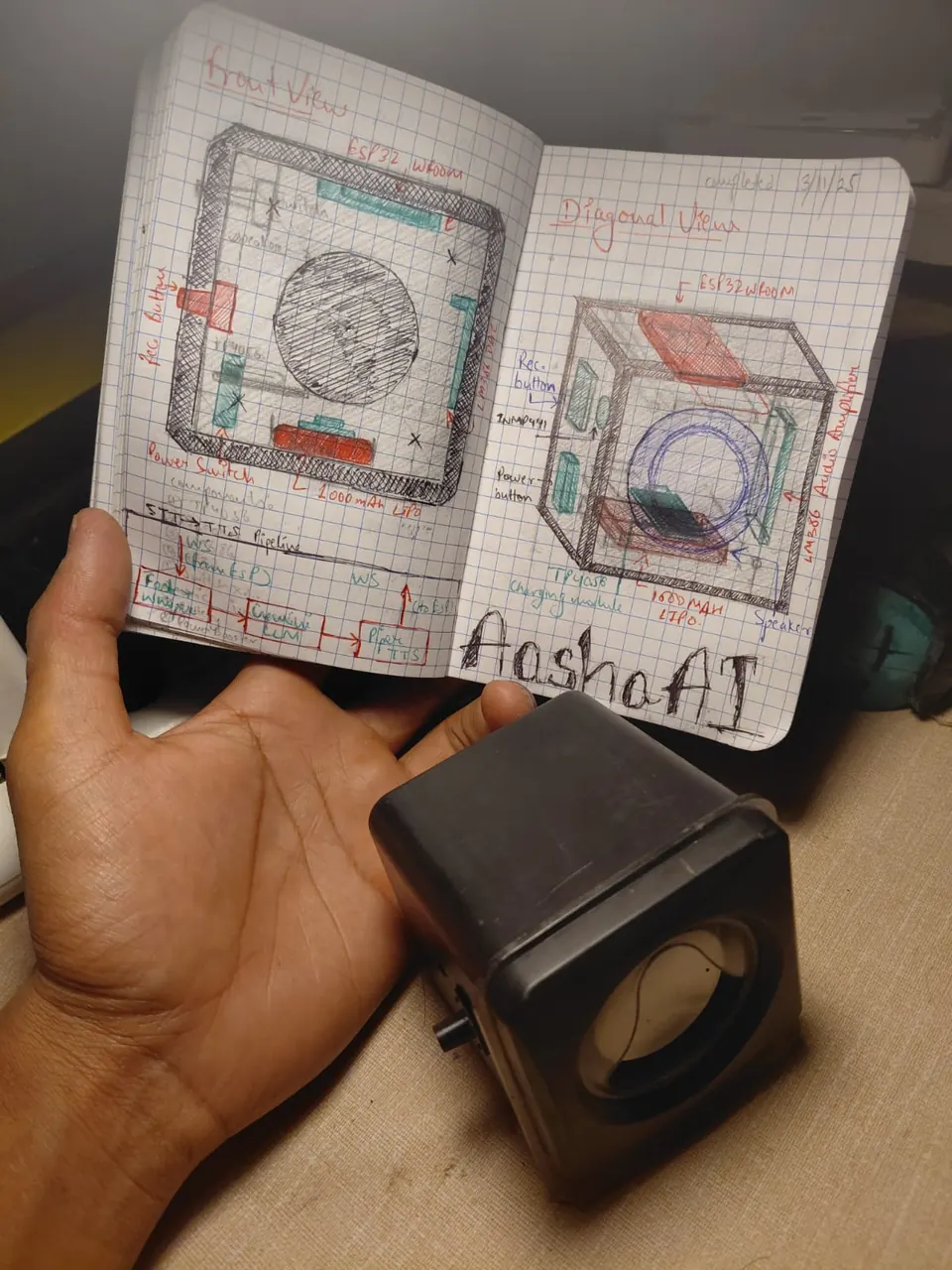
Full wiring schematic showing INMP441 microphone, LM386 amplifier, push button, TP4056 charger and LiPo battery connected to the ESP32-WROOM-32.
- ESP32-WROOM-32 38Pin Development Board
- INMP441 MEMS Microphone
- LM386 Audio Amplifier Module
- 2-inch 8Ohm 12W Speaker
- 12x12x12mm Tactile Push Button
- TP4056 Li-ion Battery Charging Module
- 1000mAh 3.7V Lithium Polymer Battery
What You Will Build
You will wire an INMP441 digital microphone and a small speaker amplifier to an ESP32, then run a Python AI server on your PC or a VPS. Press a button, speak a question, and within seconds you hear a natural voice reply driven by real AI — no cloud subscription box required beyond a free Gemini API key.
The system works in half-duplex mode: the ESP32 records your voice at 16 kHz and streams raw PCM audio over a WebSocket connection to the Python backend. The backend transcribes it with Faster-Whisper, sends the text to Gemini 2.5 Flash for a response, synthesizes speech with Piper TTS, and streams 8-bit PCM audio back to the ESP32's built-in DAC for playback through an LM386 amplifier and speaker.
This is a genuinely useful desktop or bedside gadget, and a strong foundation for learning how embedded audio, WebSocket streaming and modern AI inference fit together.
 \2
\2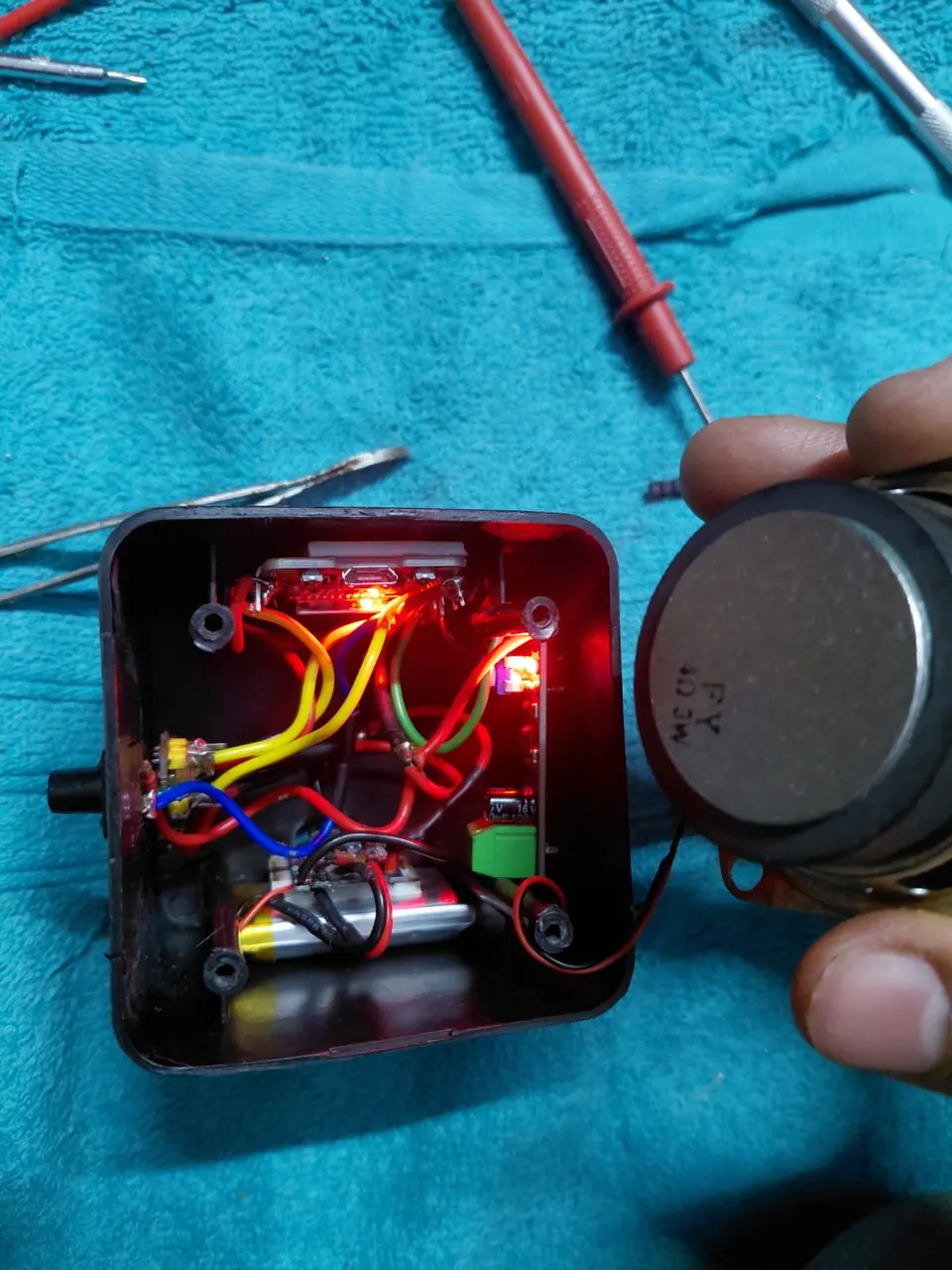 \2
\2 \2
\2What You Need
Hardware
| Part | Key detail |
|---|---|
| ESP32-WROOM-32 (38-pin) | Main controller, Wi-Fi, I2S, DAC |
| INMP441 MEMS microphone | I2S input: SCK→GPIO14, WS→GPIO15, SD→GPIO32 |
| LM386 audio amplifier module | Input from DAC1 (GPIO25) |
| 2-inch 8Ω 12W speaker | Connected to LM386 output |
| Tactile push button (12×12×12 mm) | GPIO26, triggers recording |
| TP4056 charging module | VIN from USB, OUT+ / OUT− to battery |
| 1000 mAh 3.7V LiPo battery | B+ / B− to TP4056 |
A wiring schematic is included in the repository under schematic/schematic.png. The project README also links a full Bill of Materials spreadsheet.
Software
- Python ≥ 3.12 on your host machine (or Docker)
uvPython package manager- A Google Gemini API key (set as
GEMINI_API_KEY) - The Piper voice model
en_US-libritts_r-medium.onnx(downloaded separately, see below) - Arduino IDE or ESP-IDF to flash the ESP32 firmware
Typical use cases
Place the device on your desk as a hands-free voice assistant for quick questions, reminders or lookups while you work.
Use this as a starting point for adding voice control to any ESP32-based project — swap Gemini's system prompt to fit your application's domain.
Configure the Gemini system prompt to respond only in a target language and practice conversation with a patient, always-available partner.
Run the backend on a home server and give the assistant tools to control smart home devices or query a local knowledge base.
How It Works
The ESP32 and the Python server communicate entirely through a binary WebSocket on port 7860. Here is the full round-trip:
- Button press — GPIO26 goes low, the ESP32 begins capturing I2S audio from the INMP441 at 16 kHz.
- Streaming — Raw PCM frames are sent over Wi-Fi to
ws://<server-ip>:7860in real time. - Transcription — Faster-Whisper (Whisper
tinymodel, CPU-friendly) converts the buffered audio to text. - LLM response — The text is sent to Gemini 2.5 Flash, which returns a short conversational reply. The system prompt is adjustable, so you can give the assistant any personality.
- Speech synthesis — Piper TTS generates natural-sounding speech from the reply text using the
en_US-libritts_r-mediumneural voice model. - Playback — 8-bit unsigned PCM audio chunks are streamed back to the ESP32, which writes them to DAC1 (GPIO25). The LM386 amplifies the signal to drive the speaker.
A companion script watcher.py acts as a watchdog, restarting the server automatically if it crashes — useful for always-on deployments.
Wiring and Flashing
Wire the hardware following the schematic in schematic/schematic.png. Key pin assignments at a glance:
| Signal | GPIO |
|---|---|
| INMP441 SCK | 14 |
| INMP441 WS | 15 |
| INMP441 SD | 32 |
| DAC output to LM386 | 25 (DAC1) |
| Push button | 26 |
| Status LED | 2 (built-in) |
Flash the ESP32 firmware using Arduino IDE or ESP-IDF as described in the repository. Make sure the firmware is configured with your Wi-Fi SSID, password and the IP address of the machine that will run the Python server.
Set up the Python server
Clone the repository and move into the server directory:
cd esp-server
pip install uv
uv sync
Download the Piper voice model before the first run:
python -m piper.download_voices en_US-libritts_r-medium --data-dir tts_models
Add your Gemini API key to the environment (use a .env file or export it in your shell), then start the server:
uv run main.py
The server listens on ws://0.0.0.0:7860. If you prefer Docker:
docker build -t esp32-ws-server .
docker run -p 7860:7860 esp32-ws-server
Once the server is running, power the ESP32, wait for it to connect to Wi-Fi, then press the button and speak. The built-in LED on GPIO2 provides status feedback during the interaction.
Ideas to Extend It
Swap the voice — Piper supports many language and quality variants. Download a different .onnx model and point the server config at it to change the assistant's accent or gender.
Tune the personality — The README notes the Gemini system prompt is adjustable. Edit it to make the assistant a language tutor, a home automation controller, or a bedside alarm companion.
Host on a VPS — The Python backend can run on any Linux server. Point the ESP32 firmware at a public IP and the assistant works from anywhere on the internet, not just your local network.
Upgrade the Whisper model — The README shows tiny in the pipeline description and base in the architecture diagram. A small or medium model trades inference speed for better transcription accuracy, which matters in noisy environments.
Limitations to keep in mind
- The system is half-duplex: the ESP32 cannot listen and speak at the same time, so interrupting the assistant mid-sentence is not supported.
- Inference runs on CPU by default. A machine with a GPU will cut response latency noticeably for larger Whisper models.
- The Gemini API requires an internet connection and a valid API key; the STT and TTS steps can run fully offline, but the LLM step cannot.
ESP32_Voice_Assistant is a well-structured, end-to-end reference build that shows how to bridge embedded audio hardware and modern AI inference without exotic components. The split-architecture design — lightweight ESP32 firmware plus a replaceable Python backend — makes it easy to swap models or add features without reflashing the device. Makers comfortable with Python, a Gemini API key and basic soldering will have a talking AI gadget running in an afternoon.
Sources
github.comarpy8/ESP32_Voice_Assistant — repository & README youtu.beOfficial websiteFacts in this article come from the project's public README and GitHub metadata at the time of writing. Images belong to their respective owners and link back to the original source.