ESP32 Web Page Example: Serve HTML Step by Step
What does an ESP32 web page example actually need?
An ESP32 can host a small web page with no extra hardware: the chip joins a Wi-Fi network (or creates its own access point), runs an HTTP server on port 80, and answers browser requests with HTML stored in flash. In the Arduino framework that takes three pieces: a WebServer object, a handler function that sends the page, and a call to server.handleClient() every time loop() runs.
There are two common ways to build it:
| Approach | What you write | Best for |
|---|---|---|
Arduino WebServer library |
A sketch with server.on("/", handler) and an HTML string in PROGMEM |
Beginners, quick control panels |
ESP-IDF esp_http_server |
C code calling httpd_start() and httpd_register_uri_handler() |
Projects already on ESP-IDF, WebSocket or persistent-connection needs |
This guide walks through the Arduino version first because it is the shortest path from a blank sketch to a page in your browser, then shows how the same idea maps onto ESP-IDF.
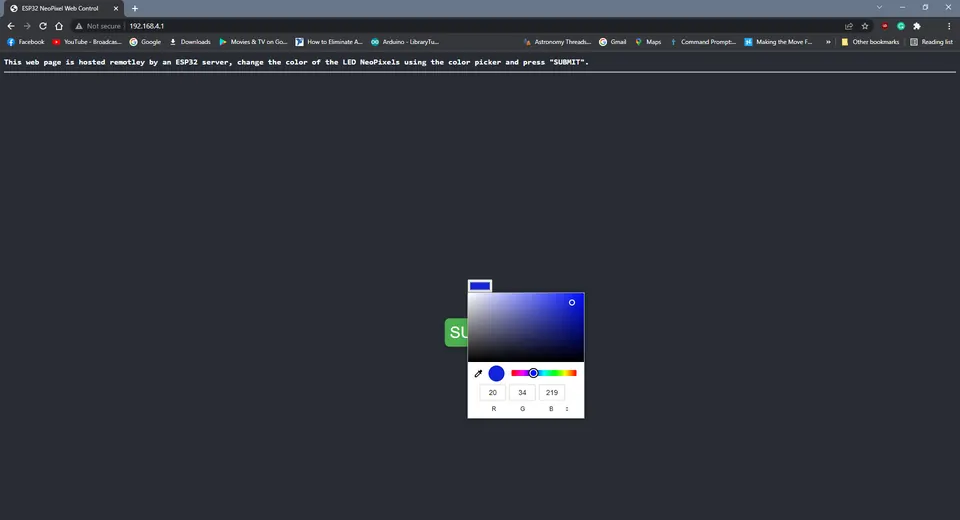
The example sketch below comes from a NeoPixel control project: the ESP32 opens its own access point, serves an HTML page with a colour picker, and a bit of JavaScript sends the picked value back. You can drop the NeoPixel part and keep the web plumbing for any project.
 \2
Web page served by an ESP32 running in access-point mode, from the NeoPixel colour-picker example
Prerequisites
- An ESP32 board with Wi-Fi (the example targets the classic ESP32; the Arduino core's CI also builds for ESP32-S3, C3, C6 and others).
- Arduino IDE with the ESP32 core installed. The
WiFi,WiFiClientandWebServerlibraries ship with the core, so there is nothing extra to install for a plain page. - A USB cable and the Serial Monitor at 115200 baud so you can read the IP address the board prints.
- A phone or laptop to connect to the ESP32's access point (or to the same Wi-Fi network if you use station mode).
- Optional: a NeoPixel strip on GPIO 13 if you want to reproduce the original project exactly (
Adafruit_NeoPixel strip(12, 13, NEO_GRB + NEO_KHZ800)in the source). It is not required for the web page itself.
If you prefer ESP-IDF, you need a working ESP-IDF toolchain and the protocols/http_server/simple example from the IDF repository as a starting point.
 \2
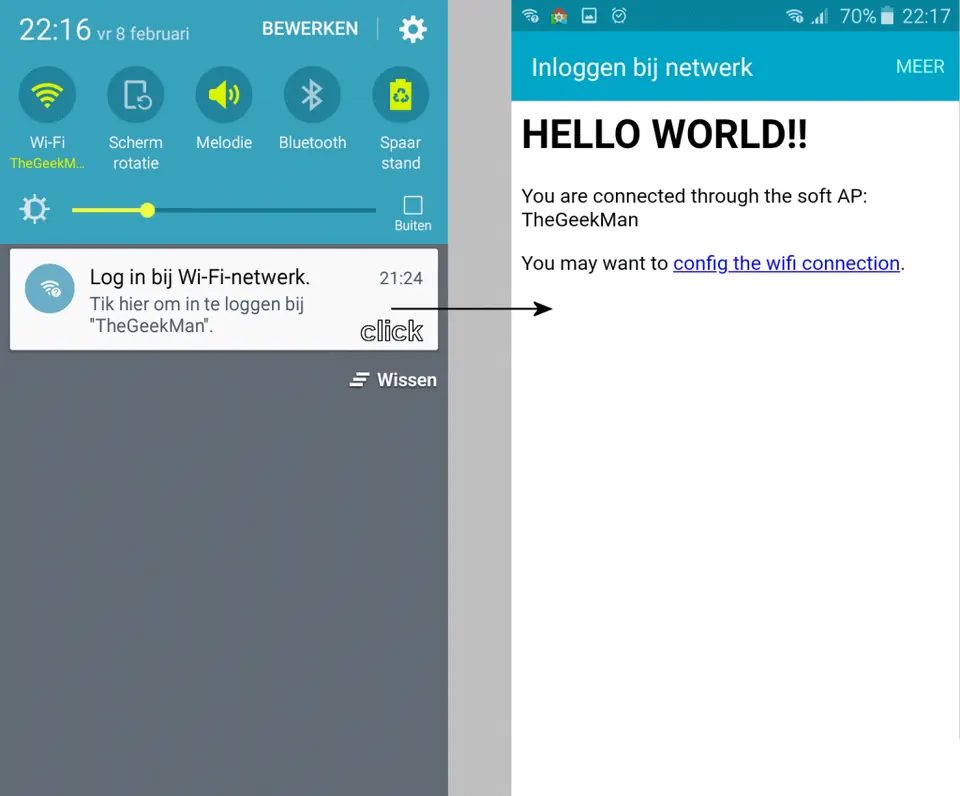
Example of the captive-portal sign-in prompt an OS shows when joining a hotspot
Step-by-step: serve a web page from an ESP32 (Arduino)
1. Put the HTML in a header file. Create index.h next to your sketch and store the page as a raw string in flash. The R"=====( ... )=====" syntax lets you paste normal HTML without escaping quotes.
const char MAIN_page[] PROGMEM = R"=====(
<!DOCTYPE html>
<html>
  <head>
    <title>ESP32 NeoPixel Web Control</title>
  </head>
  <body bgcolor="#282c34">
    <h1 class="p1">This web page is hosted remotley by an ESP32 server</h1>
    <input type="color" id="myColor" value="#ff0080">
    <button class="button button1" onclick=SendColorValue()>SUBMIT</button>
  </body>
</html>
)=====";
2. Include the libraries and create the server. Port 80 means browsers will not need a port number in the URL.
#include <WiFi.h>
#include <WiFiClient.h>
#include <WebServer.h>
#include "index.h"

WebServer server(80);

const char* ssid = "ESP32NeoPixelInterface";
const char* password = "password";
3. Write the root handler. This runs whenever someone opens the board's IP. It copies the PROGMEM page into a String and sends it with HTTP status 200 and the text/html content type.
void handleRoot() {
  String s = MAIN_page;
  server.send(200, "text/html", s);
}
4. Bring up Wi-Fi and start the server in setup(). The example uses access-point mode so you can connect directly to the ESP32 without a router. Leave out the password argument if you want an open AP.
void setup(void) {
  Serial.begin(115200);
  Serial.println("Booting Sketch...");

  WiFi.softAP(ssid, password);
  IPAddress IP = WiFi.softAPIP();
  Serial.print("AP IP address: ");
  Serial.println(IP);

  server.on("/", handleRoot);
  server.begin();
  Serial.println("HTTP server started");
}
5. Service requests in loop(). Without this line the server never answers anyone.
void loop(void) {
  server.handleClient();
}
6. Upload and open the Serial Monitor. Note the line AP IP address: followed by the address of the board.
 \2
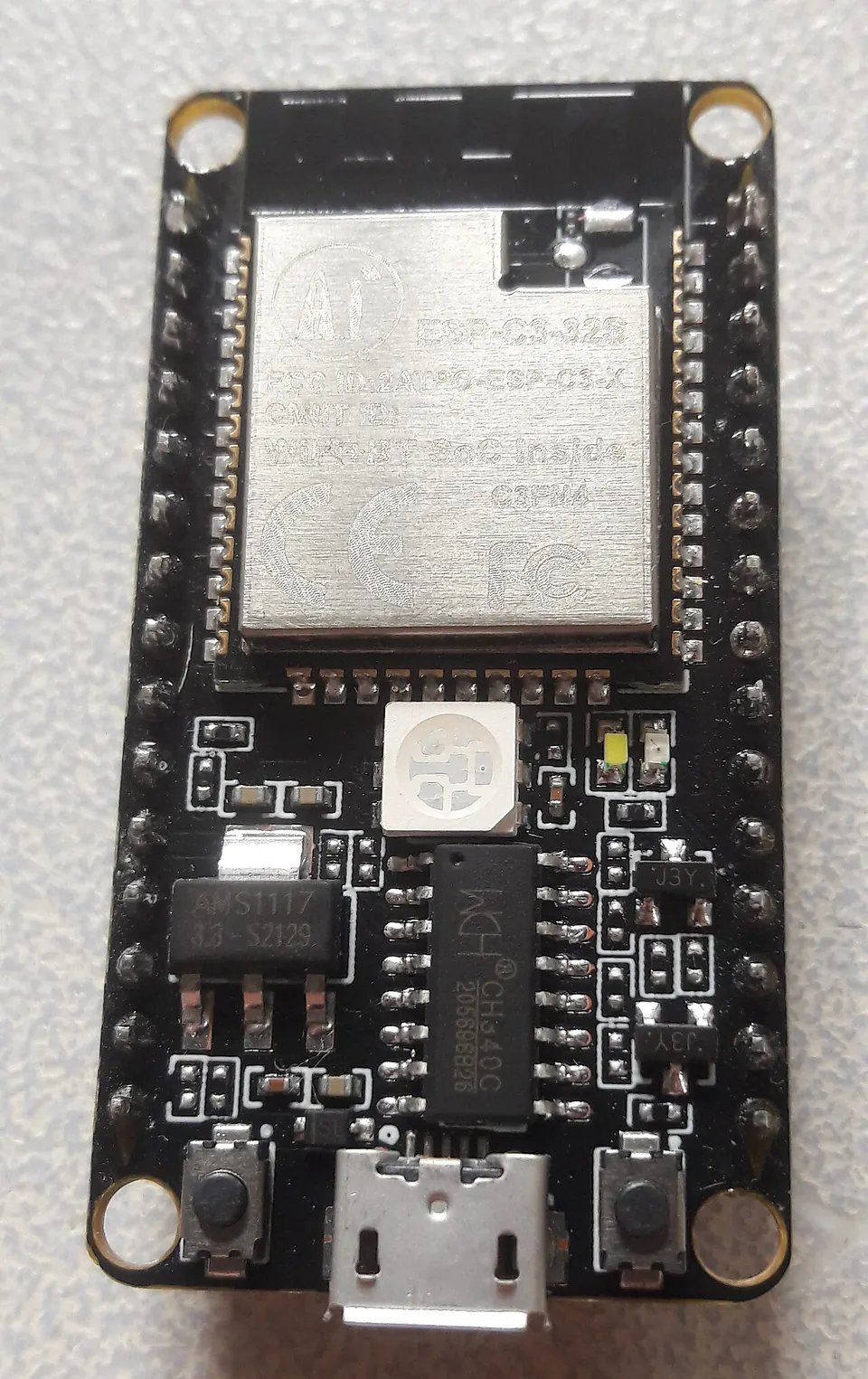
An ESP32 development board, the only hardware needed to host a simple web page Image: Billie Grace Ward from New York, USA, CC BY 2.0, via Wikimedia Commons
How do I verify the page is working?
- On your phone or laptop, join the Wi-Fi network named by
ssid(in the example,ESP32NeoPixelInterface) using the password from the sketch. - Type the IP printed on Serial into a browser. Do not add a port; the server is on 80.
- You should see the page title and the colour picker. If you kept the NeoPixel code, the sketch also lights pixel 1 right after
server.begin()as a visual sign that the AP is up. - Reload a few times. Each request should return immediately; if the page only loads once, check that
server.handleClient()really is inloop()and nothing blocks it with longdelay()calls.
A captive-portal style auto-popup (the "sign in to network" message phones show on public hotspots) is not part of this basic example. One source tried adding a DNS server that resolves * to the ESP's static IP so the OS prompt would appear, and reported it was unreliable; typing the IP manually always worked. Treat the popup as a bonus, not a requirement.
How do I send data from the web page back to the ESP32?
Serving a static page is only half of most projects. The usual pattern in ESP32 examples is to encode the state in the URL (for example an LED on/off flag) and read it in a handler on the board. The colour-picker project does the same thing with JavaScript so the page does not reload: a function reads the <input type="color"> value and fires an XMLHttpRequest to the ESP32.
<script>
  function SendColorValue() {
    var x = document.getElementById("myColor");
    var xhttp = new XMLHttpRequest();
    xhttp.onreadystatechange = function() {
    };
  }
</script>
On the board, register a second route with server.on() just like "/", pull the value out of the request, and act on it (set the strip colour, toggle a relay, and so on). The source sketch stubs this out as UpdateNeoPixels(); the exact request URL and parsing are left for you to fill in, so match whatever path your JavaScript calls.
If you are on ESP-IDF instead of Arduino, the equivalent is httpd_register_uri_handler() with an httpd_uri_t struct containing the uri, the method (HTTP_GET, HTTP_POST, HTTP_PUT or HTTP_QUERY), a handler of type esp_err_t handler(httpd_req_t *req), and an optional user_ctx pointer. Starting the server looks like this:
httpd_handle_t server = NULL;
httpd_config_t config = HTTPD_DEFAULT_CONFIG();
config.server_port = 80;
ESP_ERROR_CHECK(httpd_start(&server, &config));
httpd_stop() shuts it down and frees resources. The IDF protocols/http_server/simple example shows how to read headers and URL query parameters, which is the IDF way of pulling values like a colour code out of a request. The HTTP server APIs are not thread-safe, so if several tasks touch the server, add your own synchronisation.
Common mistakes with ESP32 web page sketches
| Mistake | Symptom | Fix |
|---|---|---|
Forgetting server.handleClient() in loop() |
Browser spins forever, no response | Add the call; keep loop() fast |
Storing HTML in a normal String instead of PROGMEM |
RAM pressure, crashes with larger pages | Use const char MAIN_page[] PROGMEM = R"=====(...)====="; |
| Wrong content type | Browser shows raw HTML or downloads a file | Send with server.send(200, "text/html", s) |
| Connecting the phone to the wrong network | Page unreachable | In AP mode, join the ESP32's own SSID, then use WiFi.softAPIP() |
| Expecting a captive-portal popup | Nothing appears after joining the AP | Open the IP manually; the DNS-redirect trick was reported as hit-and-miss |
| Expecting the page to pass values by itself | Colour or button does nothing | Add JavaScript (XMLHttpRequest) or a URL parameter and a matching server.on() route |
| Mixing ESP-IDF and Arduino APIs | Compile errors | Pick one: WebServer (Arduino) or esp_http_server (IDF) |
One more subtle point: the example sets pixel 1 to indicate the AP is live using strip.setPixelColor(1, 100, 0, 0) and the strip is declared NEO_GRB, so the "100" lands in the green channel. If your status light looks red instead of green, check the colour order constant, not the server code.
Frequently asked questions
Which library do I use for an ESP32 web page in Arduino?
The WebServer library that ships with the ESP32 Arduino core, together with WiFi.h and WiFiClient.h. Create it with WebServer server(80).
How do I store the HTML on the ESP32?
Put it in a header file as const char MAIN_page[] PROGMEM = R"=====( ... )====="; so it lives in flash, then copy it into a String inside the handler and send it with server.send(200, "text/html", s).
Do I need a router, or can the ESP32 host the page by itself?
It can host it alone. The example calls WiFi.softAP(ssid, password) to create an access point and prints WiFi.softAPIP() so you know which address to open.
Can the ESP32 show the automatic 'sign in' popup like public Wi-Fi?
That is a captive portal. One source tried a DNS server resolving * to the ESP's static IP and found the OS popup unreliable, although typing the IP in a browser worked.
Is there an ESP-IDF version of this example?
Yes. The esp_http_server component uses httpd_start() with HTTPD_DEFAULT_CONFIG(), httpd_register_uri_handler() for each route, and ships a protocols/http_server/simple example. WebSocket support can be enabled with CONFIG_HTTPD_WS_SUPPORT.
For a first ESP32 web page, the Arduino WebServer route is hard to beat: one PROGMEM string, one handler, one handleClient() call and you have a page in your browser. Add JavaScript or URL parameters when you need the page to talk back to the board, and move to ESP-IDF's esp_http_server only if you need its WebSocket or persistent-connection features.
Sources
github.comHTTP Server (esp-idf docs)stackoverflow.comSending Data Between ESP32 Client and Serverstackoverflow.comESP: Auto login/accept message by OS with redirect to page like public WIFI portals access pointsThis guide summarises the public sources listed above in our own words. Check the original documentation before relying on exact figures.