esphome-devices: 12 Ready-to-Adopt ESPHome Configs for ESP32
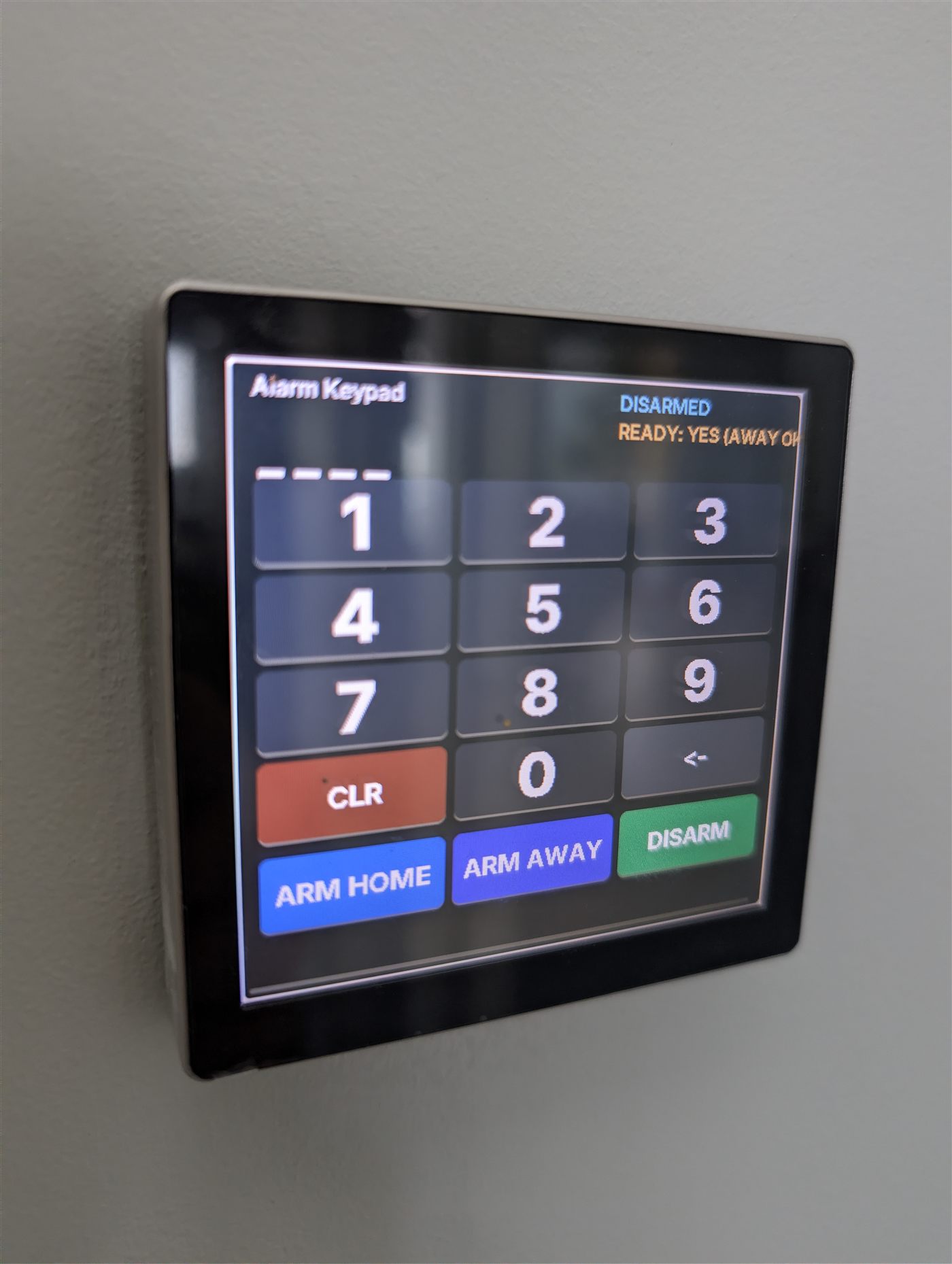
Alarmo touch keypad running the 480alarmokeypad config, wall-mounted and showing live armed state
- M5Stack Atom EchoS3R
- ReSpeaker Lite
- ESP32-P4 Guition panel
- Makerfabs round display with CST826 touch
- XIAO 7.5-inch e-paper display
- Paperd.ink Merlot e-paper
- HUB75 32x64 LED matrix panel
- HUB75 64x64 LED matrix panel
- ESP32-Trinity board
- ESP32-S3-DevKitC-1
- ESP32-C3-DevKitM-1
- ESP32-dev board
What You Will Build
This repository gives you 12 ESPHome device configurations that are already running in a real home. You are not starting from a tutorial skeleton — you are adopting battle-tested configs that have been debugged, corrected and updated over months of daily use, with honest notes about every rough edge.
The collection spans five categories:
- Voice assistants — three separate builds using the M5Stack Atom EchoS3R, the ReSpeaker Lite, and a two-board ESP32-P4 pair (one for the microphone, one for the speaker). All use microWakeWord for local wake-word detection.
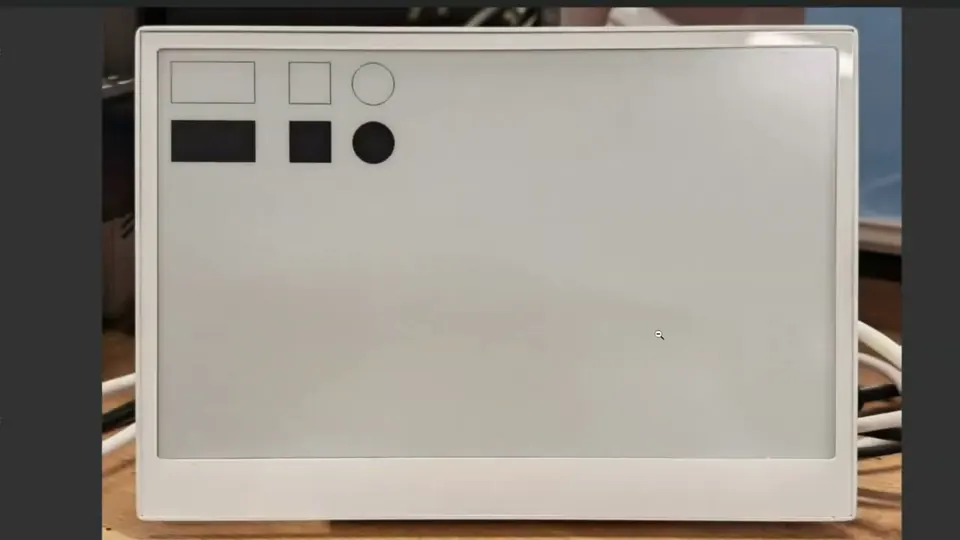
- E-paper calendars — a XIAO 7.5-inch black-and-white display with five calendar views, and a Paperd.ink Merlot with seven views.
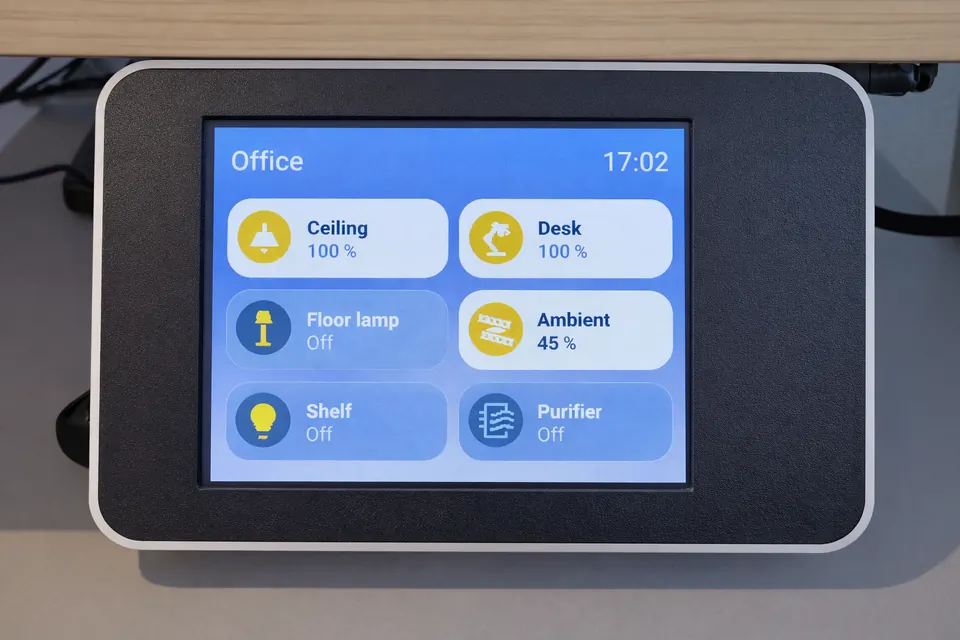
- Touch wall controls — a 480×480 Alarmo security keypad, a 480×480 LVGL light dimmer, and a Makerfabs round rotary dimmer, all with live state feedback.
- HUB75 LED matrix countdown displays — a 32×64 and a 64×64 panel that show a countdown timer and live alarm state, readable from across a room.
- Rotary countdown dial — a round ESP32-S3 display that sets the countdown and publishes it to Home Assistant, where both matrices pick it up.
Every device entry has its own sub-README with a Status field that tells you exactly where it stands: running, in progress, or broken.
What You Need
Software requirements:
- Home Assistant with the ESPHome add-on (dashboard) installed
- ESPHome 2026.7.3 or newer — this version is mandatory for any build that uses microWakeWord; older versions fail silently (see the Pitfalls section)
- A
secrets.yamlfile in your ESPHome config directory containing at minimum:
wifi_ssid: "YourNetwork"
wifi_password: "YourPassword"
A secrets.yaml.example file is included in the repository to show the expected format.
Hardware: Pick the config you want to build and match the board from the table in the README. Common boards used across the collection include the ESP32-S3-DevKitC-1 (round form factor for the dial configs), the ESP32-C3-DevKitM-1 (e-paper calendar), standard esp32dev boards (HUB75 matrices), and ESP32-P4 panels for the voice pair. The M5Stack Atom EchoS3R and ReSpeaker Lite are purpose-built audio modules with microphones and speakers already integrated.
For the countdown system specifically, you need all three devices — the rotary dial, and at least one matrix — because the matrices subscribe to a value published by the dial through Home Assistant. The dial alone is functional, but the matrices have no useful source without it.
Typical use cases
Add always-on wake-word detection to any room using the M5Stack Atom EchoS3R or ReSpeaker Lite configs, with microWakeWord running entirely on-device.
Mount a low-power e-paper panel in a hallway or kitchen showing calendar events and Home Assistant data, with a timestamp so you always know if it is current.
Replace a wall switch with a 480×480 LVGL touch dimmer or a round Makerfabs rotary dial, both feeding live state back to Home Assistant.
Set a kitchen or workshop countdown with the rotary dial and watch it render in large digits on one or two HUB75 LED matrix panels across the room.
How It Works
Every config in this repository includes an ESPHome dashboard_import block that points back to the GitHub source. This is what enables the one-step Adopt flow in the ESPHome dashboard — instead of downloading and editing YAML by hand, the dashboard fetches the config from GitHub, wraps it in a local file, and injects your own API encryption key and OTA password automatically.
The countdown system works as a Home Assistant pipeline: the rotary dial reads the encoder position and publishes a countdown value to a Home Assistant sensor. Both HUB75 matrices subscribe to that sensor and render it large enough to read from the other end of a room, alongside the current alarm arm state. The three devices are linked through Home Assistant, not directly to each other.
The voice assistant builds use ESPHome's microWakeWord component for local wake-word detection. When the wake word is heard, the device streams audio to Home Assistant's Assist pipeline for processing and response. The M5Stack Atom EchoS3R and the ReSpeaker Lite each handle microphone and speaker in a single unit. The ESP32-P4 pair splits that job: one P4 board handles microphone input and wake-word detection, and relays the synthesized reply audio to a second P4 board that has a working speaker output.
Adopt and Flash
The fastest path to a working device takes about 30 seconds and requires no file editing:
- Open the ESPHome dashboard and click + New Device, then Continue.
- When your device appears, click Adopt — or paste the config URL directly:
github://gbroeckling/esphome-devices/<folder>/<folder>.yaml@main
For example, to adopt the e-paper calendar:
github://gbroeckling/esphome-devices/e-ink-bw/e-ink-bw.yaml@main
- ESPHome generates a local config that wraps the remote one and inserts your own API key and OTA password. Flash that generated config to your device.
If you want to override specific parts of the config — for example, to change a pin assignment or add an extra sensor — use the package include approach instead of the Adopt flow:
packages:
  device_name:
    url: https://github.com/gbroeckling/esphome-devices
    file: <folder>/<folder>.yaml
    ref: main
    refresh: 1d
This lets you inherit the full config and add or override sections below the packages: block. The refresh: 1d setting means ESPHome will pull the latest version of the remote config once per day when you recompile.
After flashing, always open the device log and check the compiled on timestamp before trusting that the flash succeeded. ESPHome can report "OTA successful" while the device continues running the previous firmware — the log timestamp is the only reliable confirmation.
Pitfalls the README Documents Honestly
This repository is unusual in that it documents its own failure modes in detail. These four are worth reading before you build anything:
Wake-word devices go silently deaf on older ESPHome. On ESPHome 2026.2.1, the bundled TFLite runtime cannot load current microWakeWord models. The failure message is Failed to allocate tensors for the streaming model. The device stays connected and appears healthy in every other way — it just never responds to the wake word. The fix is to build all wake-word devices on ESPHome 2026.7.3 or newer.
ESPHome 2026.7 moved LVGL rotation — twice. Rotation configuration shifted from the display: block to the lvgl: block. Once LVGL owns rotation, you must also delete the transform: block from your touchscreen: component. If you leave both in place, every tap lands on the wrong widget because the coordinates are transformed twice. Symptom: pressing any button always fires one specific unrelated entity.
OTA "successful" is not always true. The flashing process can report success while the device keeps running its old firmware. Read the compiled on timestamp from the live device log to confirm the flash actually landed.
E-paper keeps its last image with no power. An e-paper display has no way to show you whether what it is displaying is current or hours old. Both e-paper configs in this repository render an uptime counter and an "updated HH:MM" timestamp for exactly this reason. Treat that timestamp as a requirement when designing any e-paper display, not an optional detail.
Limitations and Where to Take It Next
The ESP32-P4 voice story is a workaround, not a finished design. The README is explicit: there is currently no single ESP32-P4 board doing both microphone and speaker in ESPHome. The two-board setup (voice7exp for mic, p4-voice-assist-guition for speaker) works and is running, but it uses two boards to do what one should do. Audio support on the P4 is still maturing in ESPHome. If you want a single board that hears and speaks today, the ESP32-S3 configs — the M5Stack Atom EchoS3R and the ReSpeaker Lite — are the ones that actually deliver that.
One Guition P4 panel in the build has a speaker port with nothing wired to it internally and no built-in microphone. Check your specific panel's schematic before purchasing for a voice project.
Things you can extend: The countdown system is an obvious candidate for additional subscribers — any ESPHome device with a display can pull the same Home Assistant sensor the matrices use. The round Makerfabs dial hardware is shared between the light dimmer and the countdown dial, so if you build one, the physical assembly and touch component notes apply directly to the other. The e-paper configs' multi-view approach (five views on the XIAO build, seven on the Paperd.ink) can be adapted to show different Home Assistant data sources by modifying the local wrapper config.
Issues and Discussions are open on the repository. If you get one of these running on a board that is not listed, or you resolve one of the documented caveats, the README invites you to report back.
esphome-devices stands out because it ships real configs from a real home, including the bugs, version constraints and workarounds — not a polished demo that only works in ideal conditions. The 30-second Adopt flow makes it genuinely easy to get a device running, and the documented pitfalls alone are worth the read before starting any ESPHome voice or LVGL project. The ESP32-P4 voice setup is honest about being a two-board workaround rather than a finished solution, which sets accurate expectations for anyone considering that hardware.
Sources
github.comgbroeckling/esphome-devices — repository & README community.home-assistant.ioOfficial websiteFacts in this article come from the project's public README and GitHub metadata at the time of writing. Images belong to their respective owners and link back to the original source.