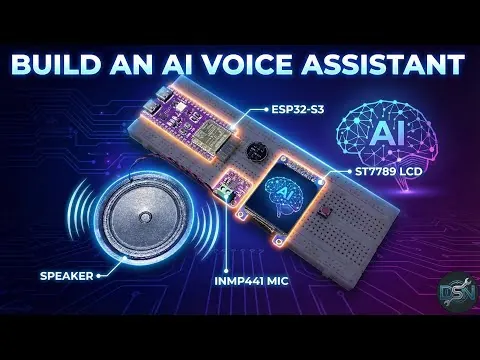
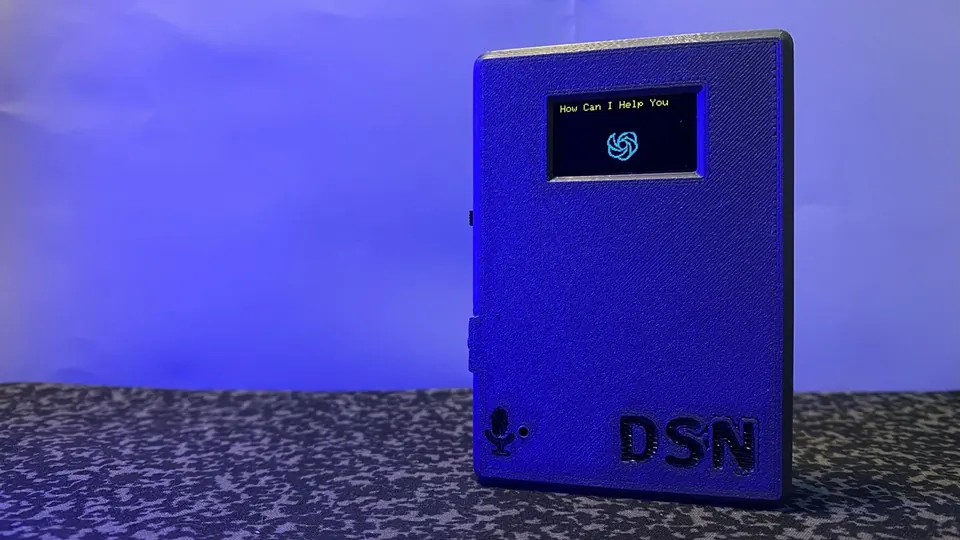
ESP32-S3 AI Voice Assistant with Gemini, STT and TTS
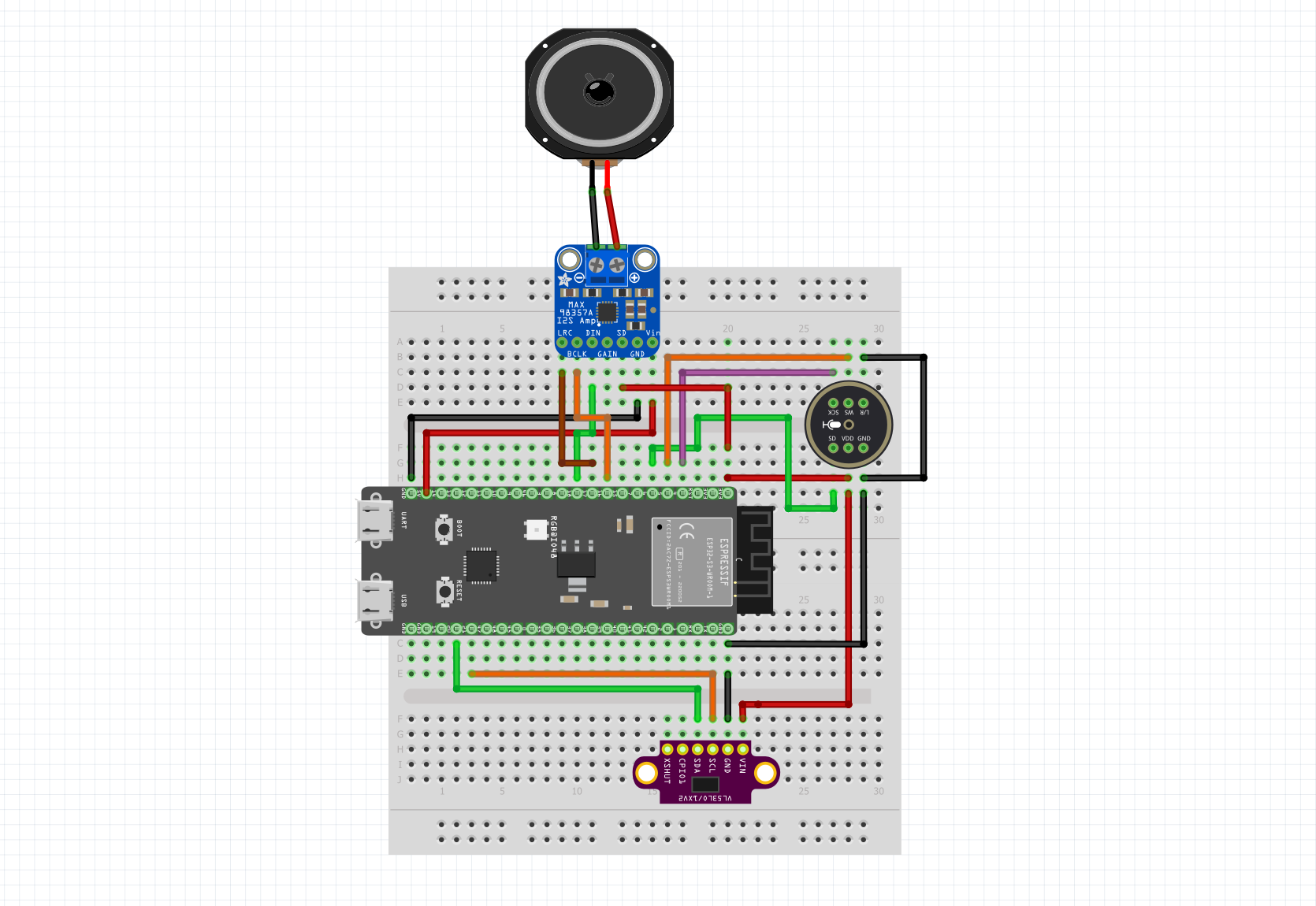
Full wiring diagram showing the ESP32-S3 connected to the INMP441 microphone, MAX98357A amplifier, speaker and optional VL53L0X ToF sensor.
- ESP32-S3 (with PSRAM)
- INMP441 I2S Microphone
- MAX98357A I2S Amplifier
- 4–8Ω 3W Speaker
- VL53L0X ToF Sensor (optional)
- Breadboard
What You Will Build
This project gives an ESP32-S3 a voice and a brain. You speak a question, the board records audio through an INMP441 I2S microphone, ships it over Wi-Fi to Google Cloud Speech-to-Text, forwards the transcript to Google Gemini for an intelligent reply, then converts that reply to natural speech with Google Cloud Text-to-Speech and plays it back through a MAX98357A amplifier and a small speaker.
An optional VL53L0X time-of-flight sensor acts as a proximity trigger — the assistant wakes automatically when someone steps close, so you do not need a button. All three cloud calls run in parallel across both ESP32-S3 cores, and TLS connections are kept alive between requests. The result is a full conversational loop in roughly 20 seconds end-to-end.
What You Need
Hardware
- ESP32-S3 board with PSRAM
- INMP441 I2S microphone
- MAX98357A I2S amplifier
- 4–8Ω, 3W speaker
- VL53L0X ToF sensor (optional, for presence detection)
- Breadboard and jumper wires
Software and accounts
- Arduino IDE with ESP32-S3 board support installed
- Google Cloud account with these three APIs enabled: Cloud Speech-to-Text, Generative Language (Gemini), Cloud Text-to-Speech
- A single Google Cloud API key that has access to all three services
Arduino libraries (install via Library Manager):
WiFiClientSecureArduinoJsonv6+VL53L0Xby Pololu
Typical use cases
Place the device on a desk or workbench and use voice commands to get answers from Gemini without touching a keyboard, useful while your hands are occupied with a build.
By changing the TTS language setting in the sketch, the same hardware can serve as a spoken interface in different languages for kiosks, language-learning tools or accessibility aids.
With the optional VL53L0X sensor fitted, the assistant activates only when someone walks up, making it practical for reception desks, museum exhibits or smart mirrors.
The clean separation between audio I/O and cloud API calls makes this a useful starting point for any ESP32-S3 project that needs to call Google Cloud services over TLS with low latency.
Wiring the Hardware
Connect each module to the ESP32-S3 using the pin assignments below. Work on a breadboard and double-check power rails before applying power — the microphone runs on 3.3 V while the amplifier needs 5 V.
INMP441 Microphone → I2S_NUM_1
ESP32-S3    INMP441
GPIO 42  -> SCK
GPIO 2   -> WS
GPIO 41  -> SD
3.3V     -> VDD
GND      -> GND
MAX98357A Amplifier → I2S_NUM_0
ESP32-S3    MAX98357A
GPIO 12  -> BCLK
GPIO 13  -> LRC
GPIO 14  -> DIN
5V       -> VIN
GND      -> GND
VL53L0X ToF Sensor → I2C (optional)
ESP32-S3    VL53L0X
GPIO 20  -> SDA
GPIO 21  -> SCL
3.3V     -> VIN
GND      -> GND
The repository includes a wiring diagram image (hardware/hw.png) that shows the full layout at a glance.
Configuration and Upload
1. Clone or download the repository from GitHub and open it in Arduino IDE.
2. Create your private config file. The repository ships a config_template.h. Copy it and rename the copy to config_private.h — this file is excluded from Git so your credentials stay local.
3. Fill in your credentials inside config_private.h:
#define WIFI_SSID     "YourWiFi"
#define WIFI_PASSWORD "YourPassword"
#define GCP_API_KEY   "your-api-key-here"
#define GEMINI_MODEL  "gemini-1.5-flash"
4. Open the sketch at assistente_ai_optimized/assistente_ai_optimized.ino.
5. Configure the board in Arduino IDE:
- Board: ESP32S3 Dev Module
- PSRAM: Enabled
- Flash Size: 16 MB
- Partition Scheme: Default 4MB with spiffs
6. Upload. Once flashing completes, open the Serial Monitor. A blue LED signals a successful Wi-Fi connection. When you hear a beep, speak your question. The assistant will process the audio and reply through the speaker.
Tip: If you see config_private.h not found at compile time, you skipped step 2. If you get API error 403, verify the API key and confirm all three Google Cloud APIs are enabled on the same project.
How It Works Under the Hood
The firmware splits work across both cores of the ESP32-S3:
- Core 0 handles audio capture and I2S management — recording from the INMP441 at 16 kHz and driving the MAX98357A for playback.
- Core 1 manages network traffic: sending the audio buffer to Google STT, forwarding the transcript to Gemini, and fetching the TTS audio stream.
TLS sessions to Google's endpoints are kept open between requests rather than re-established each time, which is one of the main reasons the total latency dropped from roughly 54 seconds in v1 to around 20 seconds in the current release.
Long Gemini responses are automatically split at sentence boundaries before being passed to Text-to-Speech. This avoids buffer overflows and keeps playback sounding natural with correct pauses. A built-in retry system (up to two attempts per API call) and watchdog resets guard against transient network failures.
Tuning, Extensions and Limitations
Adjustable settings in the sketch let you change recording duration, chunk sizes and retry counts:
#define SAMPLE_RATE    16000   // Hz
#define RECORD_TIME    5       // seconds per recording
#define TTS_CHUNK_SIZE 800     // characters per TTS call
#define MAX_RETRIES    2       // API retry attempts
Enable the ToF sensor with #define ENABLE_TOF_SENSOR true for hands-free activation.
Ideas to extend the project:
- Swap
gemini-1.5-flashfor another Gemini model inconfig_private.hto trade speed for capability. - Add a small OLED display on the I2C bus alongside the VL53L0X to show transcripts or status.
- Change the TTS language code in the sketch to get responses in a language other than Italian (the default in this release).
- Log conversations to an SD card for later review.
Known limitations:
- All intelligence lives in the cloud; the device needs a stable Wi-Fi connection and valid Google Cloud credentials at all times.
- Google Cloud APIs are not free beyond their trial tiers — monitor your usage in the Google Cloud Console.
- Recording is fixed-length (default 5 seconds), so very short or very long questions may need the
RECORD_TIMEconstant adjusted. - The assistant is tuned for Italian TTS by default; changing the language requires editing the sketch.
ESP32-AI-Voice-Assistant is a well-structured, production-minded firmware that brings together three Google Cloud AI services on a single ESP32-S3 board with a clear wiring guide and a ready-to-edit config file. The dual-core architecture and persistent TLS connections deliver a meaningful speed improvement over a naive sequential approach, and the automatic error recovery makes it more reliable for everyday use than most hobby voice-assistant projects. The main trade-off is a hard dependency on Google Cloud APIs, so factor in ongoing API costs before committing it to a permanent installation.
Sources
github.comIngeimaks/ESP32-AI-Voice-Assistant — repository & READMEFacts in this article come from the project's public README and GitHub metadata at the time of writing. Images belong to their respective owners and link back to the original source.