NumOS: Build an ESP32-S3 Scientific Graphing Calculator
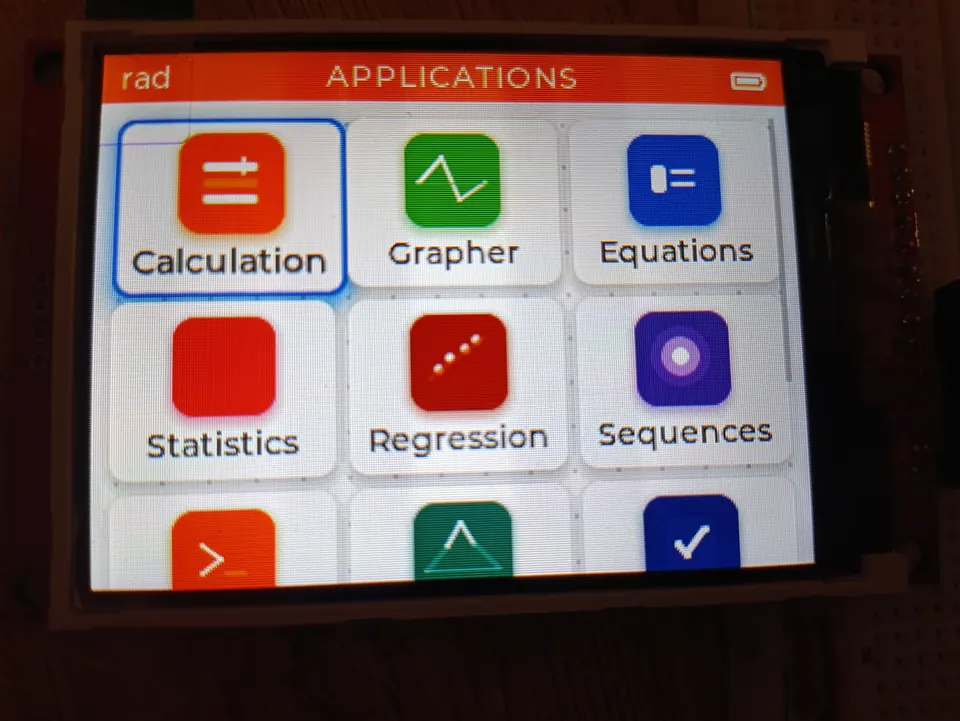
NumOS launcher showing the app grid on the ILI9341 IPS display
- ESP32-S3 N16R8 (16 MB QIO flash, 8 MB PSRAM OPI)
- ILI9341 IPS display, 3.2 inch, 320×240, 16 bpp
- KeyMatrix 5×10
What You Will Build
NumOS is an open-source scientific and graphing calculator operating system that runs on the ESP32-S3 N16R8 microcontroller paired with a 3.2-inch ILI9341 IPS color display. The project aims to deliver features comparable to established commercial scientific calculators — think Casio fx-991EX or TI-84 territory — at an open-source bill of materials cost.
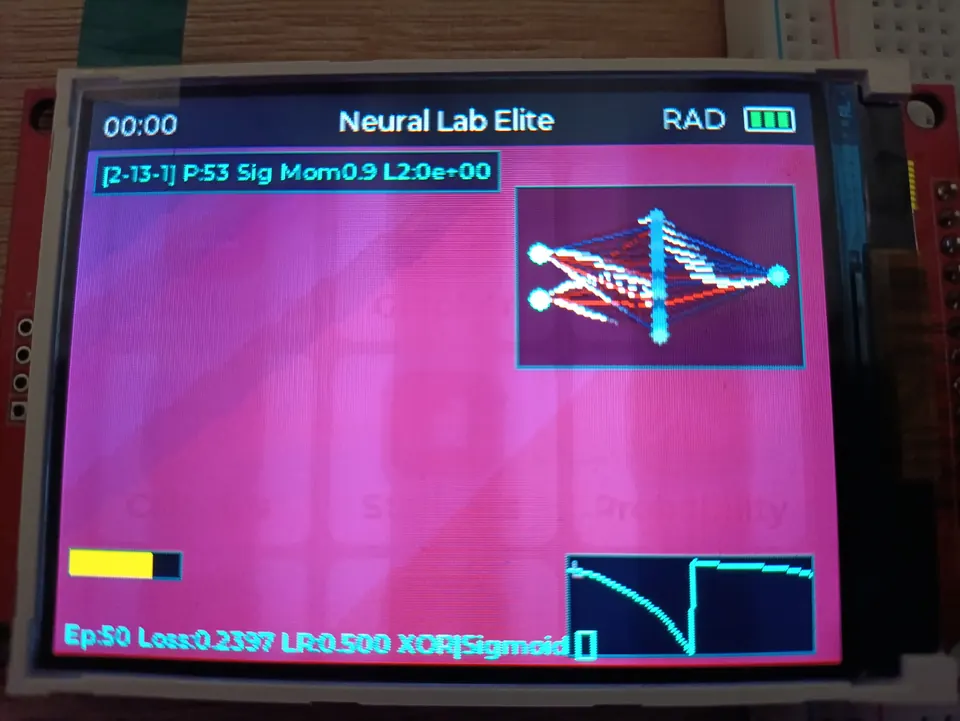
The finished device runs a multi-app launcher with a NumWorks-style interface. You get a natural-display math renderer (real stacked fractions, radical symbols, genuine superscripts), a Giac-backed Computer Algebra System (CAS) for symbolic math, a real-time function grapher with zoom and pan, a calculus app for symbolic differentiation and integration, an equations solver, a Verlet-physics bridge designer, a Powder-Toy-class particle sandbox with 30-plus materials, a periodic table, a neural-network visualiser, a fluid simulator, and persistent variable storage (A–Z plus Ans) backed by LittleFS. You can also drive the whole calculator from a PC via the Serial Monitor through the built-in SerialBridge — useful for development without pressing physical keys.
This is an ambitious project and genuinely advanced embedded work. Several apps are marked experimental or alpha in the README, and the CAS is described as a prototype. If you enjoy pushing microcontroller hardware toward its limits, NumOS is an excellent study in what the ESP32-S3 can do.
 \2
\2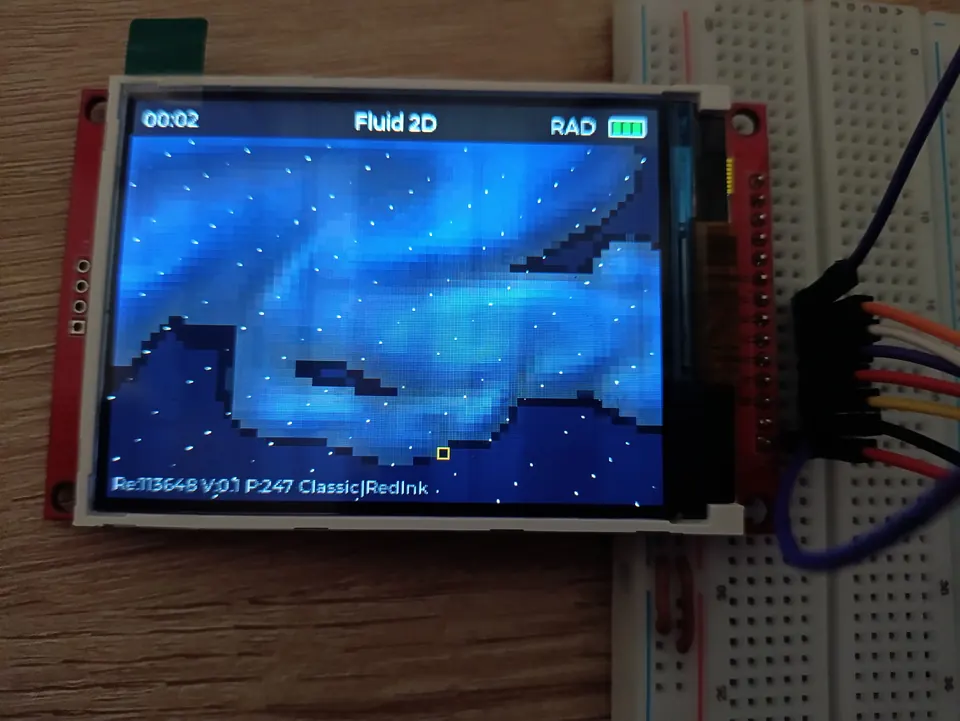 \2
\2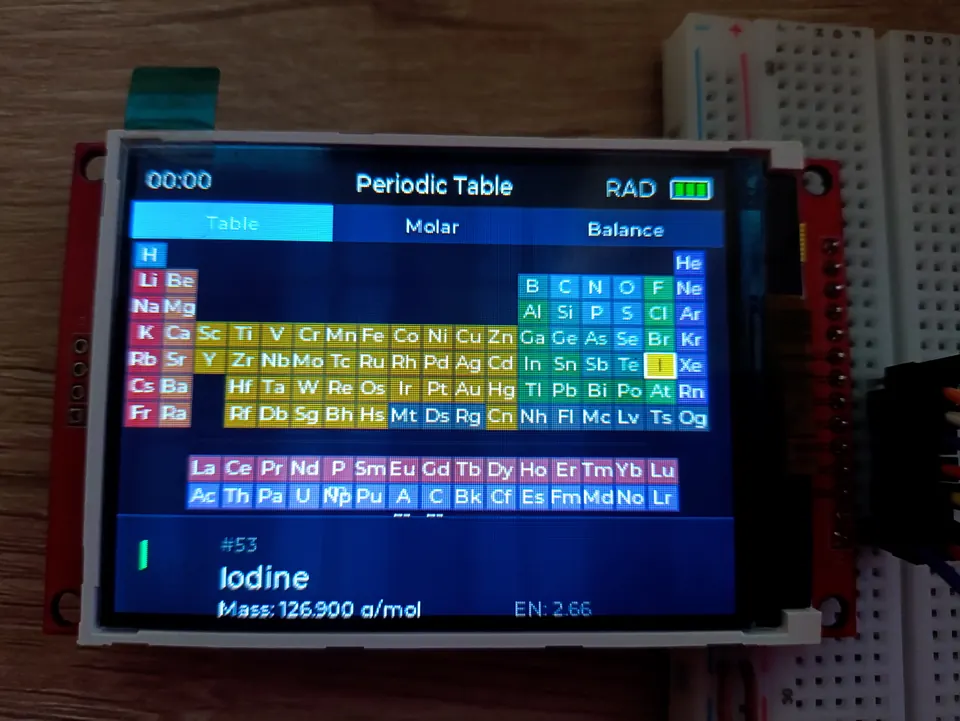 \2
\2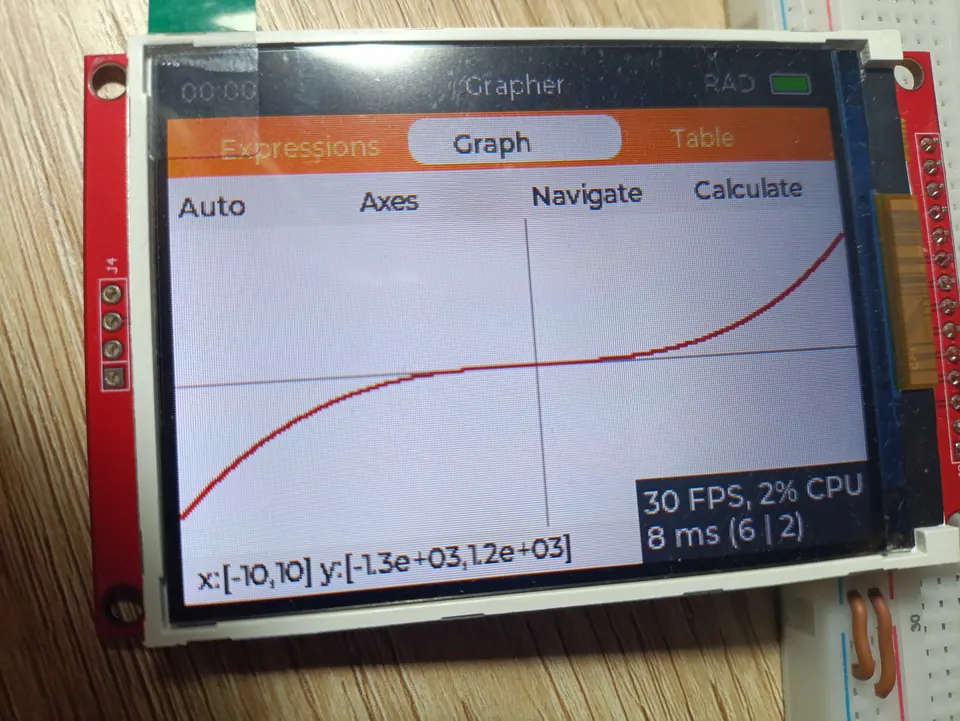 \2
\2What You Need
Hardware
- ESP32-S3 N16R8 module (16 MB QIO runtime flash, 8 MB PSRAM OPI)
- ILI9341 IPS display, 3.2 inch, 320×240 resolution, 16 bpp — connected via SPI at 10 MHz
- KeyMatrix 5×10 for physical key input
The README notes a hardware waitlist for PCB beta units at neocalculator.tech, which suggests a custom PCB exists but may not yet be broadly available. Check the site and repository discussions before sourcing parts independently.
Software
- PlatformIO with the
espressif32platform (version 6.12 as shown in the badge) - LVGL 9.5.0 (the UI framework — managed as a dependency in the project)
- Giac C++ library (used via
src/math/giac/GiacBridge.cppas the CAS backend) - LittleFS for persistent variable and file writer storage
- A USB connection for flashing and Serial Monitor access
The project is built entirely in C++17. No additional runtime beyond what PlatformIO and the listed libraries provide is required on the host side.
Typical use cases
Replace a commercial scientific calculator with a fully open, modifiable device you built yourself — covering algebra, calculus, graphing, and statistics.
Examine a real embedded CAS implementation — tokeniser, Shunting-Yard parser, RPN evaluator, symbolic DAG, differentiation rules, and Slagle integration — all in C++17 on constrained hardware.
Run Verlet-integration bridge physics, a 30-material Powder-Toy-class particle sandbox, and a 2D fluid simulator on a microcontroller using PSRAM for simulation state.
Use NumOS as a reference for building smooth, multi-app LVGL 9.x interfaces with animated transitions, a flex-layout launcher, and a DMA-backed ILI9341 display driver.
How It Works
NumOS is structured around a central dispatcher called SystemApp, which lives in main.cpp. On boot, setup() initialises PSRAM, the TFT driver, LVGL, plays an animated splash screen, then hands control to SystemApp. The main loop calls lv_timer_handler(), app.update(), and serial.poll() on every tick.
Each application (CalculationApp, GrapherApp, EquationsApp, CalculusApp, SettingsApp, and the simulation apps) is a self-contained module with a defined lifecycle: begin, end, load, and handleKey. SystemApp routes key events and display ownership between them.
Math pipeline: User input flows through a Tokenizer → Shunting-Yard Parser → RPN Evaluator, producing a Visual Abstract Syntax Tree (AST). For natural display, the AST is rendered by MathCanvas using real stacked fractions, radical glyphs, and superscripts.
CAS pipeline: For symbolic work, the parsed AST is flattened into a SymExpr DAG (a directed acyclic graph) held in PSRAM via a custom PSRAMAllocator<T>. SymDiff applies 17 differentiation rules (chain, product, quotient, trig, exp, log). SymIntegrate implements a Slagle heuristic: table lookup → linearity → u-substitution → integration by parts using LIATE ordering. SymSimplify runs an 8-pass fixed-point simplifier. The canonical symbolic backend is Giac C++, accessed through GiacBridge.cpp.
Memory: The build uses 29.7% of RAM (97.2 KB) and 23.2% of flash (1.52 MB). PSRAM is heavily used for the CAS arena (16 blocks × 64 KB) and simulation apps. The display driver uses DMA for LVGL flush operations.
Build and Flash
The project uses PlatformIO as its build system. The README does not reproduce the full Quick Start command sequence in the section visible here, so refer to the repository's Quick Start section for the exact clone, configure, and upload steps.
A few things to be aware of before you build:
- The CAS requires a stack size override. The README documents
-DARDUINO_LOOP_STACK_SIZE=65536(64 KB loop stack) as a required build flag for CAS stability. - Giac numeric mode is stabilised with
-DDOUBLEVAL. complex_mode(false)is set as a real-style default, preservingi² = −1behaviour.- LittleFS must be partitioned correctly so variable storage (
/vars.dat, 216 bytes) and Particle Lab saves work on first boot. - The 53-unit CAS test suite is compile-time gated and off by default — enable it only during development, as it adds flash usage.
The SerialBridge lets you test the full calculator from a PC terminal via the USB Serial Monitor — send commands and receive responses without pressing physical keys. The README mentions an 8-event circular buffer and 5-second heartbeat for debugging. UART commands certified on hardware include sum, int, solve, and simplify.
For a demo of the launcher, natural display, and Grapher in action before you build, the README links a video at youtu.be/IOTeKleOHQY.
Extending It — and What to Expect
Ways to extend NumOS:
- Add a new app — the modular architecture (
begin/end/load/handleKeylifecycle) is designed for this. The README references aFluid2Dexample integrated into theAPPS[]schema as a guide, documented indocs/fluid2d_plan.md. - Expand the CAS —
SymDiffcovers 17 rules; you could add more (e.g., hyperbolic functions, implicit differentiation). The 53-unit test suite (Phases A–D) gives you a safety net. - Custom PCB — the hardware is licensed under CERN-OHL-S, meaning you can manufacture and modify the hardware design. Watch the neocalculator.tech waitlist for beta PCB availability.
- Python App — the README's photo gallery shows a Python App; check the repository for its current state and API.
- Circuit Simulator — CircuitCore is listed as Alpha, making it a good target for contributions.
Limitations to keep in mind:
- The CAS is described as a prototype and explicitly not a validated CAS. Results should be verified for critical use.
- The EquationsApp steps view is Alpha. The Calculus App and Bridge Designer are marked experimental.
- The hardware (custom PCB) is not yet broadly available as a finished unit — you will need to adapt the design to whatever display and key matrix you source.
- No latest release exists at time of writing; you are building from the main branch.
- Eight open issues are tracked in the repository; check them before starting a build to catch any known hardware or software blockers.
NumOS is one of the most ambitious ESP32-S3 projects in the open-source maker space: a real graphing calculator OS with a Giac-backed CAS, natural math display, and a growing suite of simulation apps, all fitting inside 23% of the module's flash. The project is honest about its prototype status — several apps are experimental and the hardware PCB is not yet widely available — so expect to invest time in setup and verification. For makers who want to understand embedded math engines, LVGL UI design, or PSRAM management at depth, the codebase is exceptionally well-structured and worth the effort.
Sources
github.comEl-EnderJ/NeoCalculator — repository & README neocalculator.techOfficial websiteFacts in this article come from the project's public README and GitHub metadata at the time of writing. Images belong to their respective owners and link back to the original source.