NucleoOS: Web-Native OS with Offline AI for M5Stack Cardputer
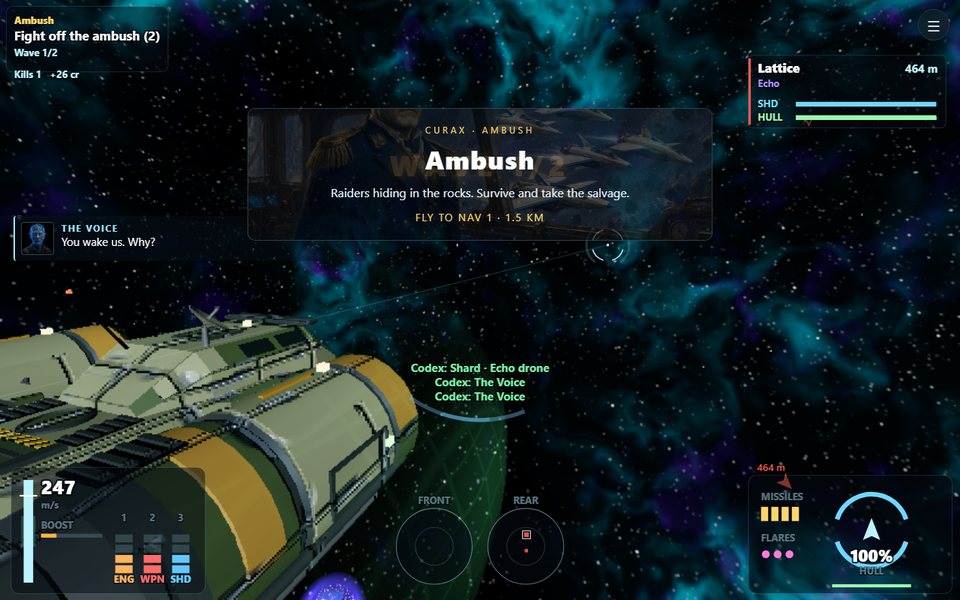
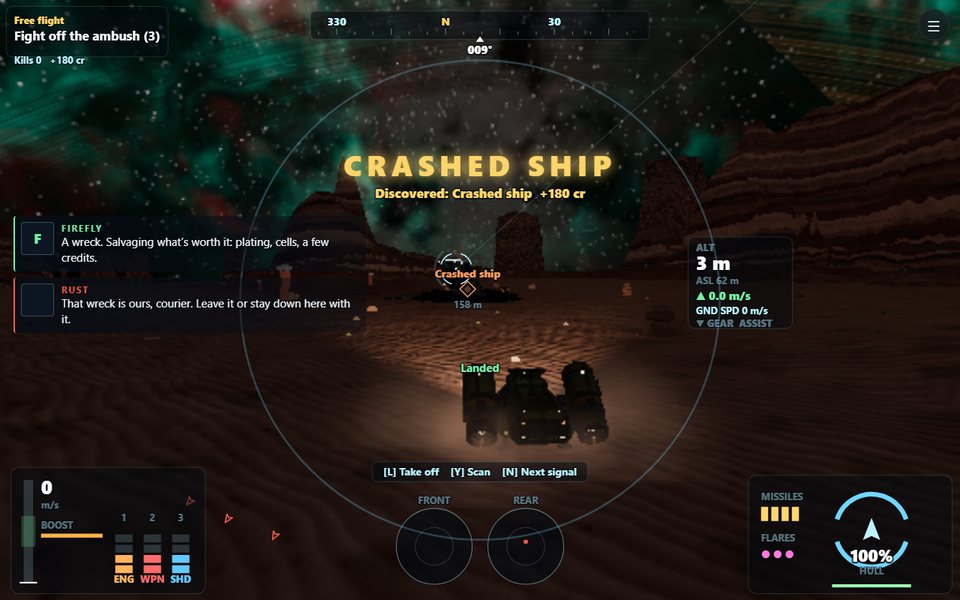
Costellazioni — 6DOF space combat in a procedural star system
- M5Stack Cardputer
- M5Stack Cardputer ADV (Stamp-S3A)
- microSD card (FAT32 formatted)
What You Will Build
NucleoOS is not a menu of tools — it is a complete operating system for the M5Stack Cardputer. Flash it once and you get two user interfaces from a single binary: a native UI on the Cardputer's 240×135 screen, and a desktop-class web shell served directly by the device and rendered in any browser on your local network.
The split is the key architectural idea. Heavy work — file management, spreadsheets, AI inference, WebGPU image generation — runs in the browser where there is plenty of memory. The microcontroller handles what it does best: games, sensors, audio, and the always-available offline AI engine.
Out of the box you get ANIMA (an offline-first AI assistant), bilingual voice output, on-device voice transcription via Vosk WebAssembly, a full space game called Costellazioni (both browser and native versions), Game Boy and Game Gear emulation, an SSH terminal, a spreadsheet with an AI copilot, a security lab, OTA updates with A/B rollback, and a collection of pocket instruments including a bubble level, protractor, pedometer, and mic spectrum analyzer.
 \2
\2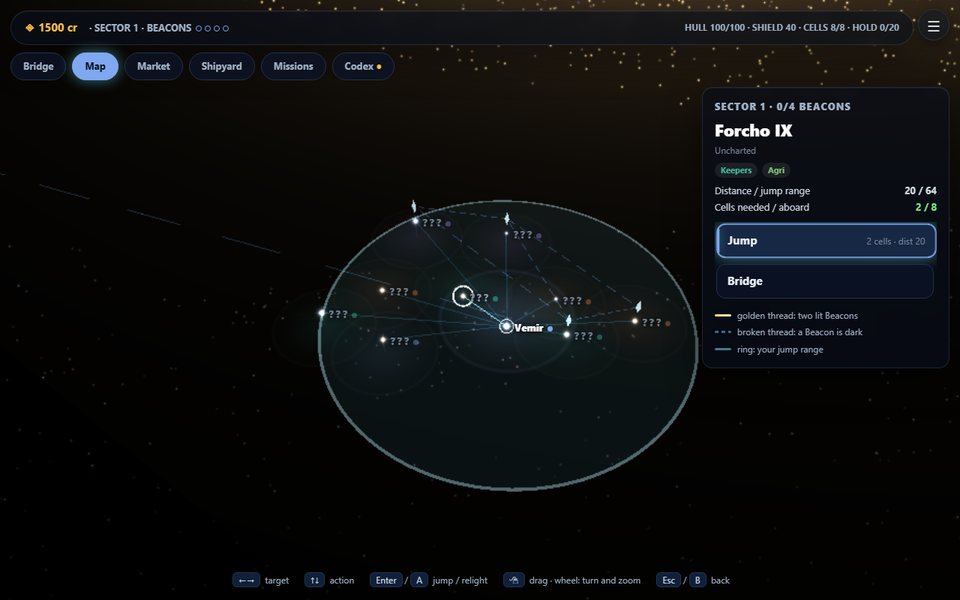 \2
\2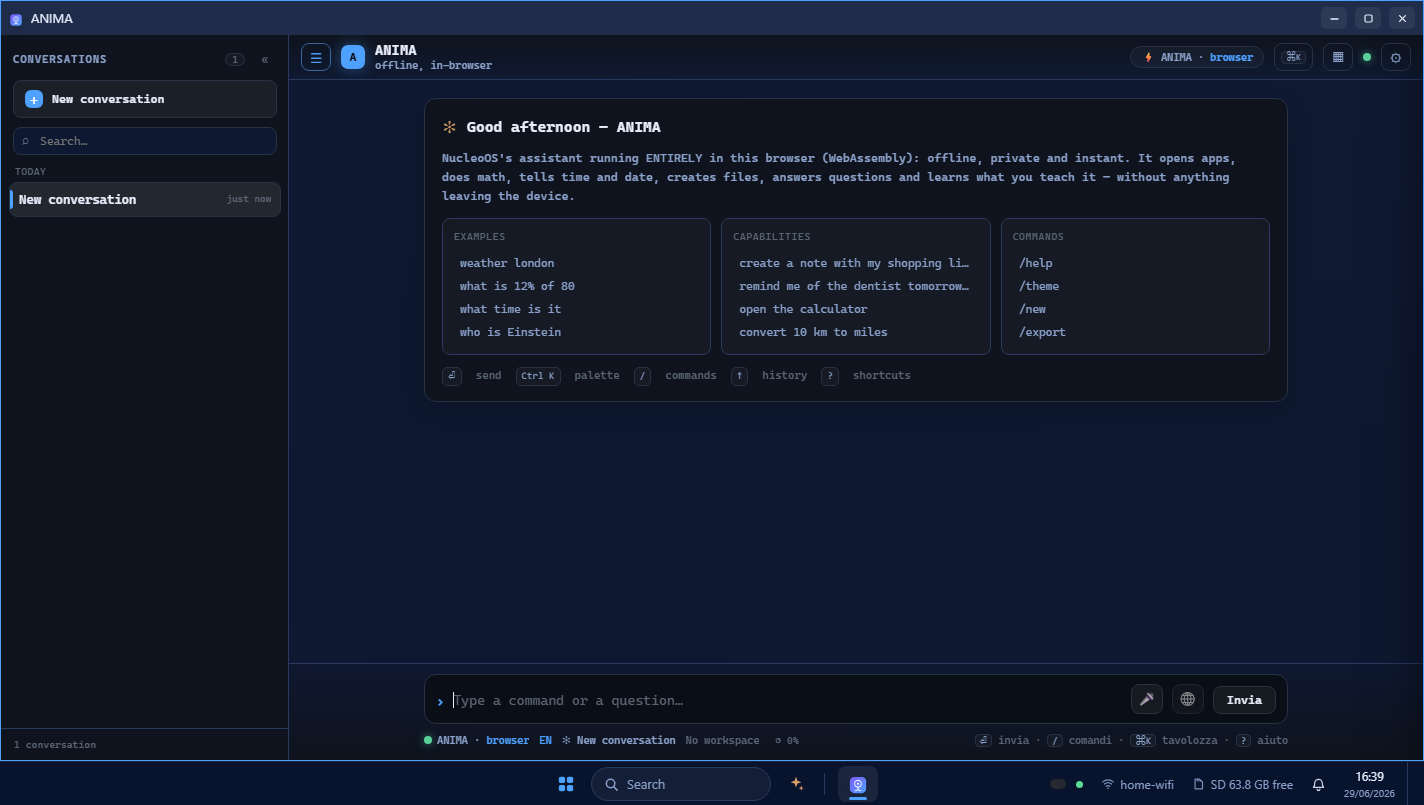 \2
\2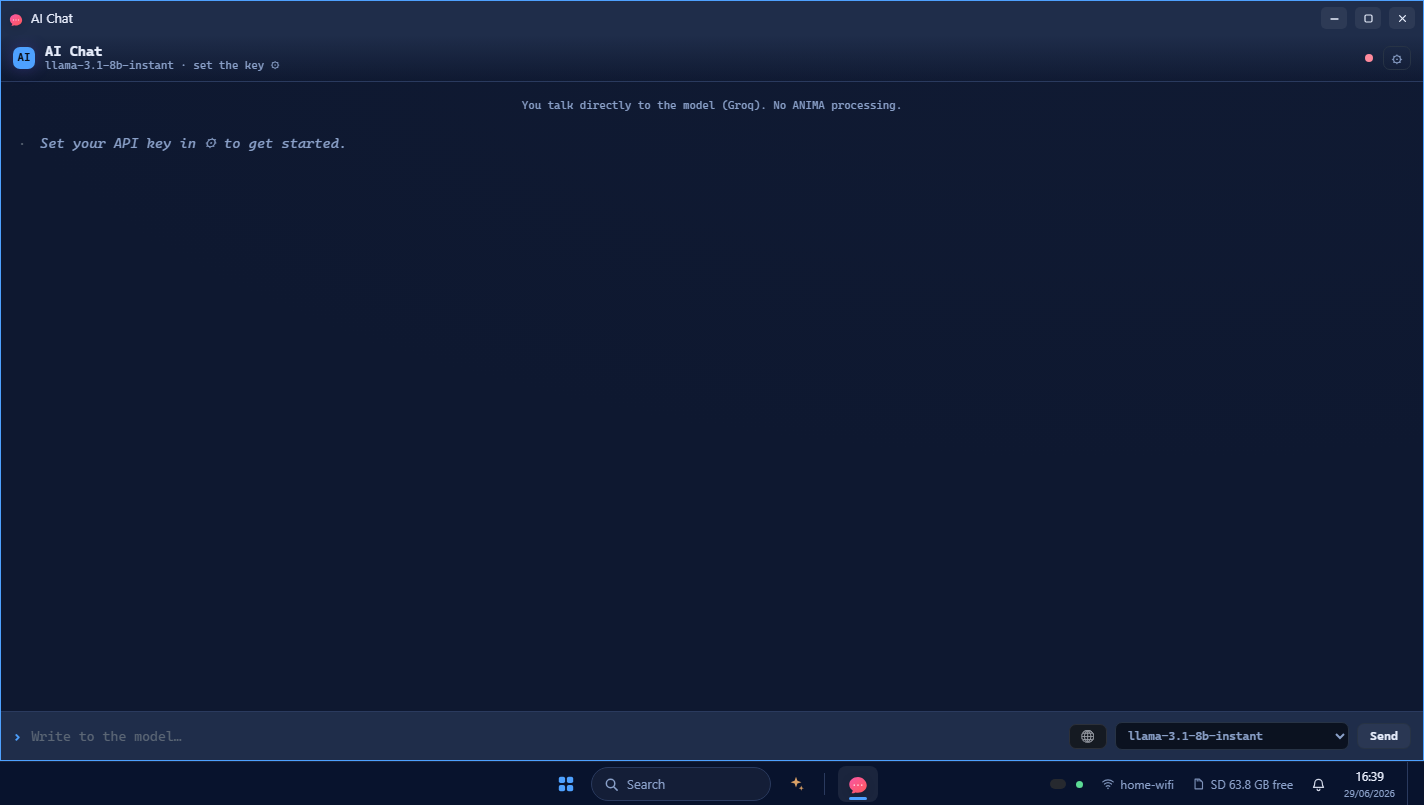 \2
\2What You Need
Hardware
- M5Stack Cardputer (original) or Cardputer ADV — one universal binary auto-detects which board you have at boot
- USB-C cable
- microSD card formatted FAT32
Software for flashing
- Chrome or Edge on a desktop (required for the web flasher — the easiest path)
- OR esptool if you prefer the command line
- The firmware binary and SD card zip from the latest release
Optional — for richer AI responses
- Ollama, LM Studio, llama.cpp, or Jan running on the same PC you browse from (free, fully offline, no API key needed)
- A cloud API key for Claude, Groq, Grok (xAI), or Gemini if you want frontier model answers
No PSRAM, no extra shields, and no cloud account are required to get started.
Typical use cases
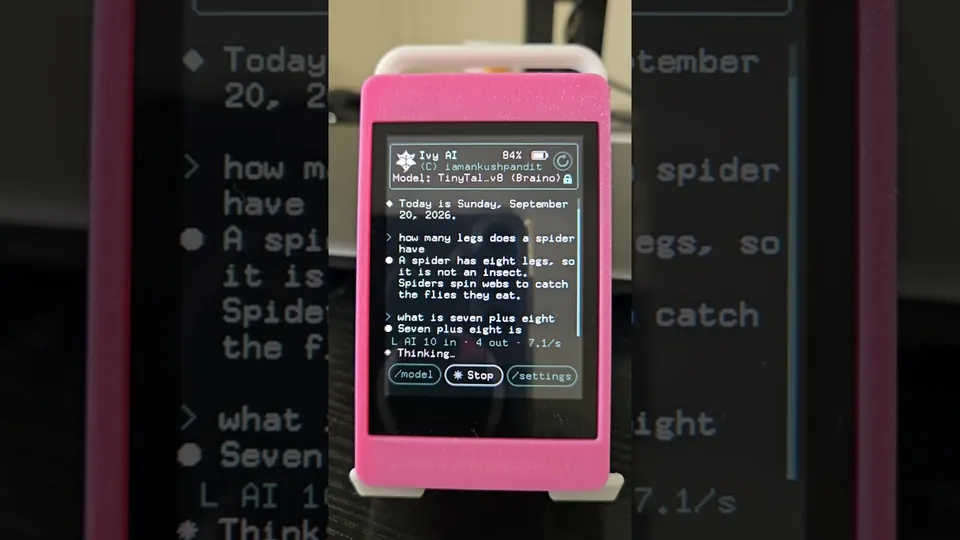
ANIMA answers device queries, unit conversions, arithmetic, and general questions entirely on-device when no network is available, with no hallucination on grounded facts thanks to its C-based NL engine.
Wi-Fi sniffing to pcap, deauth and beacon suites, BLE scanning, BadUSB DuckyScript runner, and Evil Portal testing — all operated from the Cardputer keyboard or the browser shell.
Runs native multiplayer games over ESP-NOW, emulates Game Boy and Game Gear from your own ROMs on the SD card, and streams the full Costellazioni space game to the browser.
Serves a full PWA desktop — file manager, spreadsheet, SSH terminal, Paint with AI image generation, and AI chat — to any browser on the local network, with no cloud dependency required.
How NucleoOS Works
The ESP32-S3 on the Cardputer has no PSRAM and roughly 512 KB of RAM. NucleoOS is designed around that constraint. The native firmware runs on ESP-IDF and FreeRTOS, drives the Cardputer screen and peripherals, and simultaneously runs an HTTP server that serves a Progressive Web App (PWA) from the SD card. A /api/screen endpoint streams the physical panel as a BMP — so the browser can mirror the device screen at essentially zero heap cost.
ANIMA's AI engine works as a cascade. Grounded facts come first: device actions, battery level, Wi-Fi status, time, dates, unit conversions, and arithmetic are answered exactly from a C engine that cannot invent values. Then, if configured, it queries a local model on your PC (Ollama, LM Studio, llama.cpp, or Jan). Next in line is a cloud model if you have a key. Finally, there is an in-browser option: a full LLM running on WebGPU (Qwen3-1.7B) or the device's own NL engine compiled to WebAssembly. In Private mode, every internet step is skipped and nothing leaves your machine.
Voice output uses a concatenative TTS engine (Italian and English) that pre-vocalizes a finite vocabulary on the PC and assembles the right audio clips at runtime. The result is natural-sounding speech with near-zero RAM cost on the device.
Each native game reboots the Cardputer into a fresh heap for maximum available RAM — a deliberate design choice that keeps complex games running on a no-PSRAM chip.
Flash and First Boot
Option 1 — Web flasher (recommended)
- Open indecenti.github.io/NucleoOs in Chrome or Edge on a desktop.
- Plug the Cardputer in with a USB-C cable.
- Click Connect & install NucleoOS.
- Press reset on the Cardputer when prompted.
Option 2 — M5Launcher
Copy nucleoos-<version>.bin from the latest release to the SD card and install it through the Launcher's SD installer. NucleoOS then runs alongside your other firmwares.
Option 3 — esptool
esptool --chip esp32s3 --baud 921600 write_flash 0x0 nucleoos-latest.bin
Prepare the SD card
Format the microSD card FAT32. On first boot, the wizard can download the card content (apps, web OS, ANIMA knowledge) over Wi-Fi automatically — verified, resumable, and skippable. Alternatively, extract nucleoos-latest-sd.zip from the latest release to the card root so that /apps, /www, /system, and /data sit at the top level. The zip is SD content only, never firmware.
First boot wizard
The Cardputer's built-in keyboard guides you through choosing a language, connecting to Wi-Fi (or starting the device's own access point), and giving the device a name. The screen then displays a local IP address. Open it in any browser on the same network and enter the 6-digit PIN shown under Control Center ▸ Web or Settings ▸ Device to pair.
OTA updates are offered automatically in Settings ▸ Updates with checksum verification, A/B slots, and automatic rollback: if new firmware crashes before completing its first run, the Cardputer reverts to the previous version on its own.
Ideas to Extend It — and Limitations to Know
Ways to go further
- Add a local AI model. Point ANIMA at Ollama, LM Studio, llama.cpp, or Jan running on the same PC under Settings ▸ AI / Models ▸ Models on your PC. You get a full LLM, offline, for free.
- Add a cloud key. Claude, Groq, Grok (xAI), and Gemini are all supported. Keys are stored on the device SD and never logged; the browser talks to the provider directly, bypassing the Cardputer.
- Automate the OS with ANIMA Code. A sandboxed JavaScript runtime in the browser exposes an
os.*API (os.fs,os.http,os.anima,os.notify). Write a script, hit Run, and drive the OS programmatically. - Load your own ROMs. Copy Game Boy or Game Gear ROMs to the SD card for the built-in emulation cores. The Arcade web app (EmulatorJS) adds NES, SNES, GBA, Mega Drive, and PC Engine support through the browser.
- Set up the SSH bridge. NucleoOS ships its own self-hosted bridge — no third-party relay — so you can reach your own servers from the Cardputer terminal or the full web terminal.
Limitations to be aware of
- No PSRAM. The entire experience is engineered around ~512 KB of heap. The architecture handles this well, but it means each native game must reboot into a fresh heap.
- Web flasher browser requirement. The web flasher needs Chrome or Edge for Web Serial API support. Firefox users must use esptool or M5Launcher.
- Noncommercial license. The PolyForm Noncommercial 1.0.0 license means commercial use requires a separate paid license. Read the terms before deploying outside a personal lab.
- Security tools are for authorized use only. The Wi-Fi sniffer, deauth suite, Evil Portal, BadUSB runner, and related tools are intended for authorized testing, research, and education. The README is explicit on this point.
NucleoOS is one of the most architecturally ambitious ESP32 firmwares available: it turns a pocket keyboard computer into a genuine multi-app OS with offline AI, a browser desktop, voice, games, and a security toolkit — without PSRAM. The design is disciplined and honest about the hardware's limits, putting heavy computation in the browser where it belongs and keeping the microcontroller focused on what it does well. The noncommercial license and the inclusion of offensive security tools mean you should read the terms carefully before using it outside a personal research or learning context.
Sources
github.comindecenti/NucleoOs — repository & READMEFacts in this article come from the project's public README and GitHub metadata at the time of writing. Images belong to their respective owners and link back to the original source.