OTA Update STM32 Over-the-Air Using ESP32
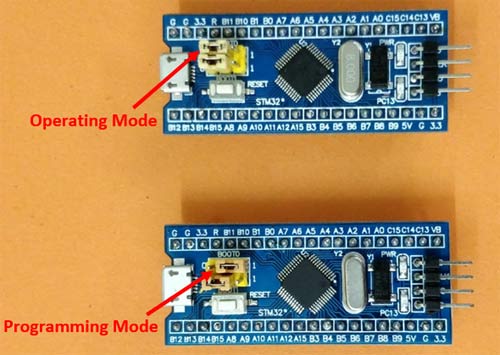
STM32 Blue Pill with BOOT0 jumper set to position 1 for programming mode
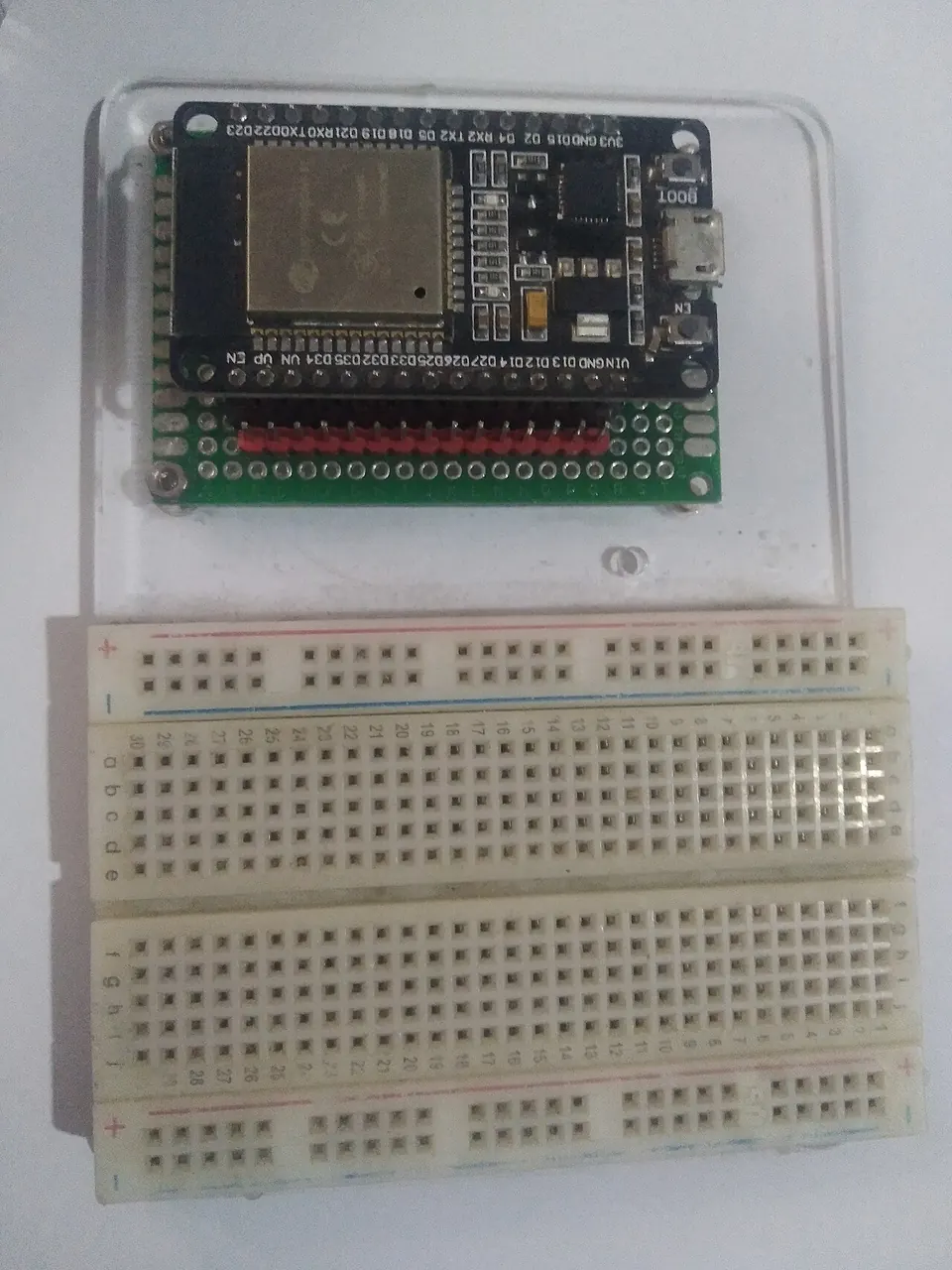
- ESP32-DevKitC
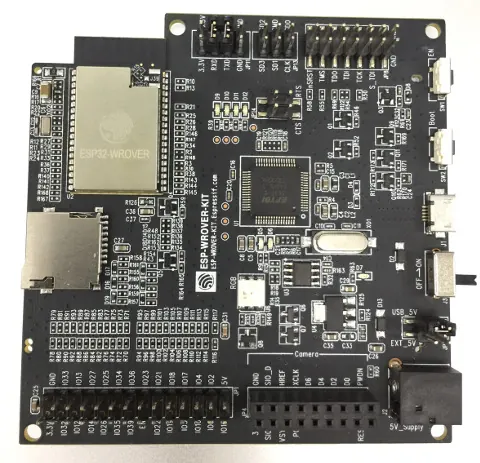
- ESP32-WROVER Kit
- STM32F103C8T6 (Blue Pill)
- STM32F072C8T6
- NUCLEO-G431KB (STM32G431KB)
What You Will Build and Why It Is Useful
When you deploy an STM32 microcontroller inside a product or enclosure, re-flashing it usually means physically connecting a USB-to-serial adapter or ST-Link programmer. This project removes that constraint entirely.
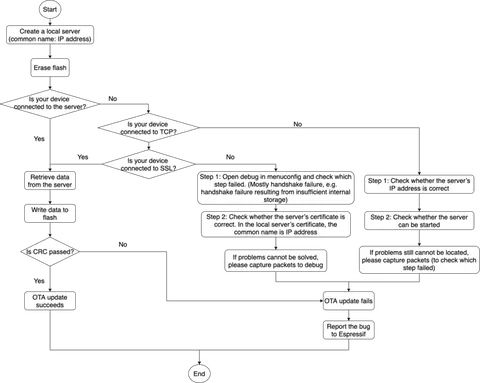
By wiring an ESP32 to an STM32 over UART, you get a self-contained Wi-Fi programmer. The ESP32 hosts a small HTTP file server. You open a browser on any device that shares the same Wi-Fi network, upload a compiled .bin file, and click a flash link. The ESP32 drives the STM32 bootloader protocol (ST application note AN3105) over UART and writes the new firmware. No dedicated programmer hardware is needed after initial setup.
This is especially useful in prototyping rigs, remote sensor nodes, or any situation where physical access to the STM32 is inconvenient. The binary-transfer step is decoupled from the transport layer, so the same flashing code can be driven over MQTT, HTTP client, or WebSockets in production systems.
 \2
\2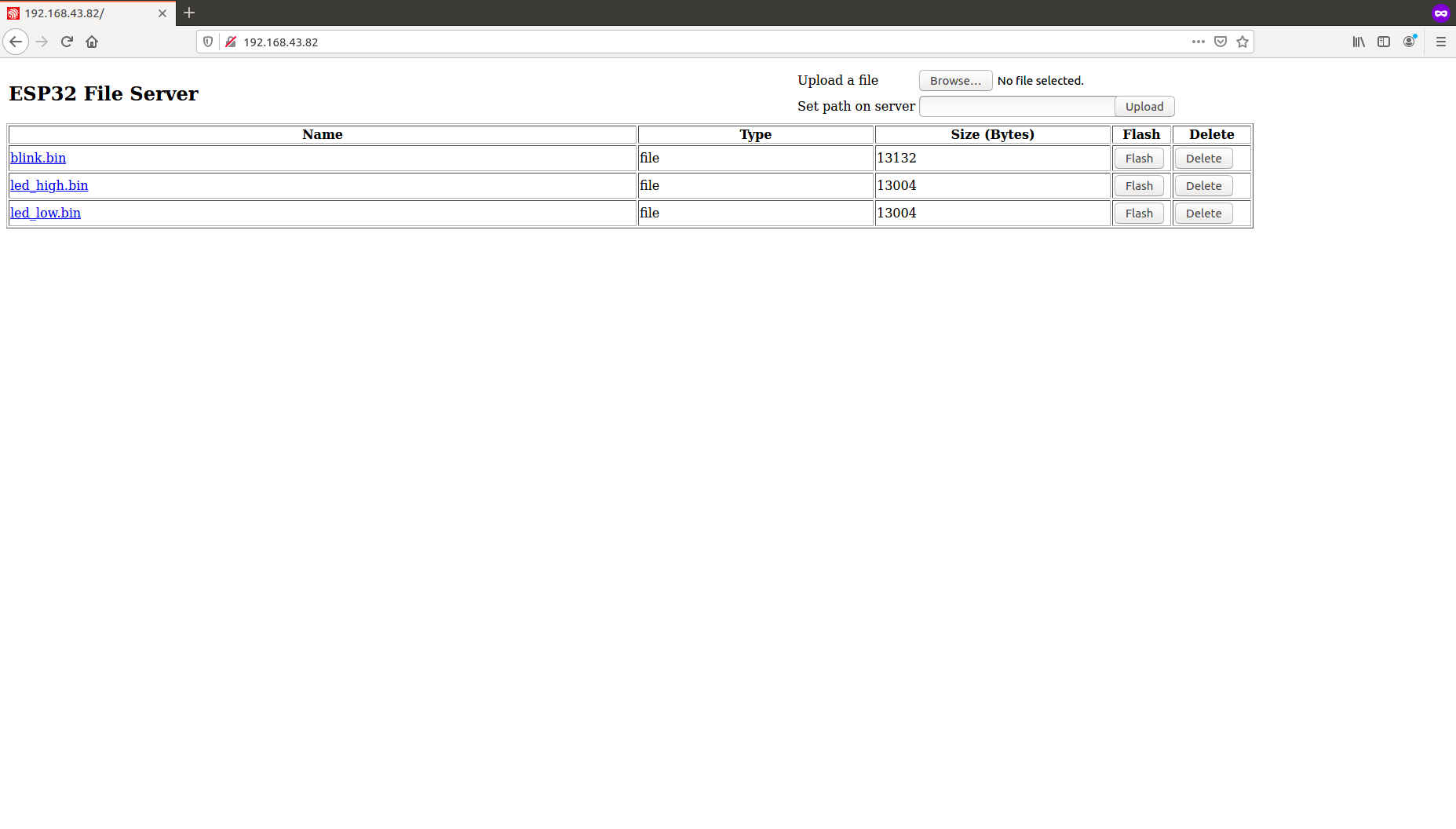 \2
\2What You Need
Hardware
- An ESP32 dev board — the README tests were done on ESP32-DevKitC v4 and ESP32-WROVER Kit
- An STM32 target board — the Blue Pill (STM32F103C8T6) is used in the walkthrough; STM32F072C8T6 and NUCLEO-G431KB are also verified
- Four jumper wires for the UART and reset connections
- Separate power supplies for the ESP32 and STM32 (do not power one from the other)
Software
- ESP-IDF v4.0 or above — follow the ESP-IDF step-by-step installation guide
- Arduino IDE, CubeIDE, or Keil to compile your STM32 sketch into a
.binfile - A web browser on a device connected to the same Wi-Fi network as the ESP32
Typical use cases
Push new STM32 firmware from a browser without touching a USB programmer or opening an enclosure.
Update STM32-based sensor nodes deployed in hard-to-reach locations by sharing the same Wi-Fi network.
Iterate quickly on STM32 code during development by cutting out the cable-connect, flash, unplug cycle.
Integrate the flashing utility into an MQTT or WebSocket pipeline to build a production-grade OTA system for mixed ESP32 and STM32 products.
How It Works
The ESP32 firmware has two layers:
- HTTP file server (
/file_serving_stm) — serves a simple web page that lets you upload, list, delete, and flash.binfiles stored in SPIFFS (the ESP32's on-chip file system). - STM32 USART bootloader driver (
/esp_stm_flash) — when you click the flash link, the ESP32 toggles the STM32 RESET pin (GPIO19) and communicates over UART using the protocol defined in ST application note AN3105. It sends the binary page by page to the STM32's built-in bootloader, which writes the data to flash memory.
The UART connections mirror the STM32 bootloader's default USART pins:
| ESP32 GPIO | STM32 Pin |
|---|---|
| GPIO4 (TX) | PA10 (RX) |
| GPIO5 (RX) | PA9 (TX) |
| GPIO19 | RESET |
| GND | GND |
The STM32 must be placed in boot mode (BOOT0 jumper set to 1) before flashing. After flashing, you return BOOT0 to 0 and press RESET to run the new firmware.
Build and Flash Steps
Step 1 — Wire the boards
Connect the four wires as shown in the table above. Power the ESP32 and STM32 from separate supplies.
Step 2 — Set the STM32 to boot mode
On the Blue Pill, move the BOOT0 jumper to position 1. The exact procedure varies by MCU — consult ST application note AN2606 for your specific part.
Step 3 — Configure Wi-Fi credentials
Open the ESP-IDF project configuration menu and enter your network name and password:
idf.py menuconfig
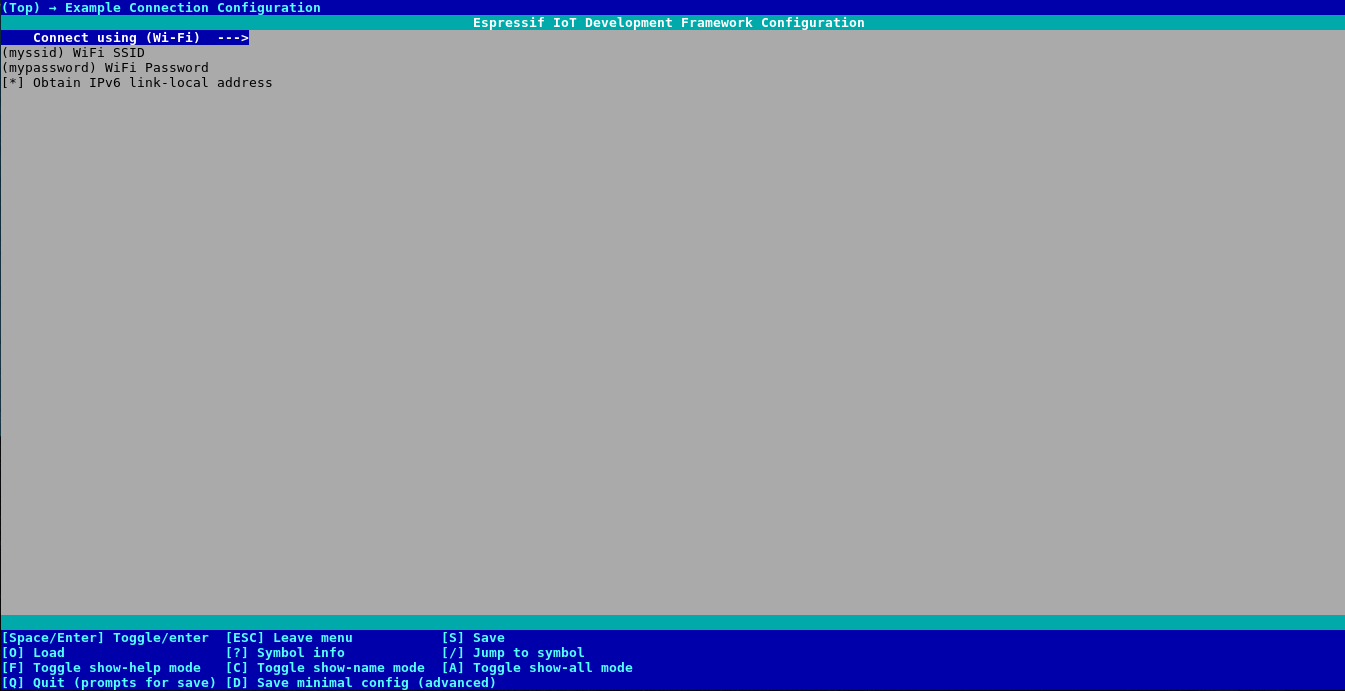
Navigate to Example Connection Configuration and set:
- WiFi SSID — the network your PC is also on
- WiFi Password
Step 4 — Compile and flash the ESP32 firmware
From inside the /file_serving_stm directory:
idf.py -p PORT -b BAUD flash
Replace PORT with your serial port (e.g. /dev/ttyUSB0 or COM3) and BAUD with your preferred baud rate.
Step 5 — Find the ESP32 IP address
idf.py -p PORT monitor
Note the IP address printed in the log (for example, 192.168.43.82).
Step 6 — Upload and flash the STM32 binary
- Open
http://<ESP32-IP>/in a browser - Use the upload form to send your STM32
.binfile to the server - The uploaded file appears in the list — click its flash link
- The ESP32 drives the bootloader protocol; watch the monitor output for progress
Step 7 — Boot the STM32 into the new firmware
Return the BOOT0 jumper to position 0, then press the RESET button on the STM32. The new firmware starts running immediately.
Compatibility, Extensions and Limitations
Compatibility
Verified series: STM32F0, STM32F1, STM32G4, STM32L5. According to ST documentation, the bootloader protocol is also used by STM32F2, F3, F4, F7, G0, H7, L0, L1, L4, U5, WB, and WL — these may work with some customization.
Ideas to extend it
- Automate boot mode switching — the README suggests using a MOSFET controlled by an ESP32 GPIO to toggle BOOT0 automatically, eliminating the manual jumper step
- Drive flashing over MQTT or WebSockets — the flashing code only needs the path of a
.binfile already in SPIFFS, so you can swap out the HTTP upload for any protocol that delivers the file - Integrate into a CI/CD pipeline — build your STM32 firmware in GitHub Actions, push the
.binto the ESP32 over HTTP client, and trigger a flash remotely - AVR targets — the same authors have a companion project for OTA-flashing AVR MCUs using ESP32
Limitations
- The STM32 must have its built-in USART bootloader intact and accessible (the chip must not be read-protected; use the official STM32 Flash Loader Demonstrator to unlock a locked chip)
- Boot mode switching is currently manual unless you add the MOSFET circuit
- The ESP32 and STM32 must be powered separately — do not draw power from each other's rails
- Always verify your Wi-Fi credentials and wiring before debugging flashing errors
OTA_update_STM32_using_ESP32 is a practical, well-tested solution for anyone who needs to update STM32 firmware without a dedicated programmer. The wiring is minimal, the web interface is straightforward, and the protocol is grounded in official ST application notes, making it reliable across a broad range of STM32 series. The main friction point is the manual BOOT0 jumper step, but the project itself points you toward automating that with a MOSFET — a worthwhile addition before deploying to production.
Sources
github.comESP32-Musings/OTA_update_STM32_using_ESP32 — repository & READMEFacts in this article come from the project's public README and GitHub metadata at the time of writing. Images belong to their respective owners and link back to the original source.