Robot Actuator ESP32 v8: Build a Smart 6-Axis Robot Arm Joint
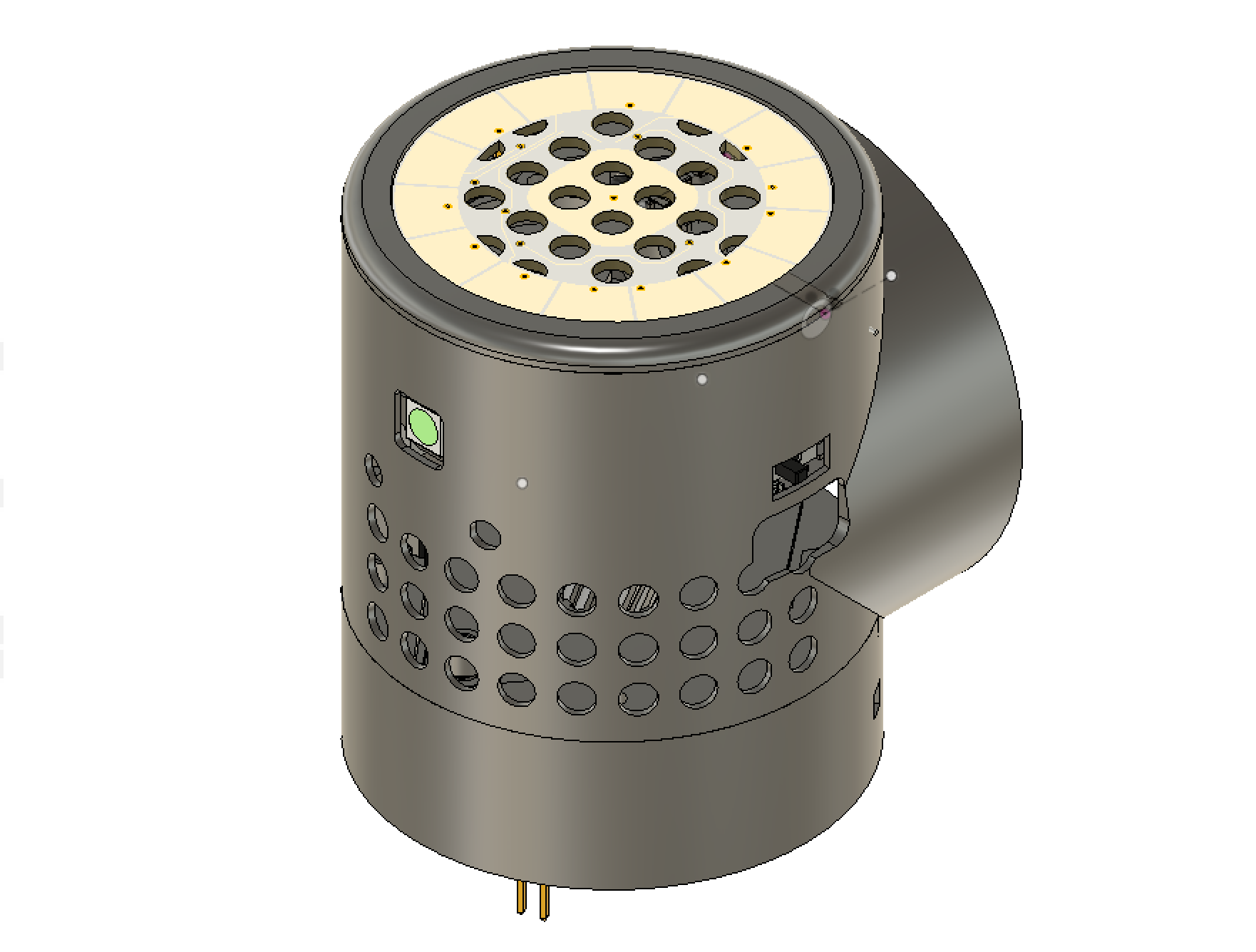
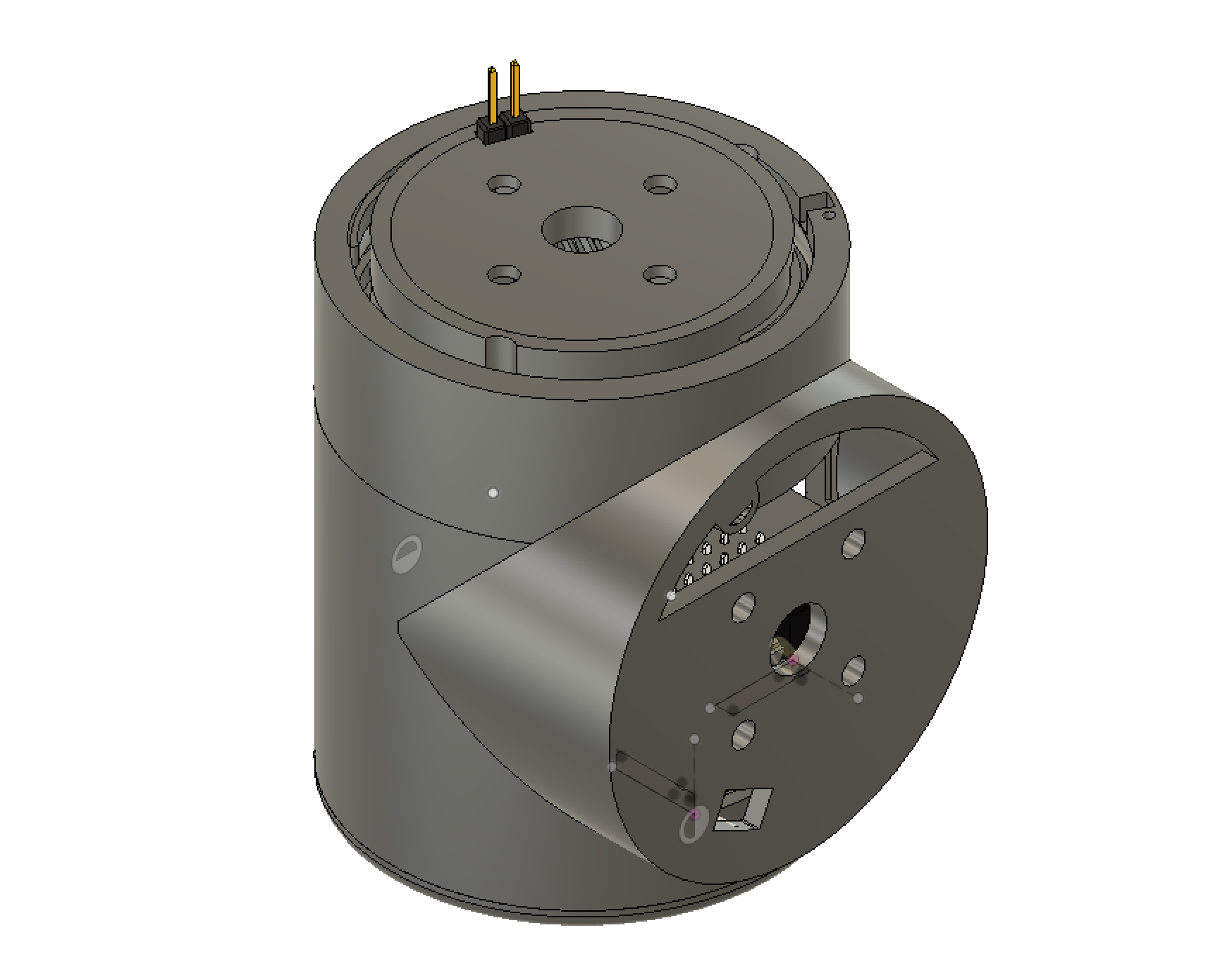
Assembled actuator showing the front and bottom face of the main PCB with DRV8825 and connectors
- ESP32 Wemos Mini
- DRV8825 stepper motor driver
- Custom main PCB (Eagle, 1.0 mm)
- Custom touch PCB (Eagle, 1.2 mm)
- 25 mm 12 V fan
- DC-DC 24 V to 5 V converter
- 100 uF 50 V electrolytic capacitor
- FDV301N MOSFET (SOT-23)
- 1N4148W diode (SOD-123)
- JST XH connectors
What You Will Build and Why It Matters
This project gives each joint of a 6-axis robot arm its own dedicated controller — an ESP32 Wemos Mini mounted on a custom PCB that also carries a DRV8825 stepper driver, a 25 mm cooling fan with PWM speed control, and a touch-sensing daughter board. The result is a modular actuator where intelligence, power conversion, and thermal management are all self-contained per joint.
The design is based on Jeff Kerr's (LoboCNC on Thingiverse) open-source WE-R2.4 six-axis robot arm. By pairing that mechanical design with a purpose-built ESP32 controller board, the project turns a printable arm into a network of smart, independently programmable actuators. If you want to learn how robot joints work from the electronics up — PCB design, stepper control, firmware, and browser-based control — this is a thorough, real-world starting point.
 \2
\2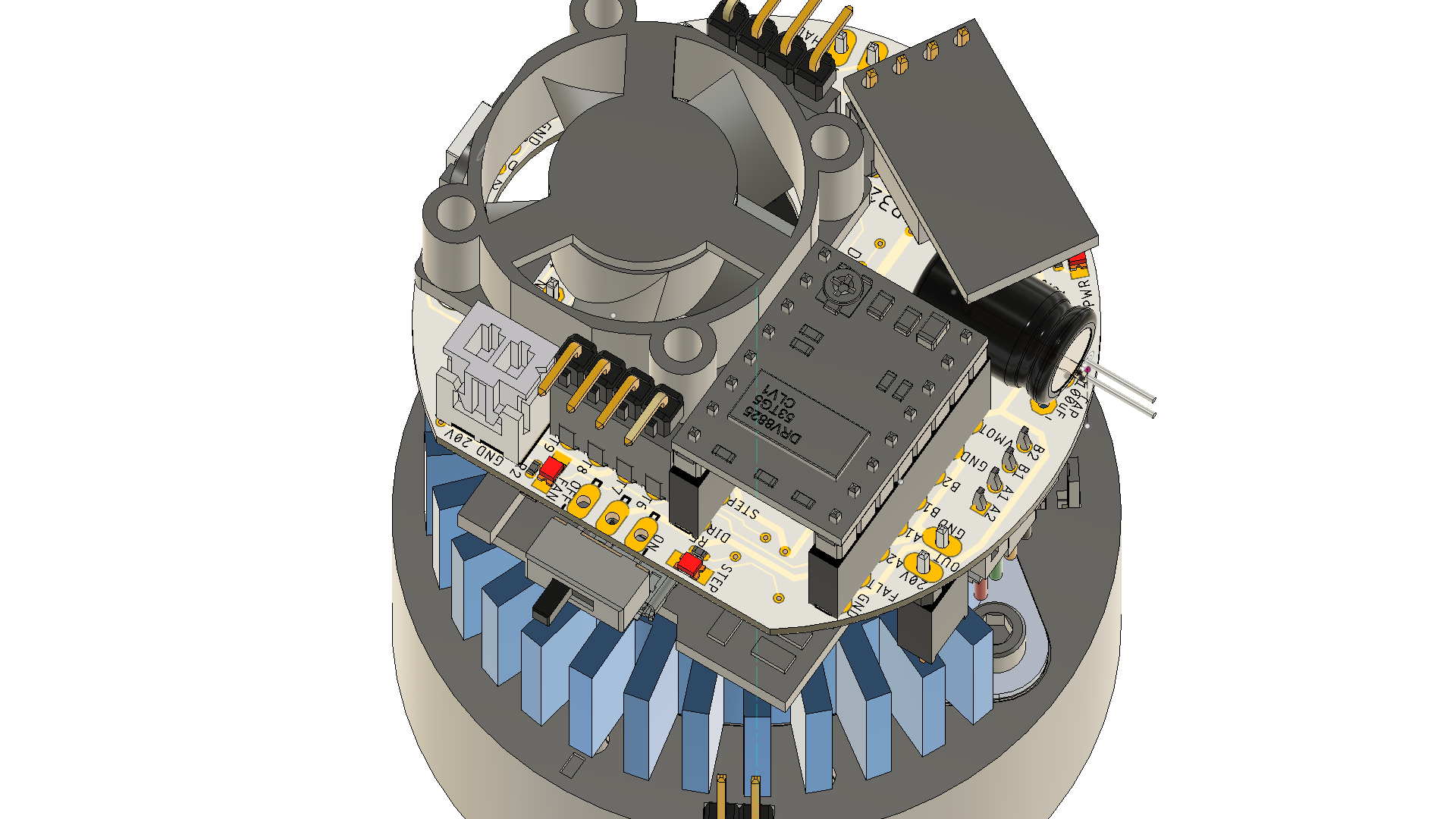 \2
\2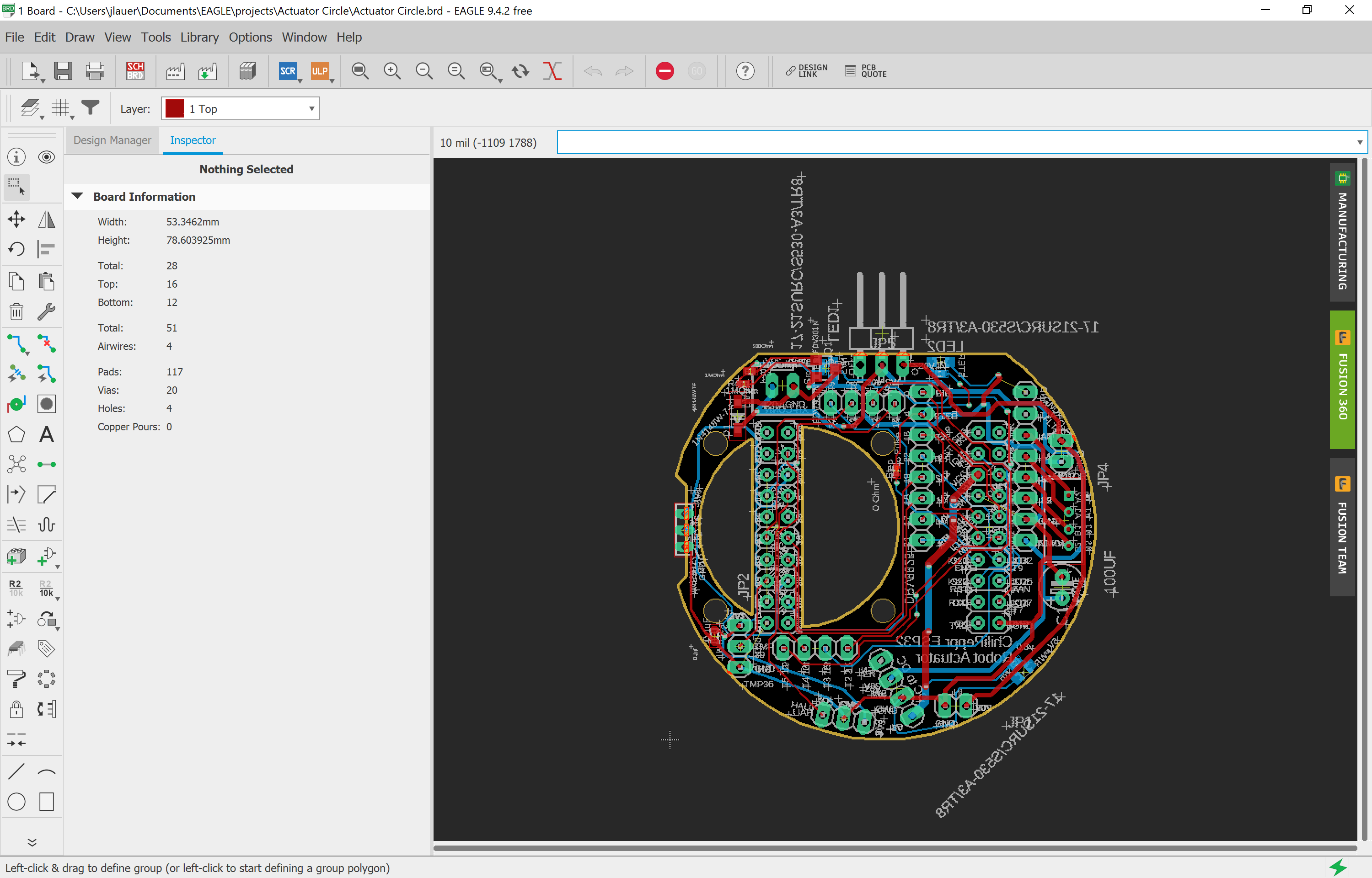 \2
\2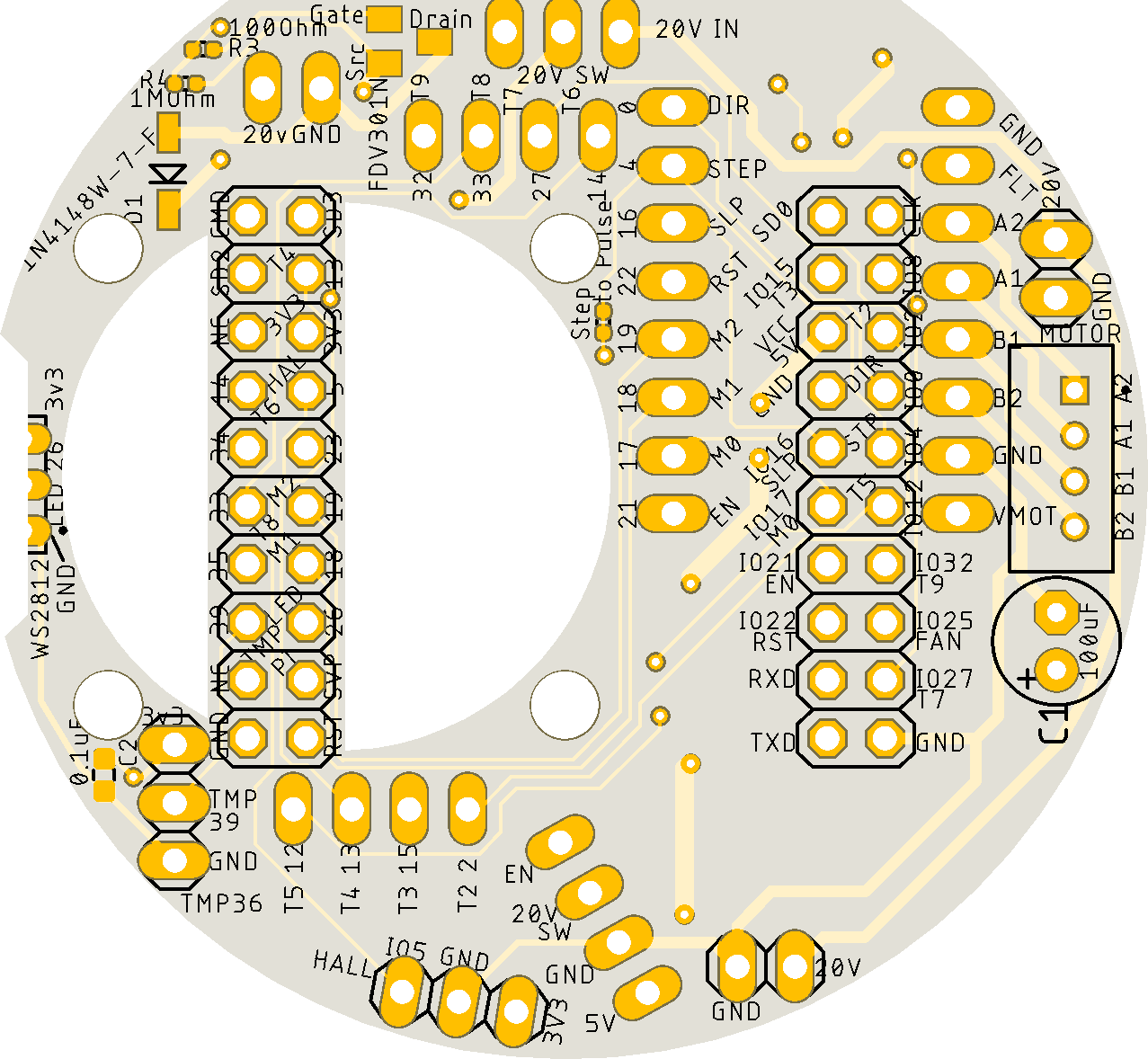 \2
\2What You Need
Hardware (per actuator, from the Bill of Materials)
- ESP32 Wemos Mini
- DRV8825 stepper motor driver module
- 100 uF 50 V electrolytic capacitor (bulk decoupling for the stepper driver)
- DC-DC 24 V to 5 V converter module
- 25 mm 12 V fan
- FDV301N MOSFET (SOT-23) for PWM fan control
- 1N4148W flyback diode (SOD-123)
- 100 Ω and 1 MΩ 0402 resistors (gate resistor and MOSFET pull-down)
- JST XH 2-pin male and female connectors plus crimp terminals for the fan
- 2×10 female pin headers (solder to ESP32 board) and 2×10 male pin headers (solder to main PCB)
- Two custom PCBs: main board (1.0 mm thick) and touch board (1.2 mm thick)
Software and accounts
- Autodesk Eagle — to review or modify the PCB schematic and board files
- Autodesk Fusion 360 — to open the CAD files or export for slicing
- A 3D printer and slicer — STL files are included in the repository
- A browser — firmware upload and arm control use the ChiliPeppr web workspaces (no local IDE required)
Typical use cases
Deploy one actuator board per joint in the WE-R2.4 printed robot arm, giving each axis its own ESP32 controller and stepper driver.
Use the ESP32's RMT and pulse counter peripherals to run precise stepper pulse trains and track position independently on each joint node.
Edit and upload Lua scripts to the ESP32 directly from the ChiliPeppr web workspace — no local IDE or toolchain needed.
PWM-control a 25 mm cooling fan from Lua to manage heat during sustained stepper operation, with results validated by the included heat tests.
How It Works
The ESP32 runs NodeMCU firmware compiled with four custom modules that the Lua code depends on:
- touch module — reads the capacitive touch PCB, the smaller 1.2 mm board
- pulse counter module — counts encoder or step pulses for position tracking
- RMT TX module — uses the ESP32's RMT peripheral to generate precise stepper pulse trains
- gpiomatrix module — manages multiple GPIO lines together
The DRV8825 receives step and direction signals from the ESP32 and drives the stepper motor in each joint. A 24 V supply powers the stepper side; the on-board DC-DC module drops that down to 5 V for the ESP32 and logic.
The 25 mm fan sits on the PCB and is controlled through the FDV301N MOSFET at roughly 20 Hz PWM. The README notes the fan is normally left off and briefly overdriven to 20 V during heat spikes — the flyback diode protects the circuit when the MOSFET switches off. Heat test results are included in the repository.
Control and code upload both happen through ChiliPeppr, a browser-based workspace platform. The ESP32 workspace at http://chilipeppr.com/esp32 lets you edit and upload Lua files over Wi-Fi. The arm workspace at http://chilipeppr.com/arm (listed as work in progress) provides the motion control front-end.
Ordering PCBs and 3D Printing
The repository contains Eagle schematic and board files for two PCBs.
Main PCB — order at 1.0 mm thickness. A white soldermask is recommended but not required.
Touch PCB — order at 1.2 mm thickness.
Thickness matters because both boards fit into the printed enclosure; wrong thickness will cause fitment problems. Most online PCB services (JLCPCB, PCBWay, etc.) let you set board thickness as a custom option during checkout — look for it in the stackup or specification fields.
The Fusion 360 CAD files and STL files for 3D printing are also included in the repository. Print the enclosure parts before the PCBs arrive so assembly can start as soon as the boards are in hand. The arm mechanics follow Jeff Kerr's WE-R2.4 design; refer to that Thingiverse page for print settings and assembly order for the arm structure itself.
Soldering and Flashing
Assembly order
- Solder the 2×10 female pin headers onto the ESP32 Wemos Mini board.
- Solder the 2×10 male pin headers onto the main PCB so the ESP32 plugs in from above.
- Solder the DRV8825 module, the 100 uF capacitor, the DC-DC converter module, the MOSFET, diode, resistors, and JST connectors to the main PCB.
- Solder and assemble the touch PCB separately.
- Seat the ESP32 into the main PCB headers and connect the fan via its JST XH connector.
SMD components (MOSFET, diode, 0402 resistors) require a steady hand or a hot-air station. Work under magnification if possible.
Uploading Lua firmware
Flashing is done through the ChiliPeppr ESP32 for Lua workspace — no local toolchain is needed. Open a browser and go to:
http://chilipeppr.com/esp32
Connect the ESP32 to your computer over USB, select the correct serial port in the workspace, and use the built-in file manager to upload the Lua files from the repository's lua/ folder. Once the files are on the device, the actuator runs the Lua code automatically on boot.
For arm-level control, open the robot arm workspace:
http://chilipeppr.com/arm
Note that the arm workspace is described as a work in progress in the README.
Ideas to Extend It and Known Limitations
Ways to go further
- Build all six actuators for a complete WE-R2.4 arm — the distributed ESP32 architecture means each joint is independently programmable and can be updated over Wi-Fi.
- Tune the fan PWM logic in Lua to create a custom thermal profile based on your motor load and ambient temperature.
- Add closed-loop position control by wiring a rotary encoder signal into the pulse counter module.
- Explore the ChiliPeppr arm workspace's JavaScript widget system to build a custom control panel or add trajectory planning.
Limitations to keep in mind
- The project was last updated in October 2020, so the ChiliPeppr workspaces and NodeMCU firmware versions referenced may have drifted. Verify compatibility with current NodeMCU ESP32 builds before starting.
- The arm control workspace (http://chilipeppr.com/arm) is explicitly flagged as a work in progress.
- Sourcing 0402 SMD components and JST crimp connectors requires either ordering from LCSC/Aliexpress (links in BOM) or finding local equivalents — lead times can be long.
- No license is declared in the repository; contact the author before using the design commercially.
The robot-actuator-esp32-v8 is a thorough, hardware-first project that covers PCB design, 3D printing, SMD soldering, Lua firmware, and browser-based control in one repository. It is firmly in Advanced territory — ordering custom PCBs, crimping JST connectors, and working with NodeMCU Lua modules all demand prior experience. Makers who push through will end up with a genuinely capable modular robot arm platform and a solid understanding of how smart actuators are built from the ground up.
Sources
github.comchilipeppr/robot-actuator-esp32-v8 — repository & READMEFacts in this article come from the project's public README and GitHub metadata at the time of writing. Images belong to their respective owners and link back to the original source.