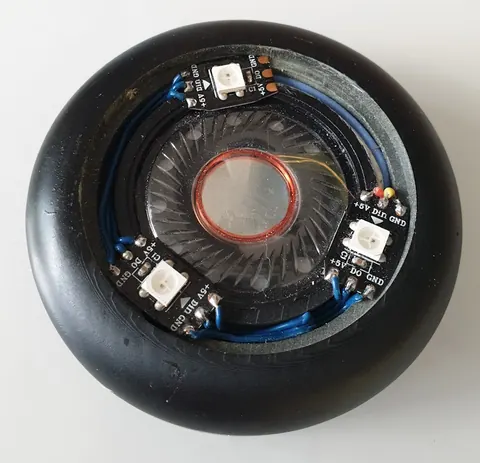
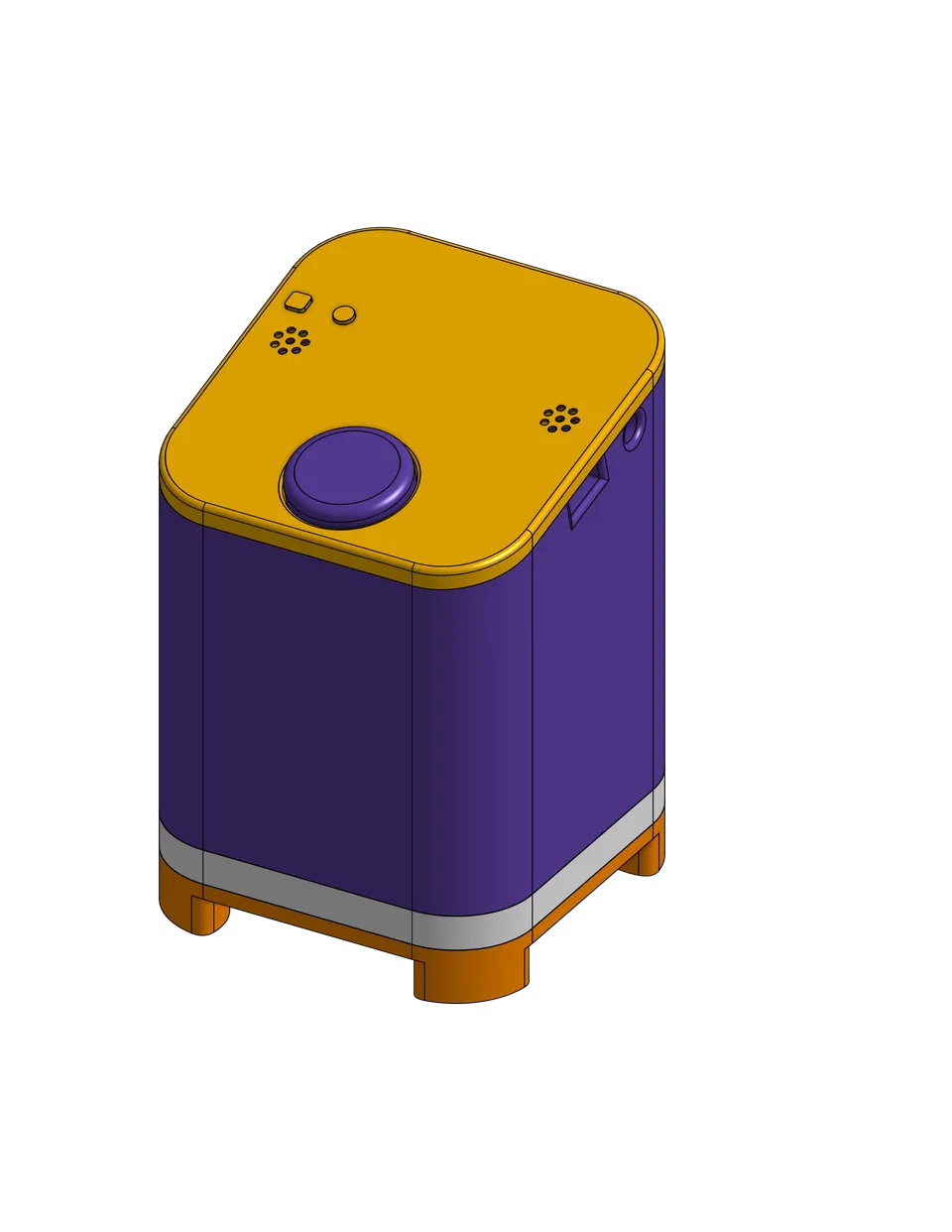
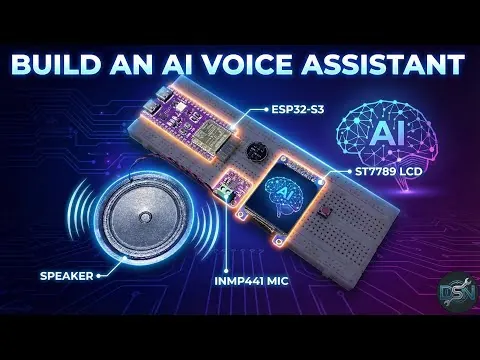
ESP32-S3 AI Voice Assistant with Gemini Live API
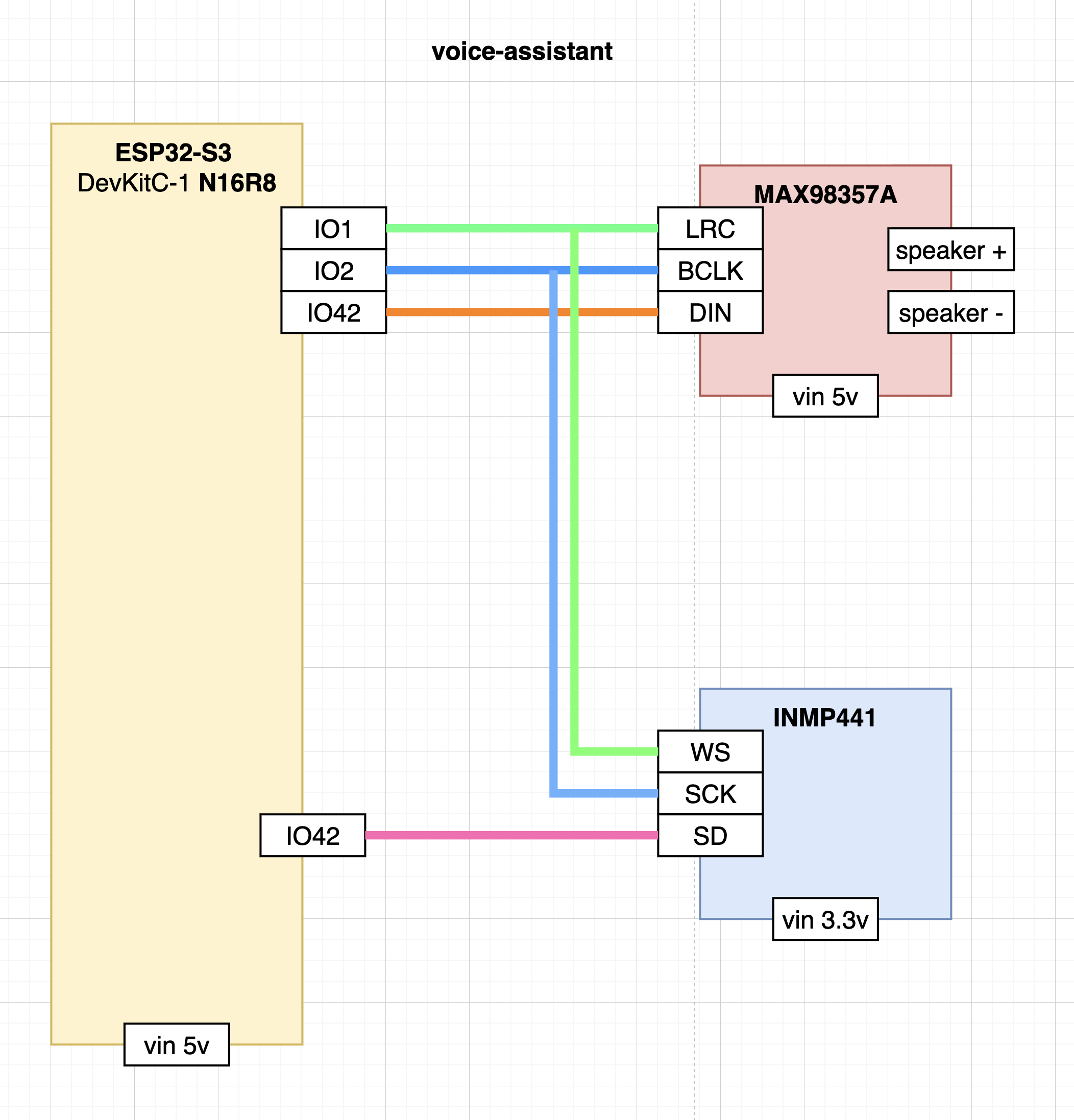
Minimal wiring schematic showing INMP441 microphone and MAX98357A amplifier connected to the ESP32-S3 via shared I2S clock lines.
- ESP32-S3 DevKitC-1 N16R8
- MAX98357A I2S 3W Mono Amplifier Class D
- INMP441 I2S Microphone
What You Will Build
This project gives you a standalone voice-activated AI device built around the ESP32-S3. Say a wake word — Alexa or Jarvis — and the device starts listening. Your speech travels through a local middleware agent to a cloud AI backend, and the assistant's spoken reply plays back through a small I2S speaker.
What makes this more than a novelty is the function-calling layer. The assistant can send MQTT commands to a broker, fire HTTP webhooks to services like Home Assistant or n8n, toggle GPIO pins directly on the ESP32, and run scripts on a local server — all triggered by natural language. Extended conversation context means you are not limited to single-command interactions; you can hold a real back-and-forth dialogue.
 \2
\2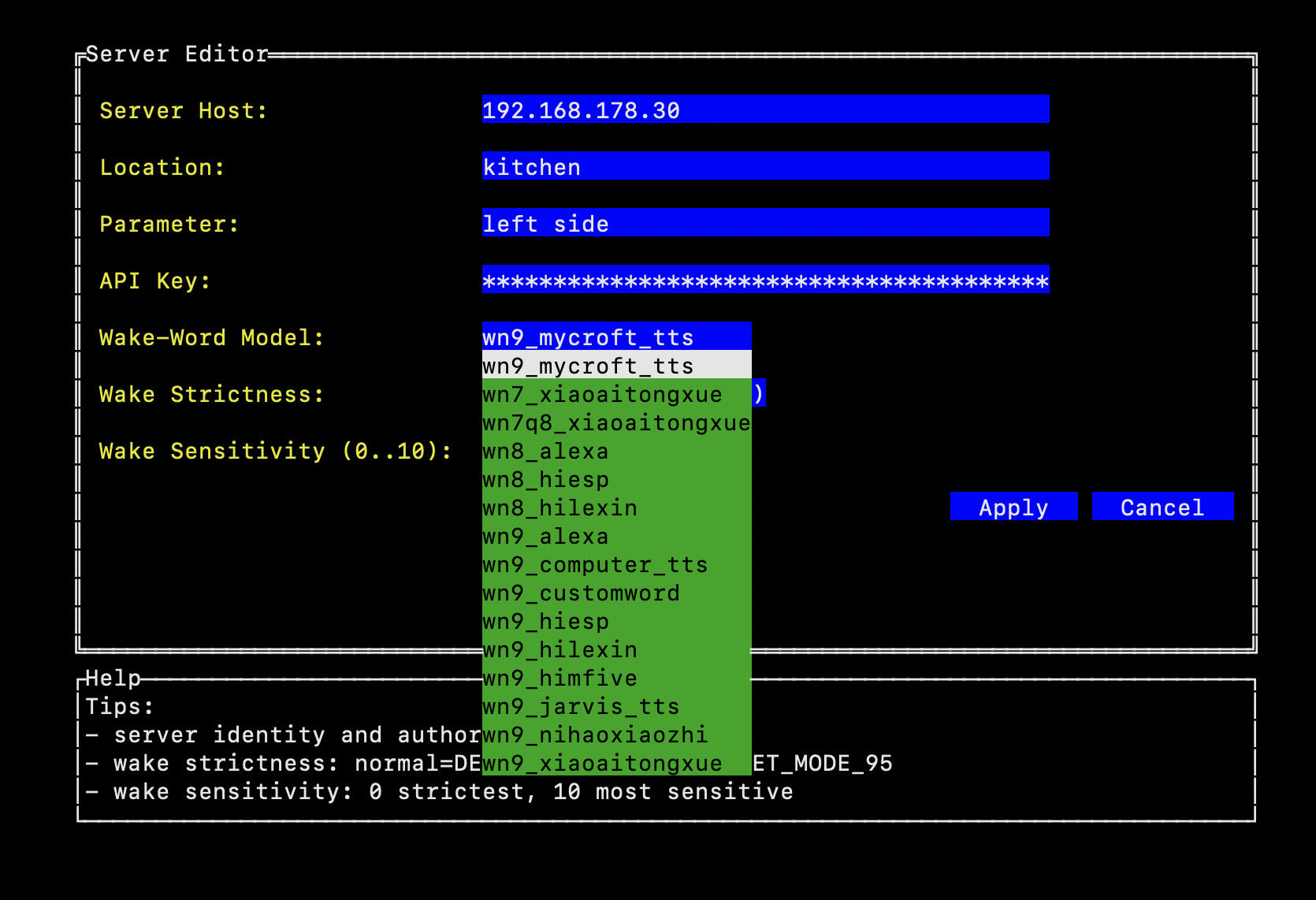 \2
\2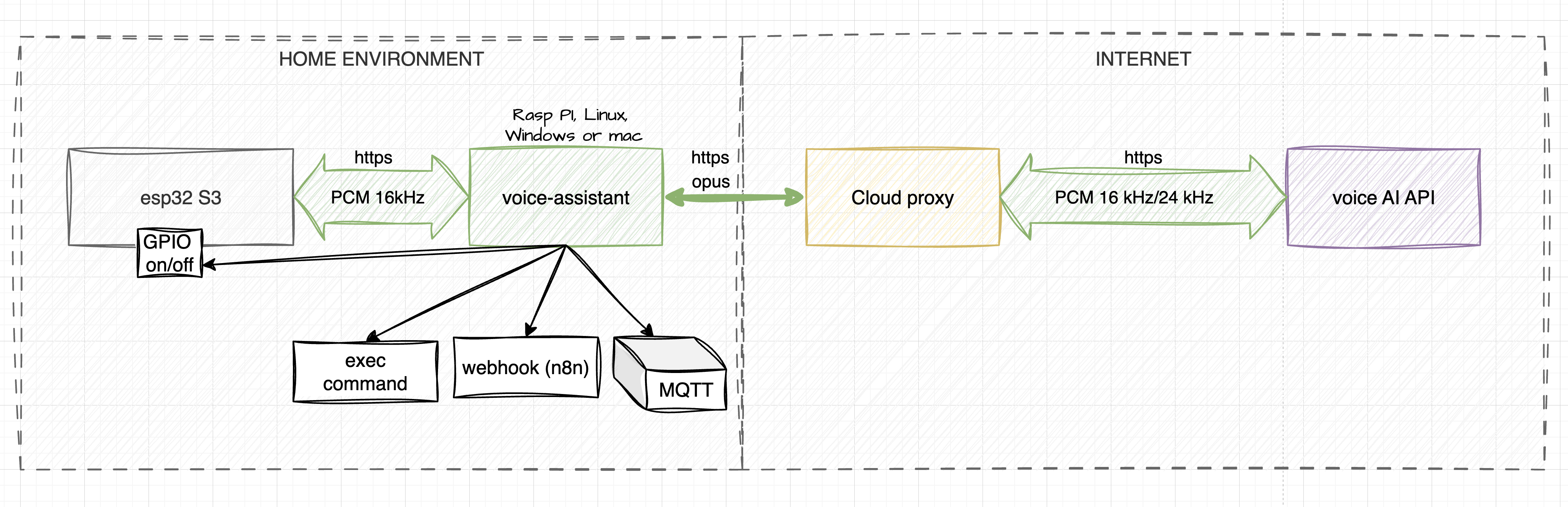 \2
\2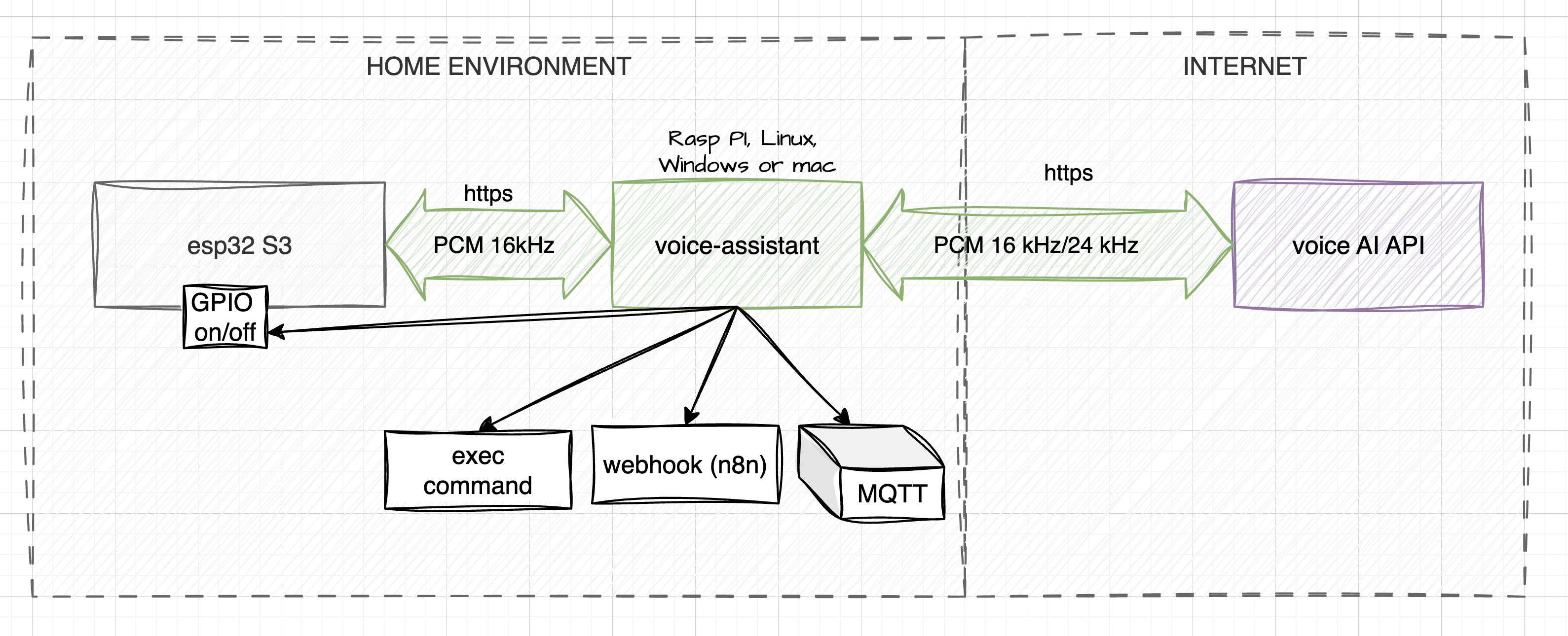 \2
\2What You Need
Hardware
- ESP32-S3 DevKitC-1 N16R8 module
- INMP441 I2S microphone
- MAX98357A I2S 3W mono amplifier (Class D)
- Connecting wires; optional custom PCB (Gerber file included in
doc/fabrication/Gerber_VOICE_ASSISTANT.zip)
Wiring
The microphone and amplifier share the I2S clock lines:
| Signal | ESP32-S3 Pin |
|---|---|
| BCLK (SCK) — shared | 2 |
| WS (LRC) — shared | 1 |
| INMP441 SD (mic data) | 16 |
| MAX98357A DIN (amp data) | 42 |
Connect the INMP441's L/R pin to GND. Adjust the amplifier gain with a resistor on the Gain pin. Pins are hardcoded in src/main.c; change the #define block at the top of that file if you need different pins.
Software and accounts
- The repository cloned to your machine
- A voice-assistant.io API key or a Google AI Studio / Vertex AI key for the DEV path
- Wi-Fi credentials for your network
- A host running the Voice Assistant middleware agent (the local server component)
Typical use cases
The ESP32-S3 runs wake-word detection entirely on-chip, so the device listens locally without sending audio to the cloud until you say the trigger phrase.
Function calling lets the assistant send MQTT messages, fire HTTP webhooks to Home Assistant or n8n, or flip GPIO pins — all from a spoken sentence.
The Exec function type lets you trigger arbitrary scripts on your local server through voice, enabling automation without touching firmware.
Unlike simple command-response assistants, this project maintains conversation context, so you can have a genuine multi-turn dialogue with the AI.
How It Works
The system has three parts working together:
- ESP32-S3 client — listens continuously for the wake word using on-chip processing. When triggered, it records audio and streams it to the middleware, then plays back the AI's response through the amplifier.
- Voice Assistant agent — a middleware program running on a local server. It handles noise suppression, Opus audio encoding and decoding, and manages the connection between the ESP32 and the cloud.
- Cloud proxy — routes traffic to the AI model.
In the PROD environment (via voice-assistant.io), the agent uses an Enterprise Vertex model with web search, AI voice-activity detection, noise cancellation, and compressed voice traffic at roughly 70 kb/sec. Billing is per second of actual usage.
In the DEV environment, you supply your own Google AI Studio API key and model name directly. There is no traffic compression and no web search, and model behaviour can be less reliable — but it is free within Google's quotas and useful for experimentation.
Configure the Device
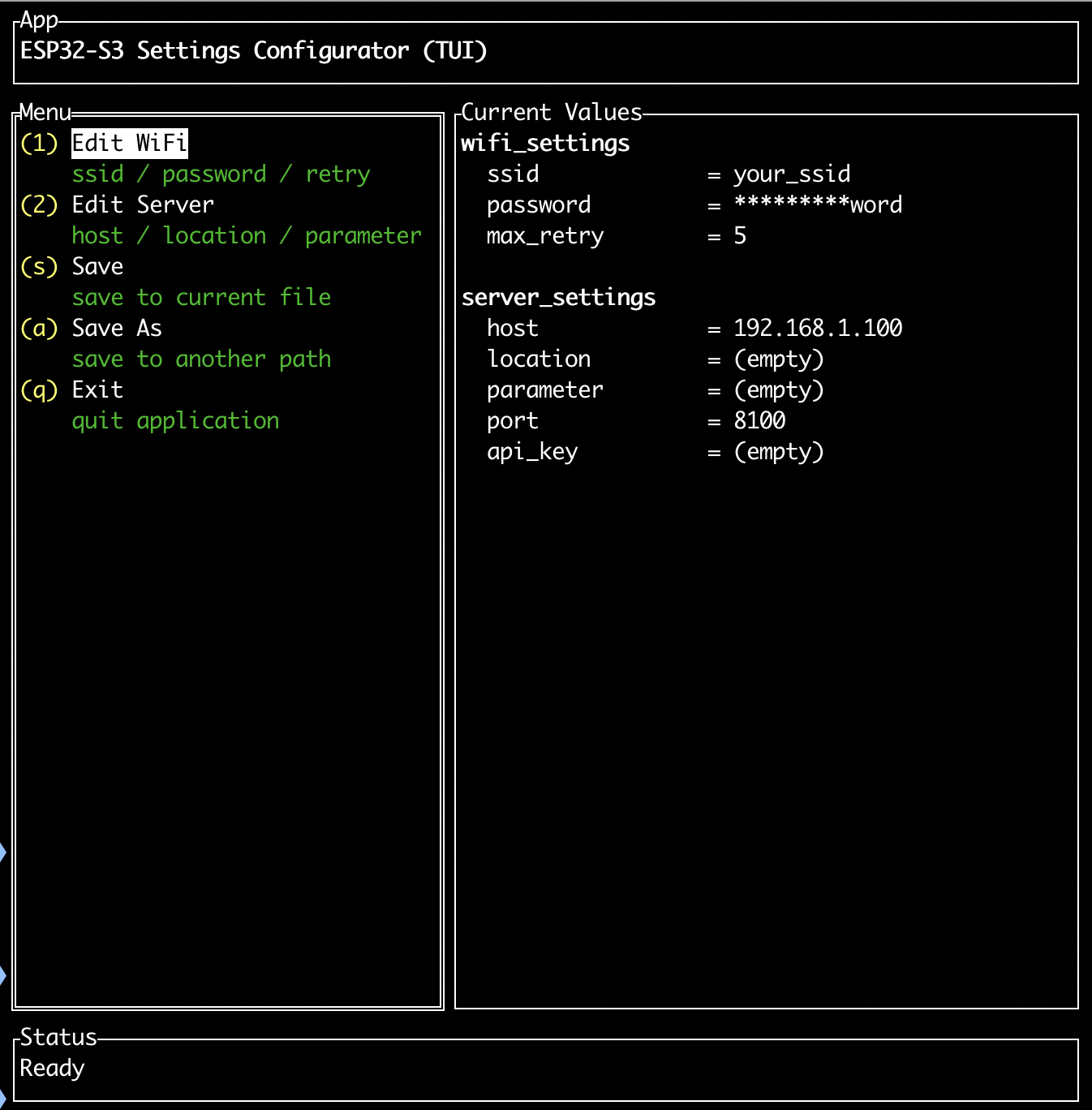
Configuration is handled by a cross-platform TUI (text user interface) script that writes Wi-Fi credentials, server address, API key, and audio parameters to the ESP32's NVS (non-volatile storage) partition.
Run the configuration script:
# Linux / macOS
./configure_settings.sh

# Windows
configure_settings.cmd
Inside the menu you will set:
- Server Host — address of your Voice Assistant middleware (required)
- API Key — from voice-assistant.io or your own provider (required)
- Wake-Word Model — Alexa or Jarvis
- Wake Detection Mode —
normal(DET_MODE_90) oraggressive(DET_MODE_95) - Wake Sensitivity (0–10) — higher values reduce false positives
- Playback Volume (0–100%) — output gain before I2S playback
- Location — tells the AI where this device is placed (e.g., "kitchen")
- Parameter — any extra context you want the AI to know
If you prefer a text editor over the TUI, you can edit settings.csv directly instead.
Build and Flash
A single script compiles the firmware, flashes it to the connected ESP32-S3, and opens the serial monitor:
# Linux / macOS
./run_upload.sh

# Windows (PowerShell)
.\run_upload.ps1
The script detects the ESP32 port automatically.
Flashing prebuilt firmware (faster iteration)
If you have already compiled once and only changed settings, use the prebuilt firmware scripts to skip recompilation:
# Linux / macOS
./run_upload_firmware.sh

# Windows (PowerShell)
.\run_upload_firmware.ps1
This script checks the firmware/ directory. If valid binaries are present, it rebuilds only settings.bin from your current settings.csv and uploads the cached firmware plus the fresh settings — no full recompile needed. If the directory is missing or incomplete, it falls back to a full build automatically.
Ideas to Extend It and Known Limitations
Ways to extend the build
- Smart home control: Wire the function-calling layer to Home Assistant webhooks and issue voice commands to control lights, thermostats, or sensors in any room.
- Custom wake word: The README notes that the wake word model is configurable. Experimenting with the sensitivity and detection mode lets you tune responsiveness for noisy environments.
- Custom PCB: The included Gerber file (
Gerber_VOICE_ASSISTANT.zip) lets you order a clean, soldered board instead of using jumper wires — useful for permanent installations. - Automation scripts: The Exec function-calling type lets the assistant trigger scripts on your local server, opening up arbitrary automation without modifying firmware.
Limitations to be aware of
- The system requires a continuously running local middleware server; this is not a fully standalone device — it depends on your home network and a host machine.
- Pins are hardcoded in
src/main.c. Changing them requires editing source code and reflashing. - In the DEV path (self-supplied API keys), there is no web search, no traffic compression, and model names may change without notice, requiring manual updates to your configuration.
- The project has one open issue at time of writing; check the repository before starting for any known blockers.
The voice-assistant project is a well-automated, practical path to a real conversational AI device on ESP32-S3, with scripted configuration and one-command flashing removing most of the friction. The function-calling support for MQTT, webhooks, GPIO, and scripts makes it genuinely useful for smart home and local automation — not just a demo. The dependency on a local middleware server and a cloud account means it is best suited to makers who already have a home server running and are comfortable managing API keys.
Sources
github.comvisorbarnis/voice-assistant — repository & README voice-assistant.ioOfficial websiteFacts in this article come from the project's public README and GitHub metadata at the time of writing. Images belong to their respective owners and link back to the original source.